
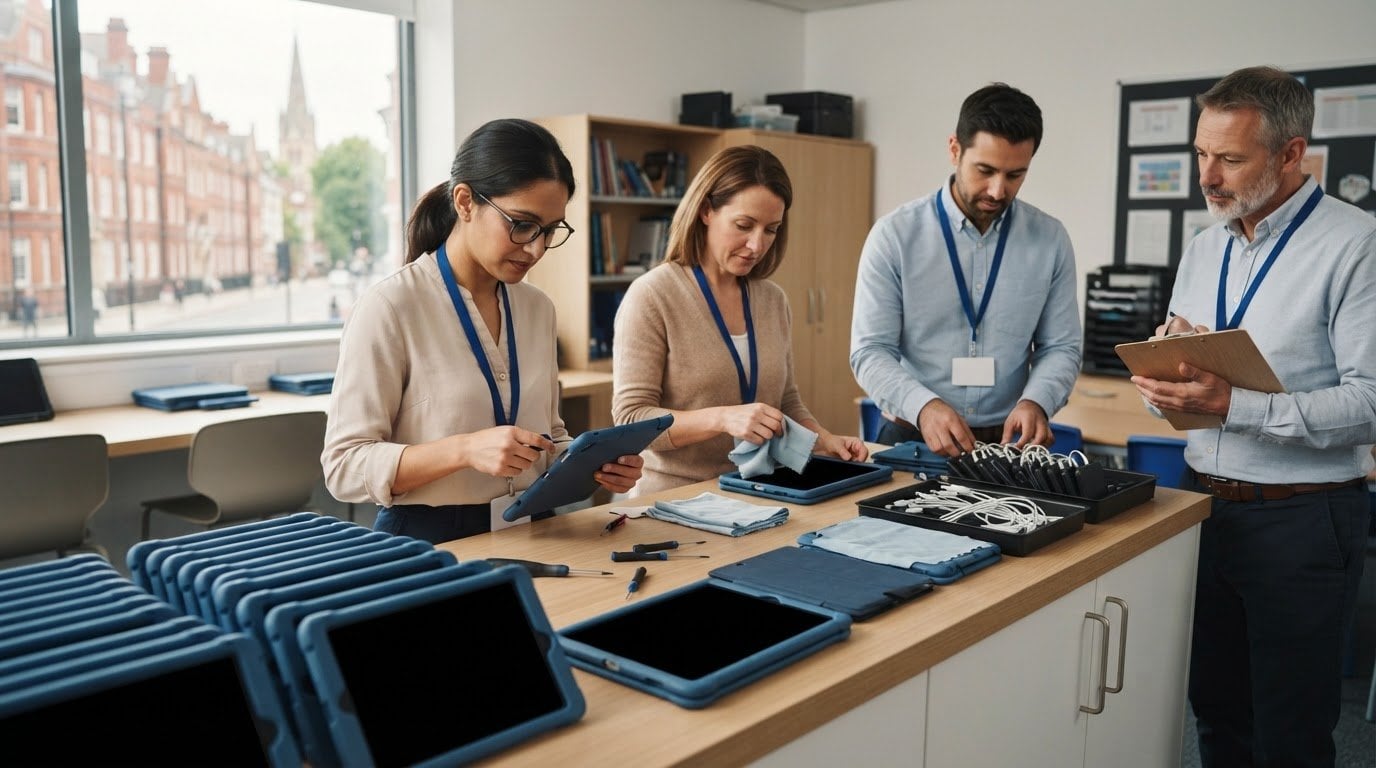
A cracked screen or an iPad that won’t charge can disrupt a lesson before anyone has time to arrange a repair. Preventative maintenance for school iPads gives staff a practical way to spot visible damage and recurring faults early, before a device is needed in class.
With a large fleet, checks can easily become inconsistent. Assign responsibility, record each device’s condition and give staff a straightforward route for reporting problems. This guide covers what to inspect, how to keep useful records and when an iPad needs professional attention. Routine checks can’t prevent every fault, but they can help your team respond sooner and plan repairs with less classroom disruption.
iRepairMan London supports schools and nurseries with iPad repairs, including on-site support in London. For larger repair batches, the B2B Repair HUB can handle 20 or more devices at once. Schools in Central London can include this repair support in their maintenance plan, alongside clear day-to-day checks.
Key Takeaways
- Preventative maintenance for school iPads works best as a repeatable routine, with a named owner and a clear way to log faults.
- Check screens, cases, buttons, cameras and charging ports. Record visible damage and recurring concerns.
- Planned checks can help staff spot developing problems. A clear reporting process ensures faults don’t go unnoticed.
- Choose check points that fit the school’s routines, then use the records to decide what needs attention.
- When a device needs professional attention, iRepairMan London provides iPad repairs for schools and nurseries, including on-site support.
Why preventative maintenance for school iPads needs a clear routine
A school iPad that won’t charge, has an unresponsive button or shows a damaged screen may be unavailable just when a class needs it. That can interrupt a lesson, delay an assessment activity or leave a teacher without a device for classroom work. Preventative maintenance for school iPads means planned checks and follow-up intended to identify concerns early, while there’s time to record them and decide what to do next.
The idea is simple: look for signs of trouble before they become an urgent classroom problem. A useful starting point is the general principle of What is preventative maintenance?, applied to school-managed devices through regular observation, consistent reporting and follow-up. Routine care can help staff respond to concerns sooner, but it can’t prevent every breakage or fault. A device may still be damaged suddenly or develop an issue between checks.
Preventative care means checking and recording an iPad to spot concerns early. Repair addresses a device that is already faulty or damaged. Keeping that distinction clear helps staff know whether to log an observation for follow-up or report a device that should be taken out of classroom use.
What a school iPad maintenance plan is designed to do
A maintenance plan gives staff a repeatable way to check school-owned or school-managed iPads used by pupils and teachers, and to pass concerns to the right person. It doesn’t need to be complicated. Staff can note which device they checked, what they observed and whether someone needs to follow up. Consistent records make it easier to see which devices need attention and decide how to manage them.
Why shared devices need consistent handling
When an iPad moves between pupils, lessons or staff, people may notice different issues or handle the device in different ways. Clear expectations help make care part of the school routine. For example, pupils can return devices to their agreed storage place and report visible damage promptly. Responsibility can be shared: pupils flag a concern, teachers record it, and IT staff review the report and decide on the next step.
Without a clear handover, a concern may be mentioned verbally and then missed, or a device with an obvious problem may go back into a shared pool without anyone recording it. A simple reporting route reduces that ambiguity. If a teacher notices a damaged screen, they can identify the iPad, record the issue and alert the designated staff member, rather than leaving the next user to discover it during a lesson.
The aim isn’t to ask every member of staff to diagnose faults. It’s to make observations easy to report and act on. Records can also help the school spot recurring concerns across its devices and distinguish an isolated incident from a pattern that needs attention. That gives staff a practical basis for deciding what can remain in use, what needs follow-up and when professional repair support is appropriate.
School iPad maintenance checklist: what to inspect routinely
A useful check is visual and straightforward. Staff don’t need to diagnose a fault; they need to notice what has changed, record it and pass it on. A consistent inspection can help identify a device that should be set aside before it disrupts a lesson. As Importance of device maintenance in K-12 schools explains, planned attention to classroom technology supports a proactive approach to device care.
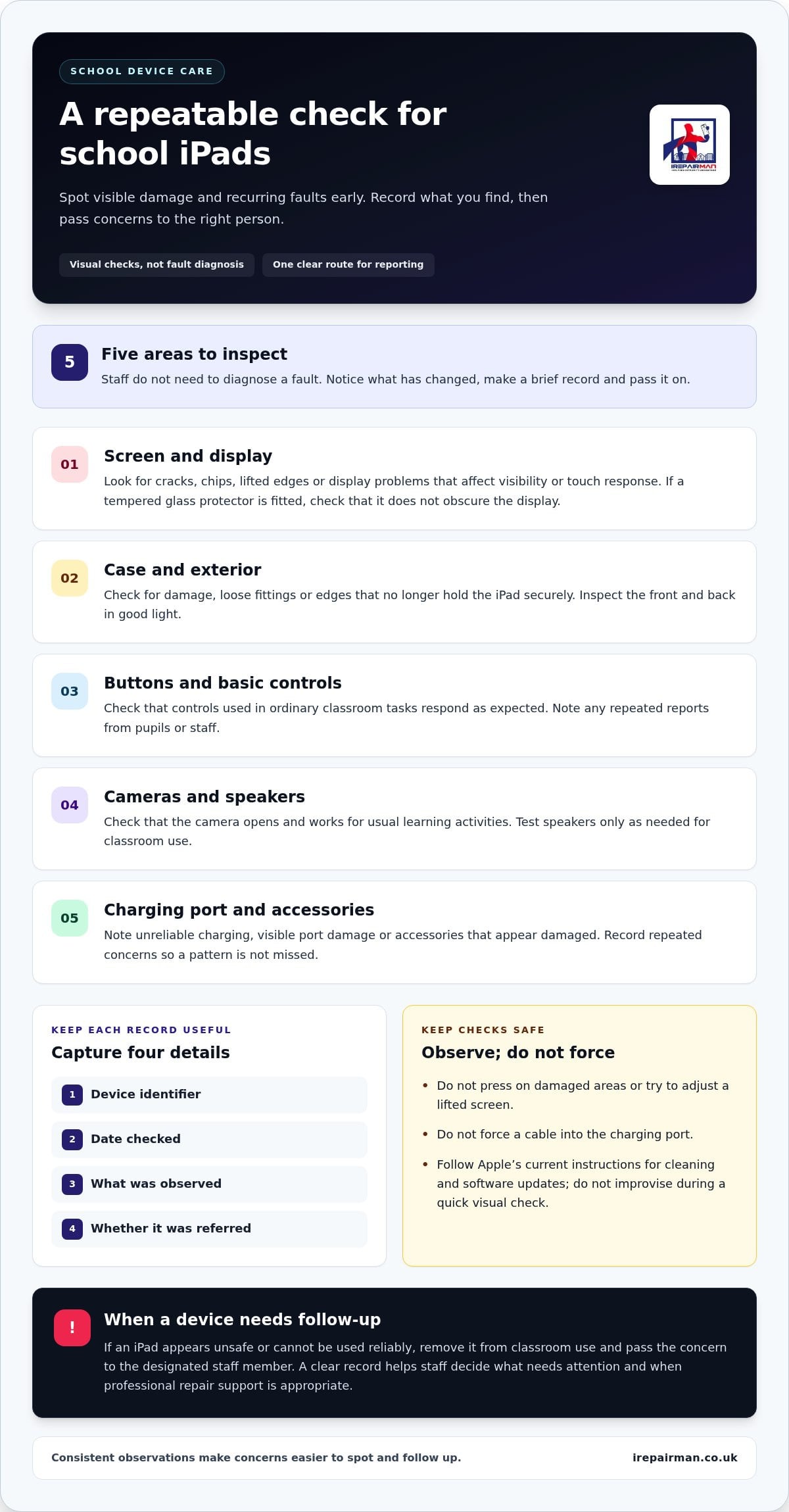
Check the screen, case, buttons, cameras and charging port. Record visible damage or any function that seems unreliable. This gives staff a quick, repeatable starting point for preventative maintenance for school iPads.
- Screen: Look for cracks, chips, lifted edges or display problems that affect visibility or touch response. If a tempered glass protector is fitted, check that it doesn’t obscure the display.
- Case and exterior: Look for damage, loose fittings or edges that no longer hold the iPad securely.
- Buttons: Check that the controls used in ordinary classroom tasks respond as expected.
- Cameras: Check that the camera opens and works for the school’s usual learning activities.
- Charging port and accessories: Note unreliable charging, visible port damage or accessories that appear damaged. Record repeated reports so a recurring concern isn’t treated as an isolated observation.
Check the screen, case and external condition
Inspect the front and back in good light. Don’t press on damaged areas or try to adjust a lifted screen. Record the device identifier, where the damage is and when it was noticed. If an iPad appears unsafe or can’t be used reliably, remove it from classroom use and pass the concern to the designated staff member.
Check charging, controls and basic readiness
Notice whether charging is intermittent or an accessory looks damaged. Don’t force a cable into the port. Test buttons, speakers and cameras only as needed for classroom use, and note recurring reports from pupils or staff. A pattern of similar complaints can help IT staff decide which devices need closer attention.
Cleaning and software updates need a separate, careful approach. Follow Apple’s current instructions for cleaning iPads, and use its guidance when planning or applying software updates. Avoid improvising cleaning methods or changing settings during a quick visual check. This keeps routine inspection focused on identifying concerns, while device changes follow up-to-date manufacturer advice.
For each check, keep the record brief and useful: device identifier, date, observation and whether it was referred for follow-up. If an iPad needs professional attention, school iPad repair support from iRepairMan London can form part of the school’s response plan.
Planned checks or reactive repairs: choosing the right school approach
Planned checks and reactive repairs serve different purposes. A routine inspection may flag a cracked screen or charging concern before the iPad is next needed. A repair response begins after someone reports a fault. Neither approach guarantees uninterrupted access to devices. For most schools, the practical answer is to use both: checks help staff spot and record concerns, and a clear escalation route deals with devices that need professional attention.
Use this comparison to decide what each approach can realistically do:
| Approach | Purpose | Staff effort | Useful records | Limitations |
|---|---|---|---|---|
| Planned checks | Notice visible changes and basic functional concerns before classroom use. | Staff need time to inspect devices and log observations. | Device identifier, check date, observation and follow-up status. | Checks identify concerns but don’t diagnose internal faults or prevent every failure. |
| Reactive repairs | Respond to a reported fault or damage that affects a device’s use. | Staff record the problem and arrange the next step. | Reported symptoms, when they began and any previous related concerns. | The issue may only come to light once a device is needed. |
When routine checks are useful
Routine checks are most useful as a prompt to notice visible changes before devices return to lessons, not as a promise that faults will be avoided. A shared reporting method matters as much as the inspection itself. If concerns are passed between classes only verbally, a loose case fitting or intermittent charging issue may be forgotten. A common log gives staff a place to record what they observed and lets the person responsible for the fleet see which devices need follow-up.
Keep the record factual. “Charging is intermittent when plugged in” is more useful than guessing at the cause. That distinction helps staff communicate clearly without treating a checklist as a technical diagnosis.
When a device needs professional repair
Escalate cracked screens, persistent charging problems and faults that continue after basic checks. Staff should describe what they can see or what a user has reported, then leave diagnosis and repair to a professional. Don’t open the iPad or attempt internal repairs as part of routine school checks. Doing so can create further problems and won’t establish what caused the fault.
If several iPads are affected, record each device separately, then coordinate the reports so the school can plan its response as a group. This makes it easier to track which devices have been assessed and which still need attention. For practical repair support in education settings, the iPad repair for schools UK guide explains how professional support can fit into a school’s maintenance approach.
Preventative maintenance for school iPads works alongside repair support: staff notice and report concerns, while a technician assesses faults that routine checks can’t resolve.
How to organise a repeatable iPad maintenance routine at school
A routine is easier to maintain when everyone knows who coordinates it, where findings go and what happens to a device that needs attention. Preventative maintenance for school iPads doesn’t need a complicated system. A shared record and a few clear steps can help a school keep track of its devices, even if the staff member coordinating the process has other duties.
- Assign an owner. Name a staff role to coordinate checks and review reports. This could be an IT lead, school business manager or another designated member of staff. Make sure teachers and pupils know how to pass on a concern.
- Check devices at agreed points. Build a brief visual and basic function check into an existing handover or school routine. Staff should report what they observe, not try to diagnose the cause.
- Record the finding. Use a shared asset record with the device identifier, condition, issue reported and action taken. Include the date and whether the iPad is in use, set aside or awaiting attention.
- Escalate and update. Pass persistent faults or visible damage to the responsible person. Update the record when the device’s status changes, so staff can see what still needs follow-up.
“The person who spots an issue records the device and concern; the designated owner reviews it and arranges the next step.” Keep this reporting rule easy to find, so a fault isn’t left in a classroom conversation or an individual message.
Assign responsibilities and keep useful records
One named role helps prevent uncertainty, but that person doesn’t need to carry out every inspection. Teachers can report concerns, while the coordinator maintains the asset record and follows up. Keep notes concise and limited to what’s needed to manage the device: identifier, condition, reported issue, action and repair status. Avoid adding pupil-sensitive details that aren’t needed to track an iPad.
A shared spreadsheet or asset-management system can work if staff update it consistently. Use the same labels across the school, such as “in use”, “set aside” and “awaiting repair”. Consistent wording makes it easier to understand status at a glance and reduces the chance of two staff members treating the same device differently.
Set a schedule that fits the school calendar
Choose check points that fit existing device handovers, rather than imposing an interval that doesn’t suit the school. For example, a school might check devices as they move between classes or during an established equipment review. Term transitions can also prompt a review of condition notes, unresolved faults and repair status. If records show repeated concerns, adjust handling guidance or the routine so staff know what to look out for.
Keep the process flexible. A new pattern of reported faults may call for a closer review, while a busy school period may make an existing handover the most practical moment for checks. If an iPad needs professional attention, arrange school iPad repair support as part of the recorded follow-up, so the device’s status remains clear to the team.
When school iPads need repair: practical support from iRepairMan London
A clear repair route turns a logged fault into a managed next step. Once staff record a damaged screen, charging problem or persistent fault, the person coordinating the device fleet can review the details, identify which iPads need professional attention and arrange repair support. Keep the report factual: note the device identifier, what the user noticed and whether the iPad has been set aside. Staff don’t need to diagnose the cause.
iRepairMan London repairs iPads for schools and nurseries, with on-site support in London, including Central London. On-site repairs can help teams organise support at school and reduce disruption to the day. Each fault needs assessment, and the appropriate repair depends on the issue identified. Routine checks can flag concerns, but they can’t establish whether a device is repairable.
Coordinate repairs with less disruption to school routines
For a single affected iPad, a clear record helps the school follow its progress and keep staff informed. If several devices need attention, coordinating them together can make the process easier to manage. The B2B Repair HUB can handle batches of 20 or more devices, giving education teams a route for organising larger repair requirements. The corporate phone repair and device management hub explains how this support can help teams coordinate devices.
Before arranging repair, gather the information already captured in the school’s record: identifiers, reported symptoms and current status. That helps the repair team understand which devices are affected and supports an organised handover. Keep the school’s asset record current as devices move into assessment and return to use, so staff aren’t relying on informal updates.
What schools can expect from a professional repair
Technicians assess reported faults and carry out the repair work appropriate to the device. Staff should report symptoms rather than open an iPad or attempt internal repairs. This avoids adding further damage and leaves diagnosis to the people handling the repair. Post-repair safety testing helps check the device before it returns to service, and every repair includes a 12-month warranty.
A repair doesn’t mean every fault can be resolved, but an assessment gives the school a practical basis for deciding what happens next. Update the device record with its repair status and any agreed follow-up, then let relevant staff know when it is ready to be considered for classroom use.
For school or nursery iPads that need professional attention, arrange iPad repair support with iRepairMan London. A defined repair route complements preventative maintenance for school iPads, helping your team move from an identified concern to a coordinated response.
Make iPad care part of the school routine
Give your maintenance process a lasting place in how the school manages its devices. Keep the checklist and reporting route easy for staff to find, and include them in handovers when responsibilities change. That way, care doesn’t depend on one person remembering every detail. Use staff observations to refine how concerns are reported and clarify any part of the process that causes confusion.
Preventative maintenance for school iPads is most useful when it becomes a shared habit, not an extra task that disappears during a busy term. Start with a simple agreed approach, then adjust it as your school’s needs change. A clear route for professional support gives staff somewhere to turn when checks uncover a fault that needs attention.
If a school or nursery iPad needs assessment or repair, arrange professional iPad repair support with iRepairMan London. With a clear routine and a practical repair route in place, your team can respond to device issues with greater confidence and keep attention on learning.
Frequently Asked Questions
How often should a school check its iPads?
There’s no single check frequency that suits every school. Set a routine around how devices are issued, shared and returned, then review it if staff report recurring concerns or the way iPads are used changes. Preventative maintenance for school iPads should fit normal school routines, rather than add a process staff can’t keep up with. A designated coordinator can review whether the chosen check points are working.
Can preventative maintenance stop school iPads from breaking?
No. Checks can help staff notice visible damage or developing problems, but they can’t prevent every accident or fault. An iPad may be dropped or stop working between inspections. The practical benefit is earlier awareness: staff can set aside a device that appears damaged, record what they’ve noticed and arrange appropriate follow-up. The aim is to improve visibility of device concerns, not promise that breakages or classroom disruption will never happen.
What should staff do if a school iPad will not charge?
If the port, cable or charging accessory appears damaged, stop using it and report the issue to the member of staff responsible for device coordination. Note whether charging fails consistently or only with a particular accessory. Don’t force a connection or try to open the device. Follow the school’s process for setting it aside and arranging assessment. A technician can investigate the cause and advise on the repair needed.
Should pupils be responsible for checking school iPads?
Pupils can help by treating shared iPads carefully and telling a teacher if they notice damage or a problem during use. They shouldn’t be expected to diagnose faults, decide whether a device is safe or carry out repairs. A teacher or designated staff member can record the report and determine the next step. This makes it easier for pupils to speak up promptly, while leaving device decisions with responsible adults.
What information should a school record when an iPad develops a fault?
Record enough to identify the device and understand the concern: its asset identifier, the date, the reported symptom, any visible damage and its current status. For example, note whether charging stopped during normal use or whether the screen was already damaged when the device was returned. Keep the entry factual and avoid adding pupil-sensitive details that aren’t needed to manage the repair. Update the record as the device’s status changes.
Can iRepairMan London repair several school iPads at once?
Yes. iRepairMan London’s B2B Repair HUB can handle batches of 20 or more devices simultaneously, helping schools coordinate multiple iPads that need attention. The team repairs iPads for schools and nurseries, with on-site support for education settings in London, including Central London. Each device’s fault needs assessment, so the repair outcome depends on the issue. Schools can use their asset records to organise the affected devices for repair.



