
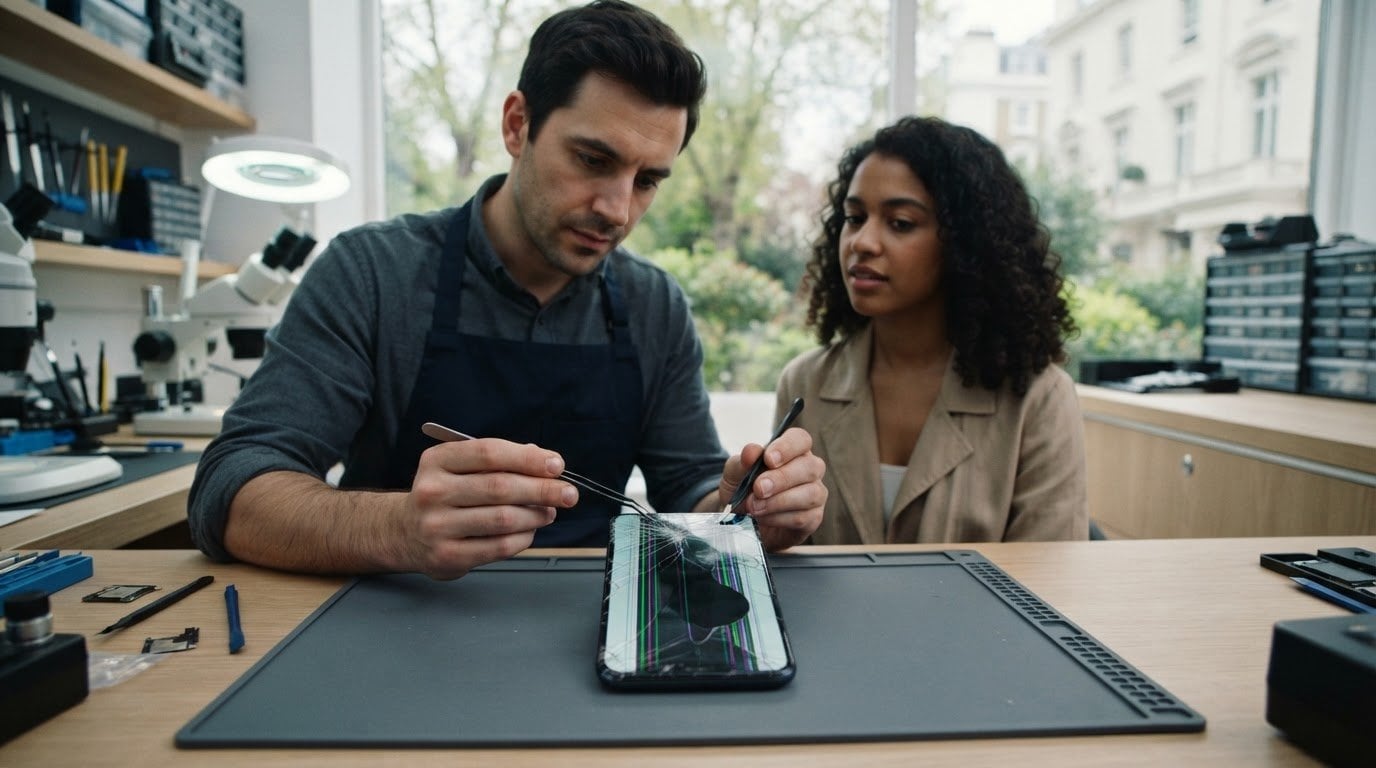
A cracked Samsung screen needs more than a cosmetic fix if the image is distorted or touch response has changed. For a Samsung screen fix near Regent’s Park, first distinguish surface glass damage from a fault affecting the display itself. If the display is damaged, replacement is usually needed. Back up important data if you can, and avoid pressing on cracked glass.
A damaged screen can disrupt calls, messages and work, so it helps to know what to do next. This guide covers simple checks, signs that a replacement may be needed and how to arrange a Samsung screen repair near Regent’s Park. It also explains how the phone’s condition affects the repair, so you can plan without guesswork.
Key Takeaways
- Check whether the damage affects only the outer glass or also the display image and touch response; back up your data if the phone still works.
- A screen replacement may be needed when the image is distorted, touch controls fail or cracks interfere with using the phone.
- Repair time depends on the phone’s condition and the work required, so damage beyond the screen can affect the turnaround.
- Before proceeding, understand what screen parts the repair includes and what the warranty covers.
- Plan a repair booking around your day, and have your Samsung model and a clear description of the damage ready.
Cracked-screen and display troubleshooting
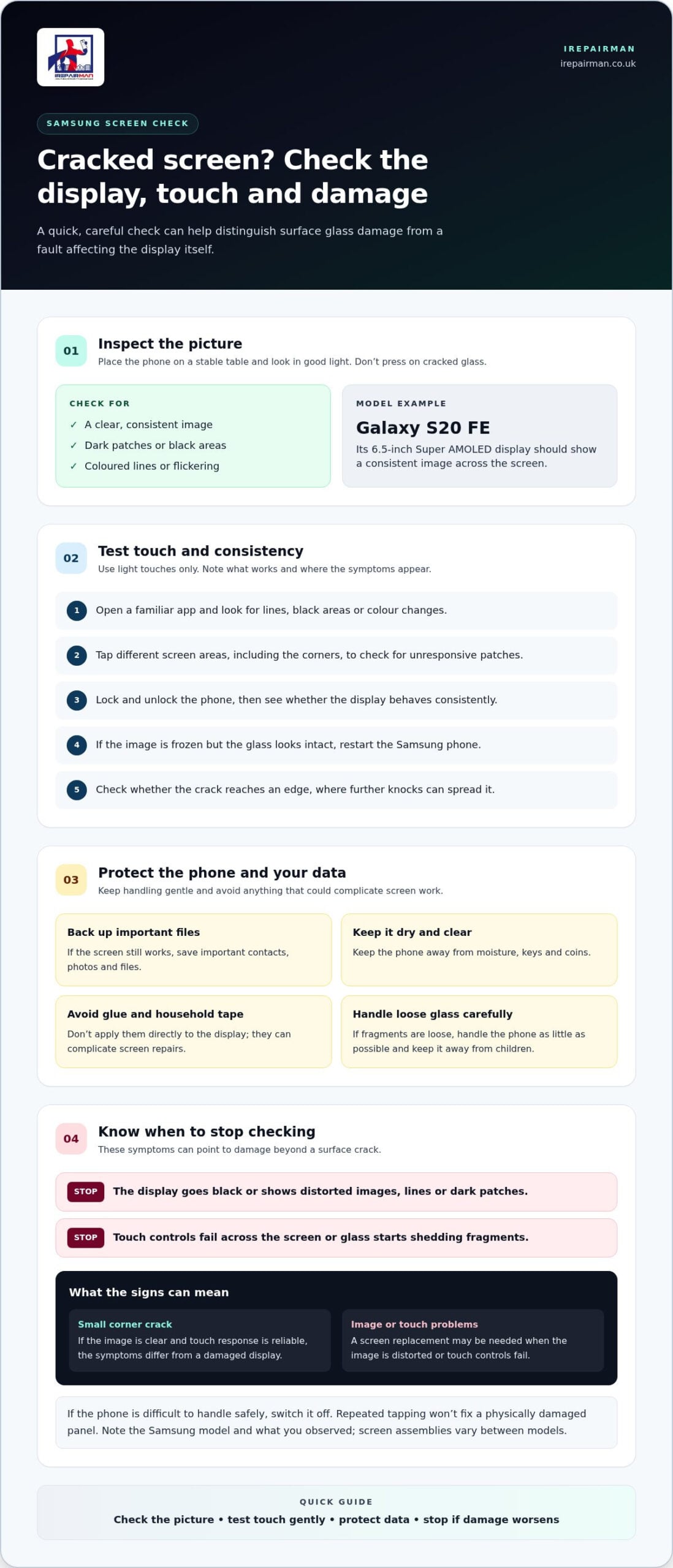
A cracked Samsung display can affect the glass, the image, touch response, or all three. Start by checking whether the phone still shows a clear picture and responds across the screen. On a Samsung Galaxy S20 FE, the 6.5-inch Super AMOLED display should show a consistent image across its surface. Dark patches, coloured lines or flickering point to damage beyond a surface crack.
Before testing the phone, place it on a stable table and inspect it in good light. Don’t press hard on cracked glass, as pressure can worsen the damage or expose sharp edges. If the screen is still usable, back up important files and photos. Then try these checks:
- Open a familiar app and look for lines, black areas or colour changes.
- Tap different screen areas, including the corners, to spot unresponsive patches.
- Lock and unlock the phone, then check whether the display behaves consistently.
- Restart the Samsung phone if the image is frozen but the glass looks intact.
- Check whether the crack reaches the edge, where further knocks can spread it.
A single hairline crack with a clear image and reliable touch response differs from a screen with spreading black marks. For example, a Galaxy S20 FE that displays normally but has a small corner crack has different symptoms from one with a dark stripe across the image. Record what you see before arranging a repair. A short description helps distinguish visible glass damage from display or touch problems.
Keep the damaged phone dry and away from keys or coins. Don’t apply glue or household tape directly to the display, as these can complicate screen repairs. If glass fragments are loose, handle the phone as little as possible and keep it away from children. These steps limit contact with damaged areas while you decide what to do.
If the phone still works, save contacts, photos and other important data before repair. Find the Samsung model name in Settings if the screen allows access, or check the device packaging. The model matters because screen assemblies vary between phones. For a Samsung screen fix near Regent’s Park, sharing the model and symptoms helps the repair team understand the fault.
Stop troubleshooting if the display goes black, touch controls fail across the screen or glass starts shedding fragments. Repeated tapping won’t fix a physically damaged panel. Switch the device off if its condition makes it difficult to handle safely, and arrange an assessment. A technician can identify whether the repair involves the glass, display or both.
Samsung screen replacement services
A screen replacement addresses a damaged screen assembly. The work and turnaround depend on the phone’s model and condition. Before booking, compare the repair scope, parts information, warranty terms and appointment arrangements.
Repair timeframes
A Samsung screen replacement may take longer if the phone has faults beyond its display. A screen that still powers on presents a different repair task from a device that will not start or has additional damage. Ask what the estimated turnaround includes, such as assessment, fitting and checks afterwards. For Regent’s Park appointments, travel arrangements and access to the correct model-specific part also affect the practical timing.
Parts and warranty
Parts and warranty terms vary between repair services. “Genuine Samsung part” is a specific claim, so check whether the repair paperwork identifies the replacement part. Read the warranty terms for coverage, exclusions and how to report a fault after repair. A written record clarifies what protection applies to the screen work, rather than leaving you to assume all repairs have the same coverage.
Booking and same-day service
Online booking can make it easier to provide your Samsung model, describe the damage and request a suitable appointment near Regent’s Park. Some nearby Samsung repair services offer same-day repairs, but timing depends on the device and repair circumstances. Include whether the phone powers on and whether its display responds; these details help the service plan the assessment. Keep the booking confirmation and any repair terms together.
Preparing your phone
Back up your Samsung phone before repair if the screen is usable. Use your usual Samsung or Google backup option, and check that important photos, contacts and files have synchronised. Remove accessories that could obstruct handling, such as a case or screen protector. Keep your passcode private; provide access only if a specific test requires it, and ask why the test is needed.
Does Samsung Care+ or a UK mobile insurance policy cover screen repairs? It depends on the policy, the damage and the claim conditions. Read your Samsung Care+ or insurer documents for excesses, exclusions, approved repair routes and claim steps before booking a private repair.
What are the risks of using an unauthorised repair service? Parts that don’t fit the model properly or poorly completed work can affect display quality and touch response. Unclear parts information or warranty terms can also leave you unsure what support applies if a fault develops. Keep the written repair record.
For example, a Galaxy S20 FE needs a replacement suited to that model, not simply a screen described as “Samsung compatible”. Before agreeing to the work, make sure the written quote identifies the device, repair scope, part information, warranty conditions and expected handover arrangements. Those details give you a clear basis for comparing the service and understanding what the replacement covers.
How long does a Samsung screen repair usually take near Regent’s Park?
A Samsung screen repair near Regent’s Park may be completed whilst you wait when the phone powers on and has no water damage. Water-damaged or non-powering devices can take a few days to repair. The phone’s condition therefore matters as much as the visible crack when planning your day.
For a working Samsung Galaxy phone, some local repair services offer a while-you-wait repair. This can reduce disruption if you’re near Regent’s Park and can remain nearby during the work. It doesn’t mean every repair follows the same schedule: a device that will not power on or has water damage falls outside this quick-repair scenario.
Plan around the assessment, the screen work and the checks needed afterwards. A cracked screen with a working image differs from a phone that cannot start or respond to touch. Water damage also changes the repair task, so those devices may take a few days rather than being repaired whilst you wait. Avoid arranging a tight onward commitment until you understand the expected handover time.
When arranging a visit, give the repair service the Samsung model and describe what the phone does. For example, say whether it powers on, displays an image and responds to touch. Mention water exposure and any other known faults. These details help the team understand the device’s condition before you travel or organise your day around the repair.
A useful timing plan has three steps:
- Describe the Samsung model and symptoms when making the enquiry.
- Allow time for the device assessment and repair, rather than assuming the screen is the only fault.
- Keep your schedule flexible until the repair service gives you a handover time.
If travelling from Regent’s Park, factor in your journey and the time needed to return. A service that accepts Samsung Galaxy phones by post offers another route when visiting a repair centre doesn’t suit your plans. Postal repairs involve sending the device and receiving it back, so they don’t provide the same immediate handover as a while-you-wait repair.
Before leaving home, work or a café, save important data if the screen still works. Keep the phone accessible and note any change in its symptoms. If it stops powering on, or water damage is involved, expect a longer repair process: these cases can take a few days. Clear details and a flexible collection plan make it easier to manage the interruption without guessing at the timing.
Do local repair shops use genuine Samsung parts and provide a warranty?
Parts and warranty terms matter when arranging a Samsung screen repair. The phrase “genuine Samsung part” means the component is represented as Samsung-made, rather than a compatible alternative. Ask for the fitted part to be identified in the repair record. That distinction helps you understand what the repair includes and what support applies afterwards.
A screen can look clear after replacement, but appearance alone doesn’t confirm how it works. Check touch response, brightness and colour before the handover, if possible. Open the keyboard, scroll through a page and view a plain background. These simple tests can reveal missed touch areas, uneven colour or visible fitting issues.
Warranty terms matter as much as the parts description. Read the documentation for the repair covered, the coverage period, exclusions and how to report a fault. A warranty for screen work may not cover unrelated damage, such as a faulty charging port. Keep the receipt and repair paperwork together so the device model and completed work are clear.
Be wary of broad claims that don’t identify the part or explain the warranty. “Premium screen” doesn’t tell you whether the component is genuine Samsung or compatible. “Warranty included” doesn’t explain what happens if touch response fails later. Clear written terms give you a useful record, rather than leaving you to rely on a verbal description.
- Check whether the paperwork identifies the replacement as genuine Samsung or compatible.
- Read which repair faults the warranty covers and which conditions it excludes.
- Keep the receipt, model details and repair record in one place.
- Test touch response, brightness and colour after the screen work.
Without clear parts information, it can be harder to understand a replacement screen’s origin. Poor fitting or an unsuitable component may also affect touch response or display quality. Third-party repair warranty terms differ from Samsung’s own support, so don’t assume they are the same. If a Samsung Care+ or mobile insurance claim matters, review its repair conditions before proceeding.
For example, if a replacement display shows a pale patch or misses taps near one edge, note the exact symptom and when it appears. Compare it with the written warranty conditions and repair record. This links the problem to the screen work and gives you a clear basis for discussing follow-up support.
A careful handover is straightforward: keep the paperwork, test the screen and store the warranty details. These steps help you distinguish a parts question from a repair fault and make any follow-up request easier to explain.
Can I book a Samsung screen repair online or get same-day service nearby?
Same-day repairs are offered for Samsung Galaxy phones near Regent’s Park. An online booking request can help you share the model and describe the fault before arranging your visit. Give clear details, then plan around the repair service’s appointment and handover arrangements. This makes it easier to organise your day without assuming every damaged phone follows the same process.
Start with the model name, such as Samsung Galaxy S20 FE, and describe what still works. Say whether the phone powers on, displays an image and responds to touch. Include any water exposure or other fault. These details help distinguish a screen-only repair from a device needing further assessment, and make your booking request more useful.
For an online request, include a reliable way to contact you and the times you can attend near Regent’s Park. Keep the description factual: “Galaxy S20 FE, screen cracked, image visible, touch works” is more helpful than “phone broken”. If the screen is black or the device will not start, state that clearly. A repair service can then understand the issue before you set out.
Before the appointment, keep your confirmation handy and follow any instructions provided. Leave some flexibility in your schedule, as the assessment and repair take time. If you’re at home, work or a nearby café, decide where you can wait or return later. Same-day appointments don’t mean every Samsung model or condition will follow the same schedule.
Use these steps to make the booking straightforward:
- Find the Samsung model in Settings or on the original packaging.
- Describe the crack, display image and touch response in plain language.
- State whether the Galaxy phone powers on and mention any water exposure.
- Share your Regent’s Park location and suitable appointment times.
- Keep the booking details available when handing over the device.
A same-day repair can suit a working phone with a damaged screen and a flexible schedule. A non-powering or water-damaged device may need a different turnaround, so include those symptoms in the request. That helps avoid treating a complex fault as a straightforward screen replacement. If the phone remains usable, save important information before the appointment.
Ready to arrange a Samsung screen fix near Regent’s Park? Have the model, symptoms and preferred appointment details ready when you contact iRepairMan London. Clear information helps the team understand the repair you need and plan an on-site appointment around your day.
Regent’s Park is listed among the areas served for Samsung Galaxy S20 FE repairs, and the repair centre is centrally located to serve this neighbourhood efficiently. Samsung Galaxy phone repairs are offered while customers wait, except for water-damaged or non-powering devices, so state those symptoms clearly when arranging service.
Treat that as the advertised starting price and confirm the repair details for your device when booking. If the phone is water-damaged or will not power on, the while-you-wait option does not apply. Share that information before travelling so the service can advise on arrangements.
IRepairMan London: iPhone Screen Repair
iRepairMan provides Samsung phone repairs for cracked or damaged displays. Share the Samsung model and say whether the screen shows an image, responds to touch or has stopped working. These details help the team understand the repair you need and explain the next step.
Screen damage can interrupt everyday tasks, from reading messages to using maps around Regent’s Park. iRepairMan also repairs iPhone screens, iPhone back glass and iPads, so individuals and organisations can arrange repairs for these devices through one service. The right repair depends on the device and fault, not just the crack’s appearance.
If the damaged phone still works, back up important files before arranging the repair. Keep the model details and a brief fault description ready when you get in touch. Contact iRepairMan London to discuss Samsung Phone Repair and the next step for your device.
Choose your next step with confidence
A damaged screen can make ordinary tasks harder, but the next step can be simple. If you need a Samsung screen fix near Regent’s Park, share the phone model and fault details when you contact iRepairMan. That gives the repair conversation a clear starting point, whether the display is cracked, unresponsive or no longer showing an image.
iRepairMan also offers iPhone screen repair, iPhone back glass repair and iPad repairs. Choose the service that matches your device and explain what has happened. Clear information helps the team understand the repair you need.
When you’re ready to take the next step, contact iRepairMan London today. A clear description of the device and damage is a practical place to begin, and you can move forward at a pace that suits you.
Frequently Asked Questions
Where can I get a Samsung screen repaired near Regent’s Park, London?
iRepairMan provides Samsung phone repairs in Central London, including on-site appointments around Regent’s Park. You can arrange a repair at a practical location, such as home or work, instead of travelling to a repair counter. A suitable reception area or workplace space can make the handover straightforward. Choose a location where the technician can access the phone and carry out the repair.
How much does a Samsung screen replacement cost in central London by model?
Samsung screen replacements are model-specific, so the exact handset variant matters. Galaxy S20 FE, Galaxy A-series and Galaxy Z models have different screen designs and require a matching repair. Use the precise model code rather than saying only “Samsung Galaxy”. You can find it under Settings, then About phone, or on the original box. The model code helps identify the correct screen assembly for your handset.



