
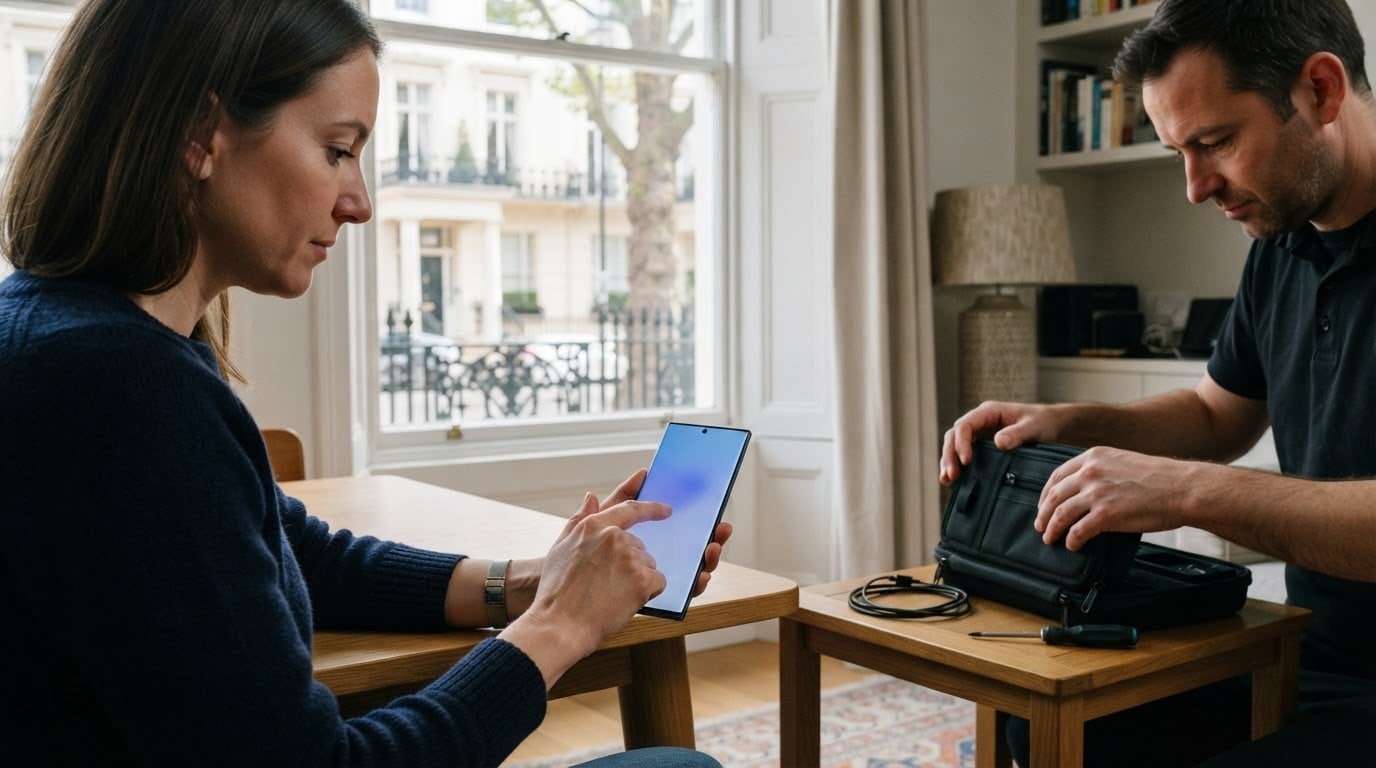
A cracked Galaxy screen needs a repair plan that fits the phone and your day. A Samsung repair shop in Knightsbridge can assess the damage, identify the screen parts needed and explain the repair process. The repair time depends on the phone model, the fault and parts availability.
A damaged display can make everyday tasks frustrating, so it helps to know what to expect before booking. This guide covers how to arrange a repair, what to ask about parts and warranty, and what can affect the repair time.
With an on-site appointment, you can arrange a repair at home, work or another suitable Central London location, reducing the need to travel with a damaged phone. Whether the screen is cracked or no longer responds properly, describing the symptoms helps the technician assess the phone and explain the next step.
Key Takeaways
- Learn what details to provide when arranging a Samsung repair and how to describe screen faults clearly.
- See how a mobile repair appointment can fit around your day at home, work or another convenient location.
- Find out how parts availability and repair requirements affect the work, and what the 12-month repair warranty covers.
- Understand what can influence turnaround times, including the phone model, damage and repair requirements.
- Explore practical points to consider for a Galaxy screen repair, from display symptoms to post-repair care.
Samsung repair booking and troubleshooting
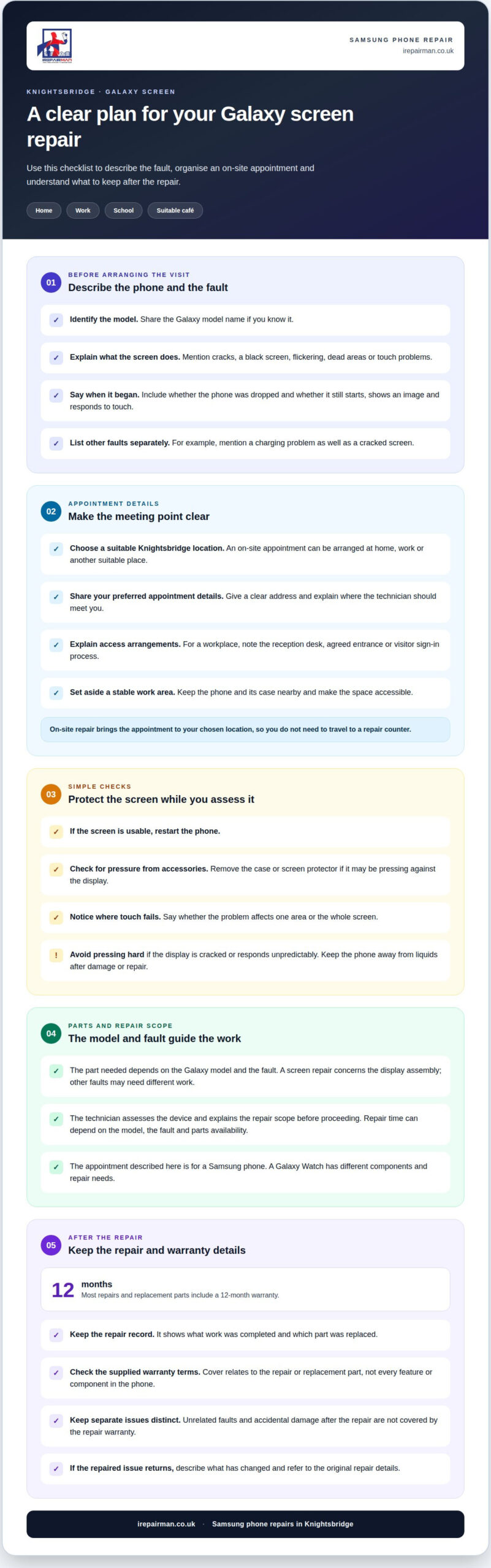
Start by identifying your Samsung Galaxy model and describing the fault. A cracked display, black screen, flickering image or failed touch response can each point to different repair needs. Explain when the problem began and whether the phone was dropped. These details help the technician assess the issue.
When booking a Samsung repair in Knightsbridge, share the phone’s symptoms, your location and preferred appointment details. Explain whether it starts, displays an image and responds to touch. If only part of the screen works, say which area. A clear description helps the technician prepare for the assessment.
- Identify the model. Give the Galaxy model name if known.
- Describe the symptoms. Mention cracks, dead areas, flickering or touch problems.
- Choose a location. State whether home, work or another suitable place works.
- Arrange the appointment. Share your preferred time and access details.
For basic troubleshooting, restart the phone if its screen remains usable. Remove any case or screen protector that may press against the display. Check whether touch problems affect one area or the whole screen. If the display is cracked or responds unpredictably, avoid pressing hard on it. Keep the phone away from liquids after damage or repair.
When comparing Samsung repair shops in Knightsbridge, look for specific customer feedback about Galaxy screen repairs, communication and appointment handling. Reviews can vary by business and platform, so consider what customers describe rather than relying on a rating alone.
When arranging an appointment, give a clear address and explain how the technician can reach you. For a workplace, that could mean naming the reception desk or an agreed entrance. Mention any access arrangements that could affect arrival, such as a visitor sign-in process. These practical details help make the appointment easier to organise.
If the phone has more than one fault, describe each symptom separately. For example, mention both a cracked screen and a charging problem. This helps distinguish display damage from a separate issue and gives the technician a clearer starting point for the assessment.
On-site Samsung repairs in Knightsbridge
A mobile appointment brings Samsung phone repair to your chosen Knightsbridge location. You can arrange service at home, work, school or a suitable café. That means planning around your day, rather than travelling to a repair counter. Share the address and access details when arranging the appointment, so the technician knows where to meet you.
Rather than travelling to a repair counter, you can arrange an on-site repair at a suitable location. For example, someone working near Sloane Street can book a visit at their workplace, while a resident can choose a suitable spot at home. The technician brings professional tools in a mobile workstation to carry out the repair on site.
Samsung tablet and smartwatch repairs differ from Samsung phone repairs. This service covers Samsung phones, while tablet repairs are available separately for other brand devices. A Galaxy Watch has different components and repair needs, so a phone screen appointment does not cover a wearable device.
Transport and parking near a Samsung repair shop in Knightsbridge need not shape your plans. With an on-site appointment, you don’t need to travel to a shop or find parking there. Instead, choose a suitable meeting point and provide clear access instructions. For a workplace, that might mean naming the reception desk or an agreed entrance.
- Choose the location. Give a Knightsbridge home, workplace or other suitable address.
- Describe access. Include entry instructions, reception details or a meeting point.
- Explain the fault. Say whether the Galaxy screen is cracked, blank or unresponsive.
- Set up a work area. Choose a stable, accessible place for the repair appointment.
A clear workspace helps the technician assess the phone and carry out the agreed work. Keep the device and its case nearby, and explain what happened before the screen failed. Mention any other symptoms, such as charging problems, so the technician can assess more than the cracked glass.
For a Samsung phone repair at a convenient Knightsbridge address, arrange an on-site Samsung repair shop Knightsbridge service with iRepairMan London and share your preferred location and access details.
Repair parts and warranty
A Samsung repair uses parts suited to the phone and the agreed work. The component needed depends on the Galaxy model and the fault. A screen repair concerns the display assembly, while other faults may require different work. The technician assesses the device and explains the repair scope before proceeding.
Most repairs include a 12-month warranty, and replacement parts carry a 12-month warranty. The warranty relates to the repair or replacement part, not every feature or component in the phone. It does not cover unrelated faults or accidental damage that occurs after the repair. This distinction helps set clear expectations about what the cover applies to.
Keep the repair record and warranty information together after the work. The record shows which repair was completed and which part was replaced. If the same repaired issue returns, these details help clarify the original work. A separate fault, such as a new charging problem, is distinct from the screen repair.
- Keep the repair details. Retain the record describing the work and any replacement part.
- Note the symptoms. If the original issue returns, describe what has changed.
- Separate new damage. Distinguish later accidental damage from the completed repair.
- Refer to the warranty. Use the supplied terms to understand the repair cover.
The Galaxy model, damage and parts required determine which repair is suitable. A specific model may need a particular component, and the assessment can reveal whether the screen is the only issue. The repair plan should connect the assessed fault with the selected part and agreed work, giving you a clear record afterwards.
A warranty is most useful when its scope is understood. The 12-month period applies to most repairs and replacement parts, rather than serving as blanket cover for the whole handset. Keep the paperwork accessible, and describe any returning problem in relation to the original repair. That makes it easier to distinguish a covered repair concern from a new fault or later damage.
Repair turnaround times
A Samsung screen repair can be quicker when the fault is clear and the required part is available. Same-day availability depends on the Galaxy model, the repair needed, parts and appointment timing. A cracked display with working touch may need different work from a phone showing flickering or no image. The technician assesses the device before confirming the repair plan.
Give the Galaxy model and symptoms when booking. This helps the technician prepare for the assessment and identify the likely screen part. Describe dead areas, failed touch response or visible cracks, and mention other faults such as charging problems. Additional issues can affect the repair scope and time.
On-site repairs can reduce disruption for someone working or living in Knightsbridge. A suitable work area at home or the office lets the technician assess the phone without a shop visit. The actual repair time depends on what the assessment finds. If the device needs a different part or further work, the plan may change.
Workshop handling is another route for repairs that cannot be completed during an appointment. Devices repaired in the London workshop are returned by tracked delivery in around 2-3 working days. This is a separate turnaround option, not a promise that every Samsung repair will follow that timeline. The required repair and parts determine the practical route.
- Share the Galaxy model. The model helps identify the relevant screen components.
- Explain each symptom. Note cracks, display faults and touch response.
- Choose a practical appointment location. A home or workplace may reduce travel disruption.
- Allow for assessment. The repair plan follows the fault and required parts.
Before booking around a meeting or school run, consider how long you can be without the phone. Keep essential contact details accessible on another device if possible. If the screen still works, back up important information beforehand. A damaged display can become harder to use, and repair work may require the phone to be unavailable.
For urgent repairs, tell the booking team when the phone is needed and where you’ll be. That helps shape a suitable appointment plan. Same-day service can reduce downtime when the timing, assessment and required parts align. Where workshop handling is needed, tracked return provides a different route, with timing shaped by the repair itself.
Samsung Galaxy screen repairs
A Galaxy screen fault can affect the glass, image, touch response or several areas at once. A visible crack does not always show the full problem. The phone may display an image but miss taps, or show damage while touch still works. Describe each symptom to help focus the assessment.
Screen replacement is one possible repair, depending on the Galaxy model, fault and parts required. The component must suit the specific phone, so providing the model name is important, especially when several devices in a household look similar. The technician assesses the screen and checks for other faults that may affect the repair.
Before the appointment, note what happens when you use the display. Explain whether the image flickers, touch fails in one area or the screen stays blank. Mention whether the fault began after a drop. These details help distinguish a screen problem from symptoms involving another component.
- Record the model name. Use the phone’s settings if the display still works.
- Describe the affected areas. Say where the image or touch response fails.
- Back up important information. Do this beforehand if the phone remains usable.
- Keep the phone dry. Damage can affect its original water resistance.
A screen protector can complicate a visual check. If it is cracked, describe that separately from damage to the phone’s display. Don’t press hard on broken glass or keep using a screen that behaves unpredictably. A damaged display can make everyday tasks, such as reading messages or entering a passcode, difficult.
After the repair, the technician tests the completed work. A mobile workstation with professional tools and a microscope supports detailed inspection. An encrypted, no-access protocol is used during repair to protect data privacy. Keep liquids away from a damaged or repaired Samsung phone, and don’t rely on its previous water-resistance rating.
The practical takeaway is to report the exact Galaxy model and describe image, glass and touch symptoms separately. That gives the assessment useful detail without assuming every crack needs the same work. To arrange a Samsung Galaxy screen repair, share the phone model and symptoms when booking.
IRepairMan London: Samsung Phone Repair
iRepairMan London provides Samsung Phone Repair for Galaxy owners who need help with a damaged or faulty handset. If you have already identified the model and described its symptoms, the next step is arranging an assessment. The technician can then consider the phone’s condition and the repair requirements before explaining the work involved.
An on-site repair can suit people who need to keep their day moving. Arrange an appointment at a suitable home or workplace location in Central London, avoiding the need to travel with a damaged phone. Share practical access information so the visit can be planned around your address.
Some faults go beyond the visible screen. A handset may also have trouble charging, producing sound or starting up. Mention those issues separately rather than treating them as part of the screen fault. This helps the technician assess the phone’s overall condition and identify any additional work.
Before agreeing to a repair, make sure you understand the proposed scope. The assessment should establish which issue the work addresses and whether another fault needs attention. If the phone has several symptoms, describe each separately. Knowing what the agreed work covers helps you decide how to proceed.
Useful details to have ready include:
- Device information: The Galaxy model and any identifying details available.
- Fault history: What happened before the problem began.
- Current behaviour: Whether the phone starts and which functions are affected.
- Appointment arrangements: A suitable address and any access instructions.
The repair approach depends on the device, fault and parts required. If the screen is not the only issue, the technician can explain how that affects the proposed work. You can then decide whether the repair suits your needs before it goes ahead.
Contact iRepairMan to discuss your Samsung phone and arrange an on-site assessment in Knightsbridge.
Take the next step with your Galaxy
A damaged Galaxy screen doesn’t have to dictate your plans. When choosing a Samsung repair shop in Knightsbridge, look for a process that starts with your phone model and symptoms. That gives the technician a clear basis for assessing the screen and explaining the next step.
iRepairMan provides Samsung phone repairs, with separate services for other devices, including iPhone Screen Repair, iPhone Back Glass Repair and iPad Repairs. Matching the repair to the device makes it easier to explain what needs attention and arrange the right service.
Before getting in touch, note your Galaxy model, what happened to the screen and whether touch still works. Share a convenient appointment location too. The technician can assess the repair scope, with the parts required and the phone’s condition informing the approach.
Ready to discuss your Samsung phone? Contact iRepairMan London to discuss a repair. A clear description of the fault is a useful place to start, and the team can help you take the next step with confidence.
Frequently Asked Questions
Where can I get Samsung phone repairs in Knightsbridge, London?
Arrange Samsung phone repairs at a suitable Knightsbridge address instead of travelling to a repair counter. iRepairMan provides on-site mobile phone repairs across Central London, including appointments at home or work. Share your Galaxy model, fault symptoms and access instructions when booking so the visit can be planned around the device and location.
What are the opening hours and contact details for Samsung phone repair near Knightsbridge?
iRepairMan operates seven days a week, from 07:00 to 23:00 local time. To discuss a Samsung repair, call 020 7046 0476, send an SMS or WhatsApp message to 07506 011 774, or email hello@irepairman.co.uk. Online booking is also available through the business website. Include your Galaxy model and preferred appointment location to make your enquiry more useful.
How is a Samsung repair assessed in Knightsbridge?
The assessment considers your Galaxy model, the symptoms and the damage. A cracked screen with additional display faults may need different work from isolated glass damage. Share the model and symptoms when booking so the repair requirements and parts needed can be assessed before the work is agreed.
Can I get same-day Samsung repair in Knightsbridge?
Same-day on-site appointments are available, subject to the repair requirements and parts needed for your Galaxy model. A straightforward screen repair may be completed during the visit, whilst faults requiring different parts can affect the plan. Share your location and describe the symptoms when booking, especially if you need the phone for work or travel that day.
What warranty and parts apply to Samsung repairs?
Most repairs include a 12-month warranty, and replacement parts are covered by the stated repair warranty. Genuine or high-quality parts are available, with a choice offered for the repair. Ask for the selected part and repair scope to be recorded with your service details. Keep that record, as it helps identify the work covered if the repaired issue returns.
How do I book a Samsung repair appointment near Knightsbridge?
To book, provide the Galaxy model, a short description of the fault and your preferred appointment location. Say whether the display is cracked, blank or unresponsive, and whether touch still works. Arrange an appointment by phone, SMS or WhatsApp, email or online booking. Share access details for your home or workplace to help plan the visit.
Are there walk-in Samsung repair shops near Knightsbridge?
iRepairMan’s Samsung service is mobile, so you can arrange an appointment at a suitable address rather than relying on a walk-in counter. This can suit a Knightsbridge resident at home or someone working nearby. Share your location and Galaxy fault when booking. The repair route depends on the device assessment, parts and work required, so an appointment is the practical starting point.
Samsung repair shop customer reviews and ratings in Knightsbridge
When comparing reviews, look for specific feedback about Galaxy screen repairs, communication and appointment handling. Reviews vary by business and platform, so consider the details customers share rather than relying on a rating alone.