
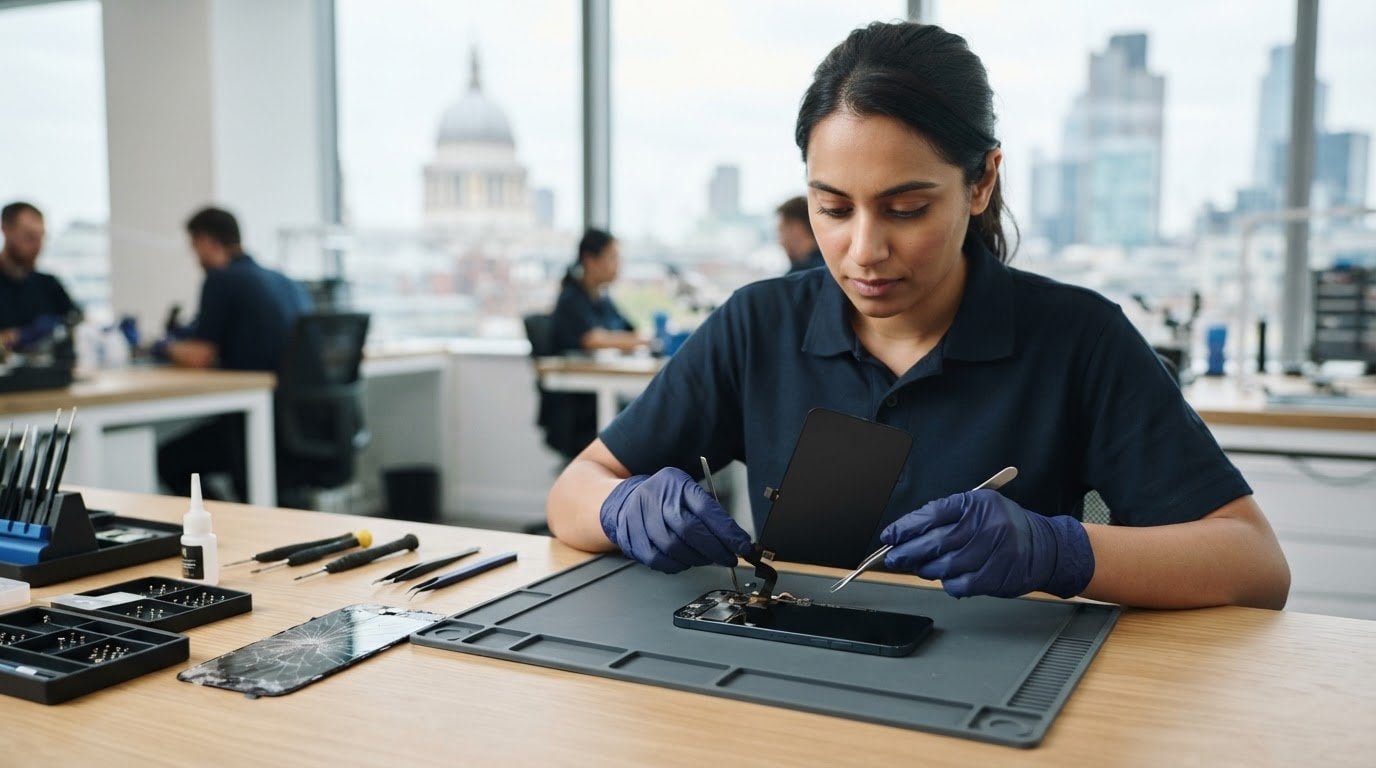
A cracked screen doesn’t have to derail your day. Same-day screen replacement in the City of London is most straightforward when the device is supported and the right screen and fitting appointment are available. iPhones and Samsung phones are among the devices covered by screen repair services, while tablets such as iPads can also need screen work.
It’s natural to want a quick fix, especially when you rely on your phone for work, travel or staying in touch. The right replacement depends on the device model and the damage, and the part used affects what the repair involves. A broken display may also make a phone difficult to use, so knowing what to expect before arranging a repair can make the next step clearer.
This guide explains which phones and tablets can have their screens replaced, what affects same-day appointments, and how replacement parts and fitting differ. It also covers on-site repairs around the City of London, so you can plan a screen repair around your day at work, home or elsewhere nearby.
Key Takeaways
- Identify your device model and describe the screen damage clearly to help determine the right repair approach.
- Same-day timing depends on the required part, the fitting involved and the available appointment schedule.
- Find out what to expect from screen parts and fitting, including how damage to the display or touch function can affect the repair.
- Consider an on-site repair at work, home or school to reduce disruption while your device is being repaired.
- For iPhone, iPad or Samsung screen issues, the article explains the relevant repair options and the next step.
Phone, tablet, computer, watch and LCD screen repairs
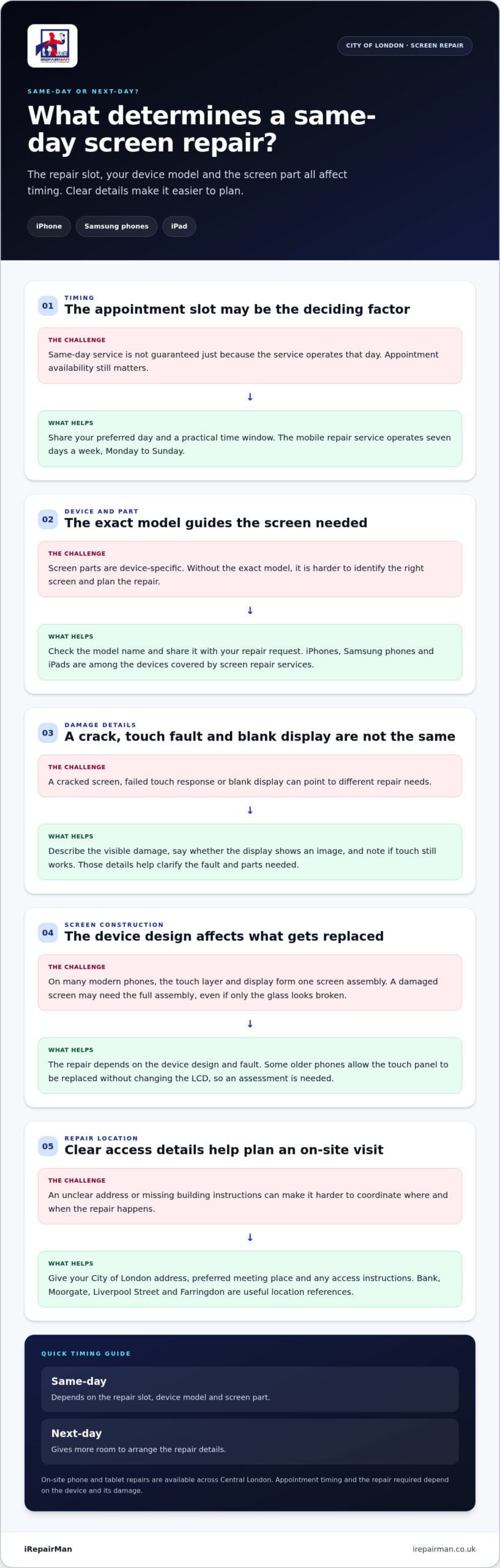
Screen repairs depend on the device, model and damaged component. To arrange same-day screen replacement in the City of London, identify your phone or tablet and describe the fault clearly. A cracked screen, failed touch response or blank display can each indicate a different repair need.
Devices covered by screen repair
Phones and tablets may need repairs for cracked glass, blank displays or touch faults. An iPad, iPhone or Samsung phone needs a screen suited to its model. Check the exact model name before arranging a repair, and note whether the display shows an image and responds to touch.
On many modern phones, the touch layer and display form one screen assembly. Replacement may involve the full assembly, even if only the glass looks damaged. Some older phones allow the touch panel to be replaced without changing the LCD. The right repair depends on the device design and the fault.
Inspection and repair pricing
An inspection helps establish whether the fault affects the glass, touch response, LCD or another part. Share the model, describe what still works and note any visible damage. Those details help clarify the repair and parts needed before fitting begins.
Repair needs vary by device and damage, so examples are not a reliable guide to another phone or tablet. The model, screen type and fault determine the work involved. Describe your device accurately to support a clear assessment.
Before booking a City of London screen repair, review the warranty terms and check what the cover includes, how to raise an issue and whether the terms apply to the specific repair.
Before handing over your phone, take these practical steps:
- Record the model and note cracks, lines or touch problems.
- Back up important files if the phone still works.
- Remove personal items and accessories you need to keep.
- Agree the repair scope and warranty terms before work starts.
When arranging an on-site repair in the City of London, use nearby landmarks such as Bank, Moorgate or Liverpool Street to clarify your location. Farringdon is another useful transport point. Give your workplace or preferred meeting place and any building access instructions so the appointment details are clear.
These are examples of listed tasks, not a set price for a different device or fault. On many modern phones, the touch panel and display cannot be separated, so a broken screen may require the whole assembly. Give the exact model and describe the damage when requesting an assessment. A listing alone cannot establish what another repair requires.
Opening hours and days
Day of the week matters when a cracked screen interrupts work or travel. The mobile repair service operates seven days a week, Monday to Sunday. That gives City of London customers a weekday and weekend option to plan around, rather than limiting repairs to Monday through Friday.
An operating day does not mean every appointment time is available. When arranging a repair, say when you can make the device available, such as during a break between meetings or a quieter period at home. Include your preferred day, location and device model to make your timing request clear.
For an office near Bank, give the building address and a suitable meeting point, such as reception. At home, provide the correct entrance or access instructions. For a school, state the site and intended device user. Clear arrangements help avoid confusion on the day.
Weekday routines can be tight. If you need your phone for work, consider when you can be without it and whether a meeting-free period suits the repair. At weekends, account for travel, family plans or school access. A cracked display that still responds may allow more flexibility than one that prevents normal use.
Before arranging a time, prepare these details:
- Your phone or tablet model, plus a short description of the screen fault.
- Your preferred day and a practical time window.
- Your City of London address and clear access instructions.
- A contact method in case the location or timing needs clarification.
Plan around any deadline that depends on your device. Save important work before handing over your phone and arrange another way to access essential messages. When describing the fault, say whether the cracked display remains usable or touch control has stopped.
Use the screen repair information to plan your next step and share the day and location that suit you. A complete request is easier to act on than a message that only says “screen broken”.
Same-day or next-day service availability
Same-day timing comes down to the repair slot, device model and screen part. A next-day appointment gives more room to arrange those details.
Same-day repair options
For same-day screen replacement in the City of London, choose a repair service that can arrange an on-site appointment and identify the screen needed for your model. iRepairMan provides on-site phone and tablet repairs across Central London. Share your device details and location to plan the repair.
Same-day work is easier to plan when you provide three details: the exact model, the screen fault and your preferred location. A cracked iPhone screen with working touch needs a different description from a display that stays blank. Clear information helps the technician plan the repair and appointment.
Which phone brands and models can be repaired same day in the City of London? iPhone and Samsung phones, along with iPads, are the relevant phone and tablet categories. The exact model matters because screen parts are device-specific; include its model name when arranging the repair.
For a same-day request, provide your location and availability together. A work address near Bank, a home address or a school can each be a practical meeting point. Include access arrangements, such as reception instructions, to make the appointment plan clear.
Walk-in, mail-in and mobile service
Do City of London repair shops offer walk-in, mail-in or mobile screen replacement? These are different ways to arrange repair: walk-in means attending a repair location, mail-in involves sending the device, and mobile service brings the repair to an agreed address. A mobile appointment can reduce disruption when you need to stay at work or home.
A walk-in repair depends on reaching the location and fitting the work into its schedule. Mail-in involves sending and returning the device, so it is not an on-the-spot option. iRepairMan’s on-site service is arranged for a specific location and appointment. Choose the option that fits your day and how long you can be without your phone.
If the required screen or your schedule does not suit a same-day appointment, arrange a time that works for you. Share the model, describe what still works and give a suitable appointment window. These details help plan the repair.
If staying put matters, consider a mobile screen repair service and include your City address when arranging the appointment.
Screen replacement parts and fitting
A screen replacement must match the device model and display design. On many phones, the screen includes both touch and LCD components, and a fault in either can affect the whole display. Some older phones allow the touch panel to be replaced without changing the LCD. The repair starts by identifying which part has failed.
For example, the glass may be cracked while the picture remains clear. Another phone may show lines, dark patches or no image. Touch can also fail while the display still lights up. Describe each symptom before the repair, including whether the screen responds across its full surface. This gives the technician a clearer picture of the fault.
Fitting involves removing the damaged screen, preparing the frame and installing the replacement. Adhesive holds the new screen in place, so careful alignment matters. Pressure-bonded cold-press adhesives are applied without high heat. The finished screen should sit evenly, with no raised edges or gaps. A rushed fit can leave visible alignment problems.
Can same-day screen replacement preserve water resistance, Face ID, fingerprint readers and touch sensitivity? A repair alone does not prove that water resistance has been restored. After fitting, test touch response and available security features, such as Face ID or a fingerprint reader, before leaving with the device.
Battery condition is also worth mentioning if the phone has a swollen case, unusual heat or a screen lifting from the frame. These symptoms can affect safe handling and the repair plan. Don’t press a raised screen back into place. Describe the change when arranging an assessment.
Before approving the work, ask what the replacement includes and what checks follow fitting. A practical post-repair review should cover:
- Whether the picture is clear across the display.
- Whether touch responds at the screen edges and centre.
- Whether Face ID or the fingerprint reader works.
- Whether the screen sits flush against the frame.
What are the risks of third-party screen replacement for the manufacturer warranty or insurance? A third-party repair can affect warranty or insurance coverage, and terms vary by manufacturer and policy. Read the relevant terms before authorising the work, and keep the repair record.
Ask for the part type, fitting scope and warranty terms in writing. For an iPhone or iPad, a model-matched part helps ensure the screen fits the device. The repair record should identify the work completed and any post-fitting checks. Keep it with your device documents, especially if you later need to discuss the repair or coverage.
IPhone screen replacement
An iPhone screen fault can affect the picture, touch response or both. Describe the symptoms clearly when arranging a repair. Say whether the display shows an image, whether touch works across the screen and where any cracks appear. These details help distinguish visible glass damage from a screen that no longer functions properly.
Model identification matters. iPhone 13 Pro Max, iPhone 14 Pro Max and iPhone 15 Pro Max are different devices, so the replacement screen must match the exact model. Check the model in the phone’s settings if the display still works. If it doesn’t, use the device packaging or purchase records where available.
A screen assessment should establish the fault and proposed work before fitting. Tell the technician if the phone has suffered a fall, has lines across the display or shows dark areas. Mention whether Face ID, touch control and the front camera still work. This helps identify symptoms that may need attention beyond the visible crack.
Before handing over an iPhone, prepare it carefully. Back up important information if the phone remains usable, and keep your passcode private. Remove the case and note existing marks on the frame. If the screen is lifting or the device is unusually warm, describe the condition rather than pressing the screen down.
After fitting, check the phone methodically before leaving or ending the appointment. Open a familiar app, move across the screen and test typing. Look for uneven brightness, lines or unresponsive areas. Check Face ID and the front camera if you rely on them. These simple steps make it easier to raise a concern promptly.
For an iPhone replacement, ask for the repair scope and warranty terms in writing. The record should identify the device and work completed. Keep it with your phone documents. If you have manufacturer coverage or insurance, read the relevant terms before authorising a repair, as coverage can depend on the policy.
Same-day timing depends on a suitable appointment and the screen needed for your iPhone model. Include the model, fault, location and preferred time in your request. For example, a City office worker can give a business address and reception instructions, helping plan the repair around meetings and device use.
iPhone Screen Repair is the relevant option for a damaged display. Share the model and symptoms when arranging the repair, then agree the location and appointment details. To arrange an iPhone screen repair, send the device details and describe what the screen currently does.
For an accidentally damaged phone screen, the advised step is to take it to an authorised repair centre for replacement. When arranging the repair, describe the damage and identify the iPhone model so the request is clear. Ask what replacement work is proposed before agreeing to proceed.
After the replacement, use the checks above to review the display and touch response. If anything seems wrong, raise the concern with the repair centre promptly and refer to the written record of the work.
IRepairMan London: iPhone Screen Repair
iRepairMan provides iPhone screen repair for cracked displays and other screen faults. Share your iPhone model, describe what has stopped working and give your City of London location when arranging an on-site repair. These details help plan the right repair and appointment.
If the damage is to the rear glass rather than the display, iPhone Back Glass Repair may be the right service. iRepairMan also repairs iPads and Samsung phones. Choose the service that matches your device and the damage, then provide clear details when arranging the repair.
Contact iRepairMan to arrange a screen repair in Central London or book online at irepairman.co.uk.
Make your next repair decision with confidence
For same-day screen replacement in the City of London, make your next step a clear repair request rather than a rushed guess. Describe what happened, which parts of the screen still work and how the fault affects your day. If the damage is to the rear glass rather than the display, say so. A precise description keeps the conversation focused on the right repair.
Before arranging the appointment, decide where you can be without your device and what access instructions matter. At an office, name the reception point; at home, explain how to reach the entrance. Keep your device details and questions about the repair terms together so you can discuss them clearly.
iRepairMan London offers iPhone Screen Repair, iPhone Back Glass Repair and iPad Repairs. Share the affected device and the issue, then take the next step at a pace that suits you. Contact iRepairMan London about your screen and move towards a practical repair plan.
Frequently Asked Questions
How much does same-day screen replacement cost in the City of London by phone model?
The quote depends on your phone model, screen type and damage. A cracked iPhone screen may need different parts and work from a Samsung display with touch faults. Include the exact model and describe what still works when requesting a quote, so it relates to your device rather than a general screen-repair estimate.
How long does a same-day screen replacement take, and do shops require an appointment?
An on-site screen repair is usually completed in 20-30 minutes, and a same-day appointment is available. Allow extra time to describe the fault and review the repair afterwards. An appointment helps plan around your location and schedule, particularly at a City of London office with reception access. Share your model, address and preferred time when arranging the visit, then keep the phone available for the agreed slot.
Are replacement screens genuine, OEM, or third-party, and what are the differences?
Replacement screens may be genuine parts or high-quality parts from another supplier, and you can choose between the available options. “OEM” means original equipment manufacturer, but sellers may use the label differently. Ask which part category is being fitted and what the repair warranty covers. If you rely on an iPhone display feature, ask how the chosen replacement and fitting relate to that feature before approving the work.



