
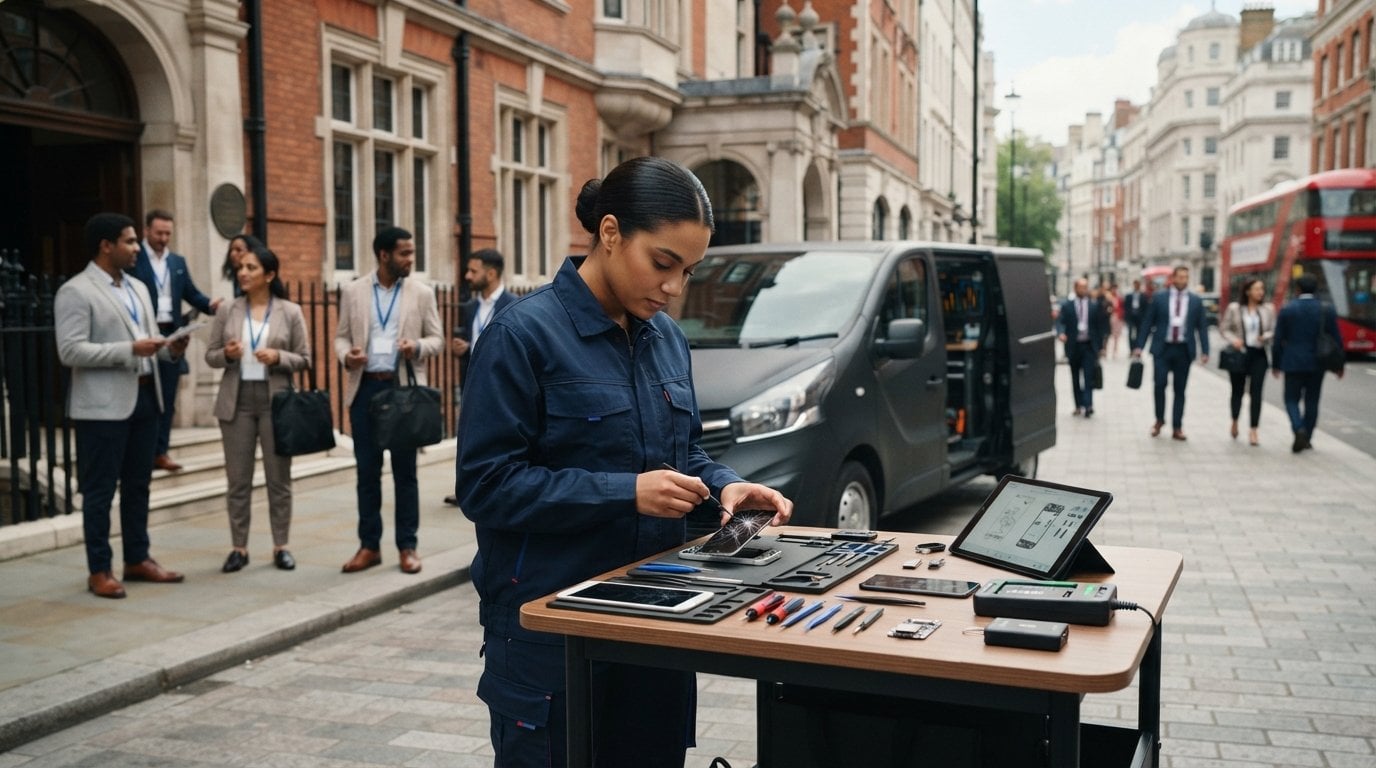
A damaged phone doesn’t have to disrupt your event. On-site mobile repair for events in London brings phone and tablet support to Central London venues, with same-day on-site repairs. Emergency airport repairs are also available at Heathrow, Stansted and Luton.
It’s understandable to want a clear plan when a screen breaks or a device problem interrupts event work. This guide explains where repairs are available, how to arrange a booking by phone, and what screen, battery-related checks, emergency support and business maintenance can cover. You’ll also learn what details to have ready when booking, so the repair team can understand the fault and event location. Whether you’re attending, organising or managing devices for a team, the aim is to make the next step clear and reduce disruption.
Key Takeaways
- Plan repairs around the event location: on-site support is available in Central London, with emergency airport support at Heathrow, Stansted and Luton.
- When booking by phone, have the device model, fault and event address ready to help explain what support you need.
- Screen and back-glass damage, battery concerns and other faults call for different repair work; the device and symptoms help determine the right approach.
- For teams managing multiple devices, the B2B Repair HUB can handle batches of 20 or more devices simultaneously.
- Explore iPhone screen and back-glass repairs, iPad repairs or Samsung phone repair to find the service that fits your device.
Service coverage across Greater London, Surrey and Hertfordshire
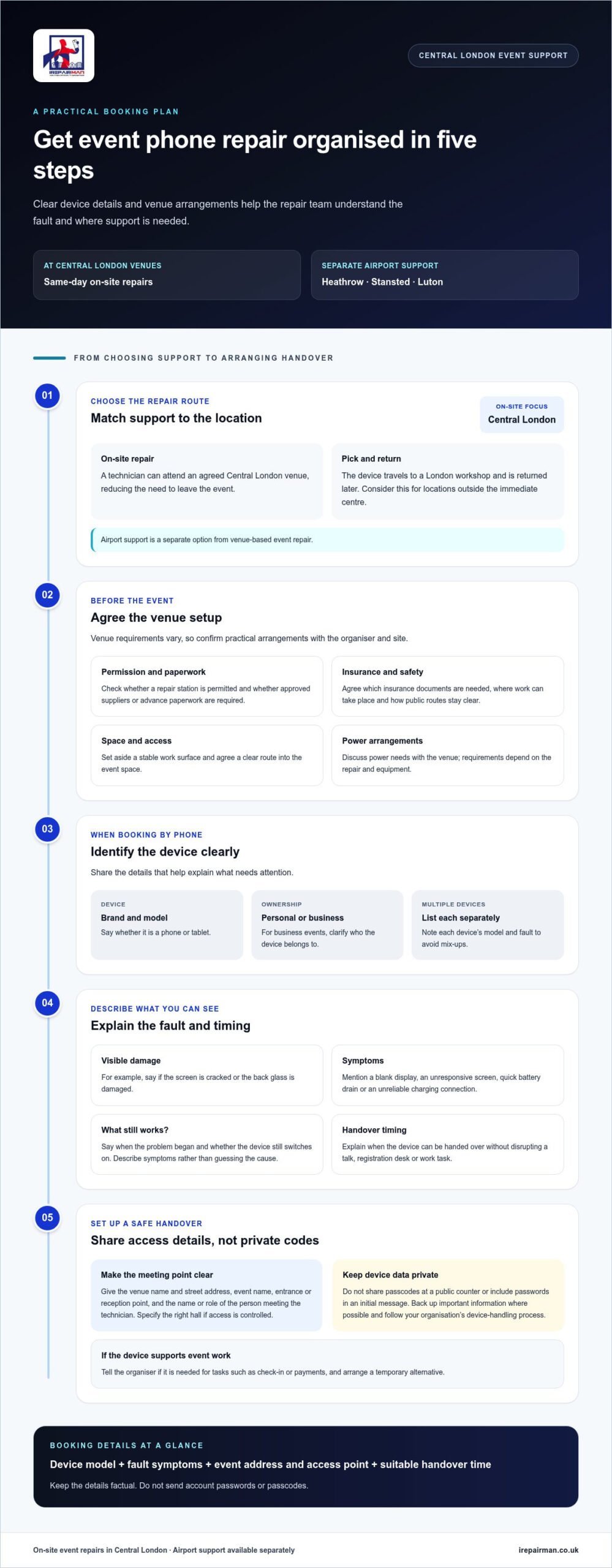
For event phone repairs, the on-site focus is Central London. Airport support is another service option, but it is separate from venue-based event repair. While this service coverage is primarily tailored for Central London venues, alternative arrangements can be made if needed. Teams outside the immediate centre can consider collection and return instead of expecting an on-site technician at their event location.
On-site and pick-and-return repairs work differently. At a Central London event, an on-site technician can attend an agreed location, reducing the need for a device owner to leave the venue. With pick and return, the device travels to a London workshop and is returned later. Choose the option that fits the location, fault and how soon the phone is needed.
Vehicle servicing is separate from phone or tablet repair. A mechanic works on a car, while a phone technician repairs devices. Parking a car on a flat surface may help with vehicle work, but it is irrelevant to phone repairs. For event device support, agree on a stable work surface and a clear route into the event space.
A mobile crèche provides childcare, not device maintenance. Although both services may operate at the same event, they have different purposes and setups. Keep them separate in the venue plan so families can find childcare and attendees can locate device support.
Before the event, agree practical arrangements with the venue and organiser. Requirements vary by site, so discuss the following points in advance:
- Permission: Ask whether the venue permits a repair station and requires approved suppliers or advance paperwork.
- Insurance and safety: Agree which insurance documents the venue needs, where work can take place, and how public routes remain clear.
- Data handling: Explain how devices will be handed over. Keep passcodes private and avoid sharing them at a public counter.
- Space, power and access: Set aside a stable work surface and clear access. Agree power arrangements and avoid obstructing event operations.
Ask the venue whether a permit or approved-supplier process applies to a repair area. Venue rules vary across Central London, so follow the arrangements for your specific site.
The technician needs a suitable work area, professional tools and access agreed with the organiser. Power requirements depend on the repair and equipment, so include them in the venue discussion. These details help determine whether the repair can take place at the event or whether collection and return is more suitable.
When organising on-site mobile repair for events London, keep any vehicle-service arrangements separate from device-support planning. The business asks customers to park their cars on a flat surface to help ensure quick service and easy access elsewhere, but that request concerns cars and does not establish a parking requirement for phones, tablets or a repair station. For the event plan, confirm the device handover, work area and return arrangements with iRepairMan London, then communicate the agreed location to attendees. This keeps vehicle access considerations distinct from device logistics and avoids treating one service’s setup as a condition of the other.
Initial contact and vehicle information gathering
When contacting the repair team, focus on the device and event, not a vehicle. Vehicle registration, make and model help a mechanic identify a car, but they don’t explain a phone fault. Instead, note the phone or tablet model, the problem and where the device can be assessed. “iPhone with a cracked screen, at the event reception in Central London” is a clearer starting point than “phone broken”.
Describe exactly what the device does. Say whether the screen is cracked, the display is blank, the battery drains quickly or the charging port connects unreliably. Mention when the problem began and whether the device still switches on. These details help distinguish visible damage from symptoms that need assessment. Don’t guess at the cause: describe what you can see or reproduce.
Give the event location in a way a visiting technician can use. Include the venue name, street address, event name, entrance or reception point, and the name or role of the person meeting them. If the venue has separate halls or controlled access, specify the right area. For a workplace event, a reception desk or named organiser can help direct the technician without interrupting sessions.
Have these details ready before making contact:
- Device: brand, model, and whether it is a phone or tablet.
- Fault: visible damage and the symptoms, such as an unresponsive screen or short battery life.
- Event details: venue address, event name, access point, and suitable meeting contact.
- Timing: when the device can be handed over without disrupting a talk, registration desk or work task.
For a business event, clarify whether each device belongs to an individual or the organisation. If several staff members need help, list each device separately with its model and fault. This makes the work easier to scope and helps prevent a team phone being confused with a personal device. Keep the list factual, and don’t include account passwords or passcodes in an initial message.
Protect data during the booking process and repair. Describe the fault without sending private messages, photographs or account details. Before handover, back up important information where possible and follow your organisation’s device-handling process. If a phone is needed for event check-in or payments, tell the organiser what task depends on it and arrange a temporary alternative. Clear details about the device, fault and access make the booking conversation more useful.
Booking by phone
Booking on-site mobile repair for events in London is easier when you have the device, fault and event details ready. Start with the phone or tablet brand and model, then describe the symptoms clearly. “The screen is cracked, but touch still works” gives more useful context than “it’s broken”.
How far in advance should you book a mobile repair service for an event? Book as soon as you know the event date, venue and repair need. Appointment timing depends on the schedule, fault, parts and access arrangements, so planning early leaves more time to coordinate.
During the call, provide the organiser’s name and a direct contact number. Give the venue, full address, event space and best entrance. At a large venue such as ExCeL London or Olympia London, identify the hall or reception point. Explain any registration requirements and name the person meeting the technician.
Use this sequence to keep the conversation focused:
- Identify the device: give its make and model, and say whether it’s a phone or tablet.
- Explain the fault: describe visible damage, what still works and when the issue began.
- Set the location: share the event address, meeting point and access instructions.
- Discuss timing: explain the event schedule and suitable handover times.
- Agree the next step: repeat the appointment details and contact person’s name.
For several devices, prepare a short inventory before calling. Record each model, fault and owner or team. One phone might have a broken screen while another won’t charge. Separate descriptions help prevent mix-ups and clarify whether the request covers one repair or several.
Explain how urgent the fault is. A phone needed for event check-in has a different impact from a personal device that can wait. This context helps the booking conversation focus on priorities without promising a repair outcome before assessment. The team can discuss on-site mobile repair for events in London in relation to your venue and schedule.
Keep personal data out of the initial call. The technician needs the fault and location, not passwords, passcodes or private messages. If the phone belongs to your employer, follow its device-handling process before handover. For an event near Heathrow, Stansted or Luton, name the airport and meeting point to avoid confusion between terminals or access areas.
Before ending the call, recap the date, time, venue address, fault summary and meeting contact. Save these details with the event plan so the organiser and device owner share the same arrangements.
Emergency repairs and maintenance packages
At a London event, a phone fault is urgent when it prevents a specific task. A cracked screen on a registration device can slow attendee check-in, while a failed charging port can leave an organiser without a working handset. Tell the technician which event role depends on the device. This helps prioritise practical needs instead of treating every fault as equally disruptive.
Emergency support addresses an immediate fault. Maintenance planning takes a broader view, especially for teams using phones throughout an event. Group devices by user or function, then record recurring problems such as weak batteries, damaged screens or unreliable charging. This simple record helps identify repeat issues and plan repairs around quieter periods.
A “maintenance package” can mean different things, so define the scope before scheduling work. An event team might request assessment of listed devices, agreed repairs for reported faults and a record of completed work. The written scope should identify the devices included, where they’ll be handled and how the organiser will receive updates. A clear list separates urgent repairs from routine upkeep.
Use a simple triage process on the event day:
- Protect essential tasks: identify devices needed for ticketing, staff coordination or payment operations.
- Describe the fault: record the symptoms and the device model, not a guessed technical cause.
- Separate urgent work: distinguish a device needed immediately from one that can be scheduled later.
- Record the outcome: note the repair, any follow-up action and the device’s return to its user.
Battery issues need careful attention. If a handset becomes unusually hot, swells or shows physical damage, stop using it and keep it away from routine event operations. Tell the technician exactly what happened, including whether the device was charging. Ask what safety checks take place after battery work so the organiser understands the handover.
Include data handling in the plan. At a public event, don’t leave unlocked devices unattended on a counter. Assign a named staff member to manage handovers, and keep passwords and private messages out of repair notes. Organisations should follow their own device policies and record who authorised each repair.
After a repair, test the function the event depends on. Open the check-in app, place a test call or confirm charging works before returning the phone to service. For larger teams, a device register and agreed maintenance schedule can simplify follow-up and keep urgent failures distinct from planned work.
When arranging support, confirm the service’s availability and how to request help before an event begins. The London mobile mechanic service advertises availability 24 hours a day, which may be useful when a fault arises outside a planned maintenance window. Ask how the team will communicate its arrival and what information it needs about the device and its location.
The London mobile mechanic business describes itself as operating 24 / 7 / 365. Organisers can still clarify the response process and the work that can be handled, rather than assuming every fault can be resolved immediately. Keep the agreed contact details with the staff member managing device handovers, so urgent requests and routine follow-up remain coordinated.
What types of phone repairs can event technicians perform on-site?
At a London event, an on-site technician can assess common phone faults and carry out suitable repairs at the customer’s location. The repair depends on the device, the damage and the parts needed. A cracked iPhone screen, damaged back glass or faulty Samsung display may require replacement work.
Screen damage can disrupt registration, calls and event schedules. The technician can inspect the display, touch response and surrounding frame before deciding on a repair. If the screen is visible but touch control fails, describe that clearly. If the glass has sharp edges, avoid passing the handset between attendees before assessment.
Battery concerns need a different assessment. Rapid drain, unexpected shutdowns and charging problems can have different causes. Tell the technician what happens, such as a phone losing power during a check-in shift or failing to charge between sessions. A battery replacement may address a worn battery, while a charging-port fault needs separate attention.
Other repair work can include back-glass replacement and tablet repairs. An iPad used for event registration may need screen attention, while a phone with damaged rear glass needs inspection before repair. Samsung phones need model-specific parts, so the exact model matters: similar-looking devices can use different components.
Some faults need more than a part replacement. A handset that won’t switch on, has intermittent touch response or shows several symptoms needs diagnosis first. The repair depends on the damage found during inspection and whether the required part suits the model. A clear fault description helps the technician prepare and assess the device efficiently.
Before handover, note the device model and any visible damage. Remove personal accessories, keep the passcode private and follow your organisation’s device policy. After the repair, test the function needed at the event: check touch response, make a call or connect the charger. This practical check helps confirm whether the phone can return to its event task.
For business teams, list each device separately with its model, fault and user role. For example, identify a registration tablet separately from a staff phone with a damaged screen. Clear records make handover easier and distinguish urgent event equipment from devices that can be scheduled for later attention.
If an event device needs screen or back-glass attention, arrange an on-site phone repair around the venue and the task it supports.
IRepairMan London: iPhone Screen Repair
iRepairMan London provides iPhone screen repairs for cracked or unresponsive displays disrupting your event. This can help when you need your phone for calls, schedules or coordination. The device is assessed first, because its model and damage determine the suitable repair.
Other relevant services include iPhone Back Glass Repair, iPad Repairs and Samsung Phone Repair. Most repairs and replacement parts are covered by a 12-month warranty. An encrypted, no-access data safety protocol is used to protect customer information.
If a damaged device is disrupting your plans, contact iRepairMan London to discuss an on-site repair for your event.
Keep your event team connected
Before your next London event, decide who will coordinate device repairs and how staff should report a fault. A named contact, clear handover point and short device log can prevent a broken phone becoming an avoidable distraction. For recurring events, include the process in your event plan so organisers can act promptly without interrupting essential tasks.
On-site mobile repair for events in London gives organisers another option when a device fails at the venue. Share the device model, symptoms and event location when arranging support. These details help set expectations and clarify next steps for the device owner and event team.
iRepairMan London offers iPhone Screen Repair, iPhone Back Glass Repair and iPad Repairs. If a damaged device is affecting your plans, contact iRepairMan London to book and discuss the repair you need. A clear plan can help your team focus on delivering a smooth event.
Frequently Asked Questions
Which London companies provide on-site mobile phone repair at events?
iRepairMan provides on-site phone and tablet repairs in Central London, offering a local option for event teams and attendees. The service suits situations where a damaged device needs attention at the venue rather than a trip to a repair shop. Include the venue and a named contact when arranging support to help the technician find the right event space.
Can providers supply a staffed phone repair booth or pop-up service at events?
On-site repair means a technician attends a location; a staffed booth or pop-up is a separate event setup. iRepairMan provides on-site repairs, so organisers can agree on a suitable device handover point at the venue. Include the handover point, access arrangements and event contact in the booking details. This gives attendees a clear place to bring a device without implying a branded booth.
Can technicians repair phones from multiple brands and models on-site?
Yes. iRepairMan repairs iPhones, Samsung phones and iPads. For an event team with different devices, record each brand, model and fault separately before arranging support. For example, distinguish an iPhone with screen damage from a Samsung phone that won’t charge. This makes the repair request clearer and helps identify each device at handover.



