
Emergency iPhone 17 Pro Max Screen Repair in Mayfair W1J – On-Site Business Service
A real iRepairMan Chronicles story from Mayfair, where Jennifer, PA to the boss of a famous jewellery company, needed urgent help after his iPhone 17 Pro Max screen was shattered and business could not stop.

On-site iPhone 17 Pro Max screen repair in Mayfair W1J, completed for a business client with fast and professional service.
Some repairs are routine. Some carry real pressure because the phone is not just a phone. It holds work, contacts, approvals, urgent messages, two-factor authentication, travel details, client conversations, and the daily rhythm of a serious business. This story began in Mayfair W1J, one of the most prestigious parts of Central London, when Jennifer, PA to the boss of a well-known jewellery company, was suddenly dealing with exactly that kind of problem. Her boss’s iPhone 17 Pro Max had been badly shattered. The screen was cracked across the front, the display was compromised, and using the device properly had become difficult at the exact time reliability mattered most.
Jennifer needed a fast, professional solution without the usual hassle of sending the phone away, waiting in a queue, or disrupting a busy working day. She searched for a trusted same-day mobile phone repair service in London and found iRepairMan. What mattered to her was not just speed. She wanted clarity, professionalism, and confidence that the repair would be handled properly the first time. The booking process was straightforward. The issue was explained, the urgency was understood, the correct part was prepared in advance, and an on-site repair arrangement was made so the problem could be handled with minimum disruption to the business schedule.
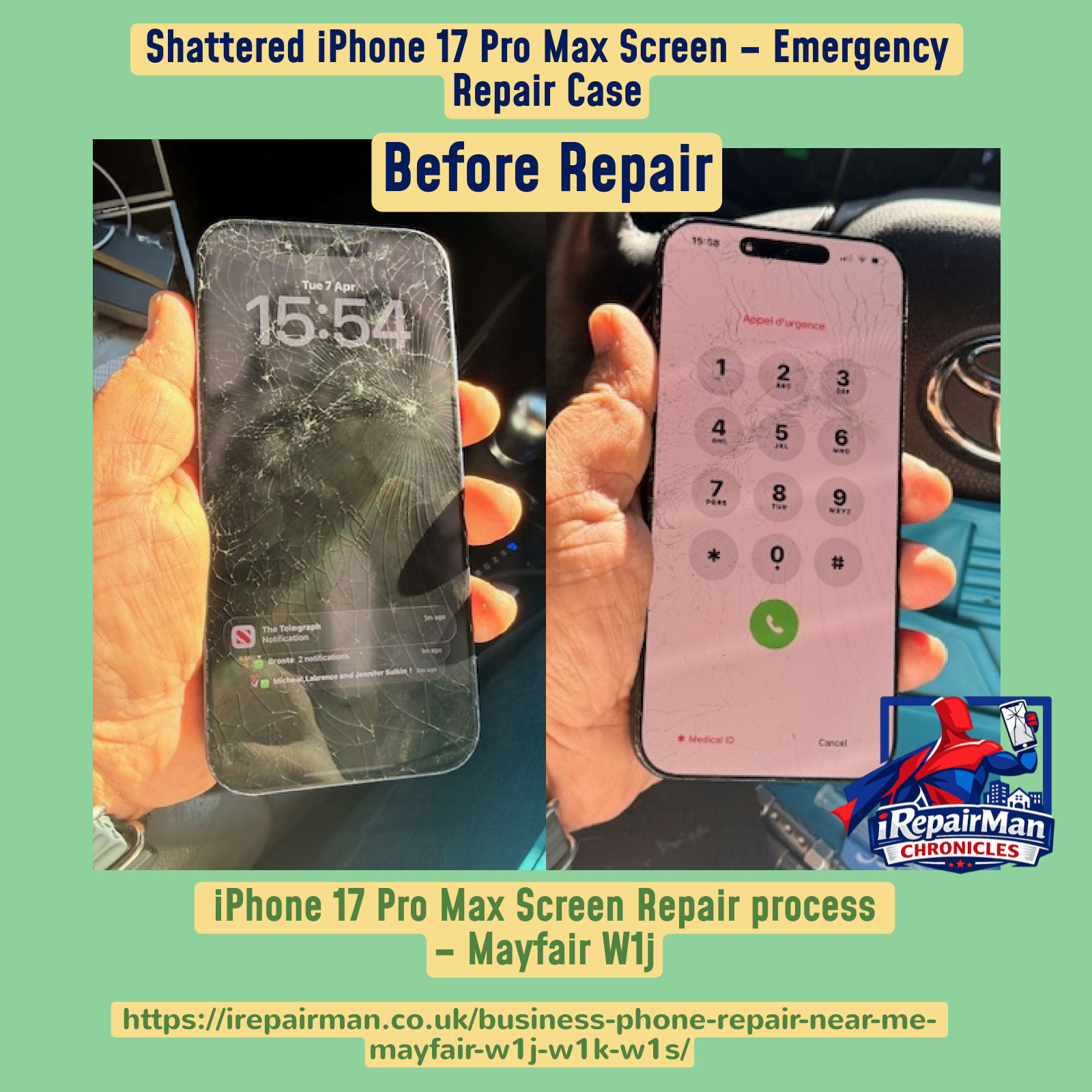
Before repair: the iPhone 17 Pro Max screen was heavily damaged and no longer suitable for confident business use.
When a premium handset like the iPhone 17 Pro Max is damaged, appearances are only part of the issue. A shattered display can affect touch response, visibility, and the user’s confidence in the device. For an executive who relies on the phone throughout the day, even a short period of downtime can be frustrating and costly. Jennifer was doing what good executive assistants do best: solving the problem fast, protecting the boss’s time, and making sure the device was restored before the disruption spread further into the working day.
The first stage was assessment. Before any screen was removed, the phone’s condition was reviewed carefully. The cracks were significant, and the severity of the visible damage confirmed this would need a proper screen replacement rather than a cosmetic solution. Because the device was still structurally intact and worth restoring, the repair plan focused on a careful display replacement process using a quality Soft OLED screen chosen for strong visual performance and reliable touch response.
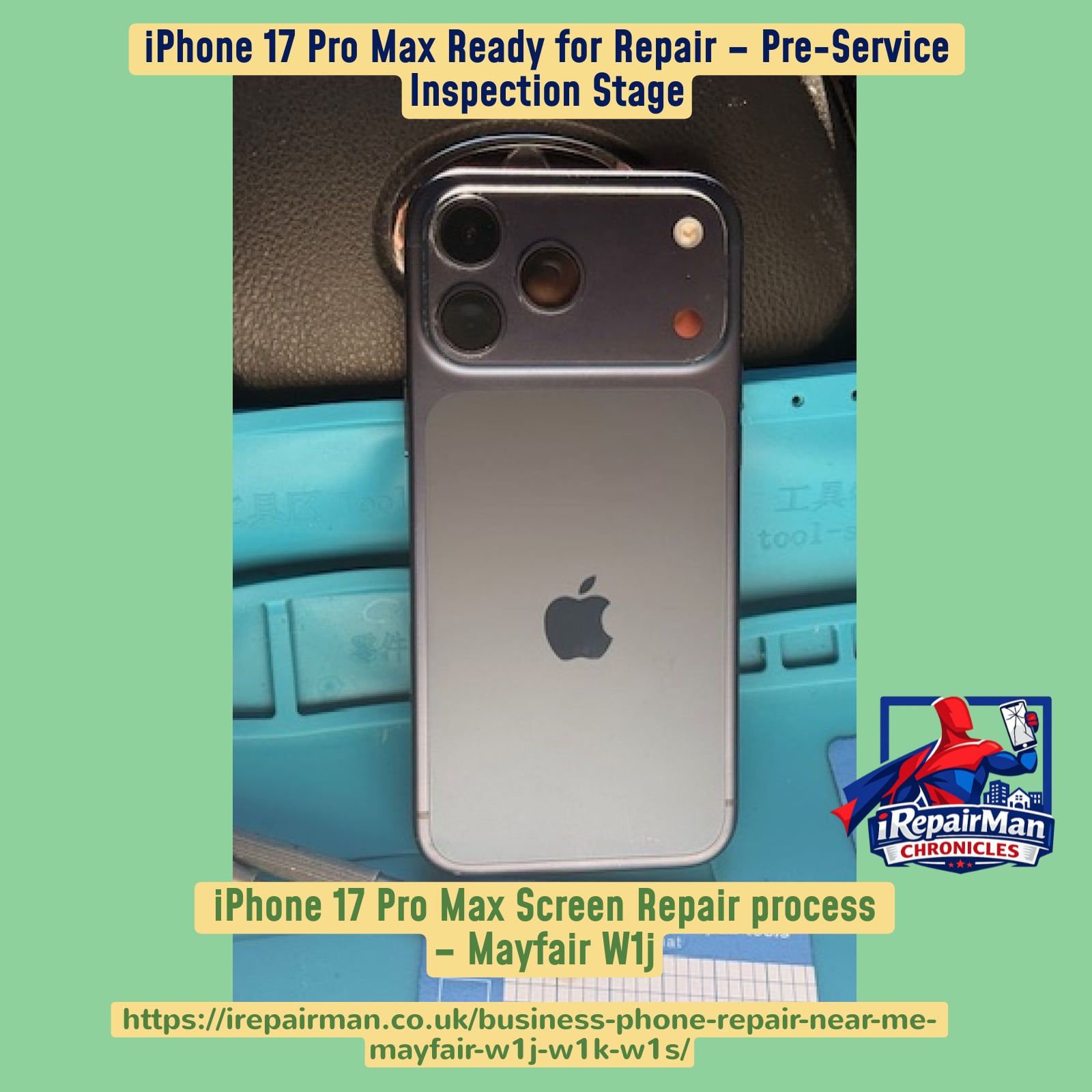
The device was prepared for repair safely and methodically before disassembly began.
Preparation matters. Good repairs do not begin with guesswork or rushed handling. The phone was placed securely on the repair mat, the workspace was organised, and the tools were set for a controlled disassembly. This is the part many customers never see, but it is exactly where professionalism shows. It is not enough to replace a broken screen. The entire process has to protect the internal components, preserve key functions, and ensure the phone is returned in fully working condition.
The repair began by opening the device with care. External screws were removed and the display was lifted gradually, using the correct technique to soften adhesive and reduce the risk of internal strain. On newer devices, this stage has to be handled precisely because careless force can damage the screen flex cables or other important components. In this case, the phone was opened in a steady and controlled way so the damaged display could be separated safely.
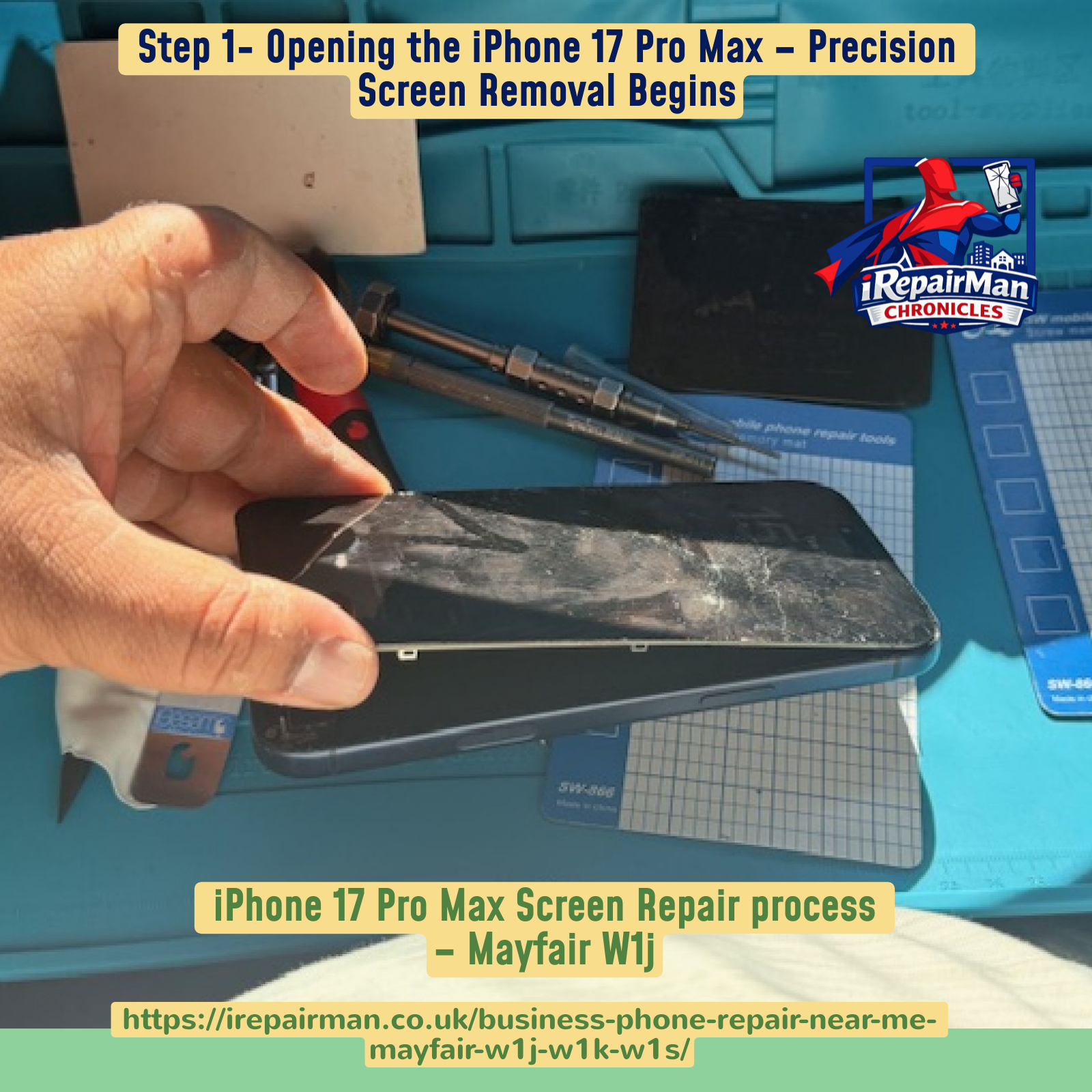
Step 1: careful opening of the damaged display.

Step 2: internal access with the display separated safely from the housing.
Once the phone was opened, the internal layout became visible and the display connection points could be accessed. Shields and screws had to be removed carefully so the screen flex assembly could be disconnected without harming the board or surrounding components. This stage is technical and delicate, especially on a flagship device. It is one thing to swap a visibly broken screen. It is another to do it in a way that preserves the sensors and the fine details that make the phone behave exactly as it should after repair.
One of the most important parts of the process was handling the proximity sensor assembly. This is not a decorative part. It contributes to proper day-to-day phone behaviour, including functions relied on during calls. The sensor was removed from the original broken display carefully, with attention to alignment and safe transfer. That component then had to be installed onto the replacement screen accurately so the finished phone would not just look restored, but function properly as well.

Step 3: removing the proximity sensor from the original display.
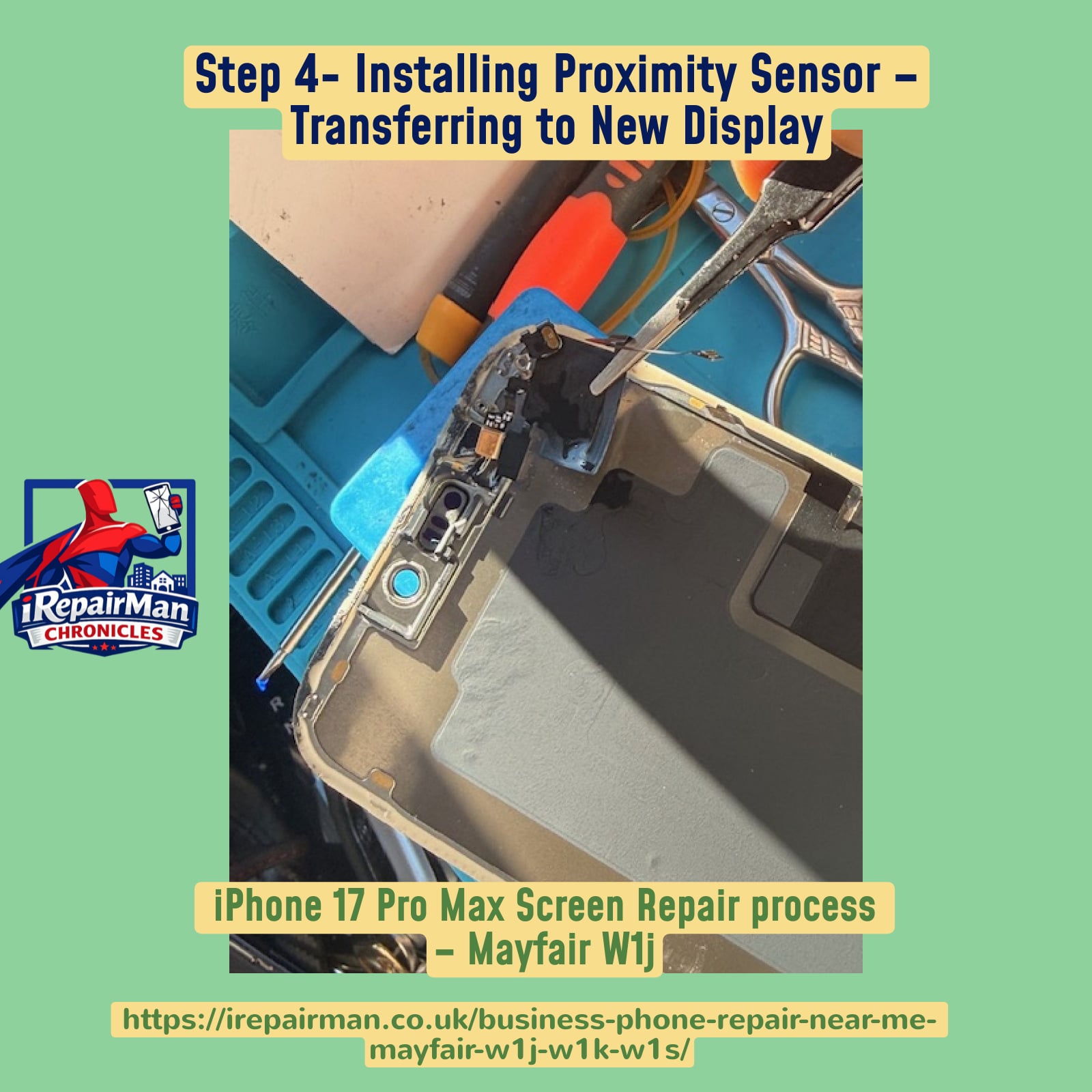
Step 4: transferring and fitting the proximity sensor onto the new display.
With the original component transferred, the new Soft OLED replacement display was prepared beside the damaged screen. This side-by-side moment says a lot in one glance. It shows the scale of the damage, the quality of the replacement part, and the point where the repair begins moving from diagnosis to restoration. Customers appreciate transparency, and so do search engines when a blog clearly documents the real process. Rather than simply claiming a repair was done, these images and steps show exactly how the restoration happened.
The new display was then connected to the phone with precision. Flex cables were aligned and seated carefully into place, which is a vital step for a successful screen repair. A high-quality repair is not simply about getting an image on the screen. It is about proper connection, stable performance, responsive touch, and reliable behaviour after the device is fully reassembled. Once the connectors were aligned and fitted, the necessary brackets and screws were installed to secure the assembly properly.

Step 5: the new Soft OLED replacement screen beside the original broken display.
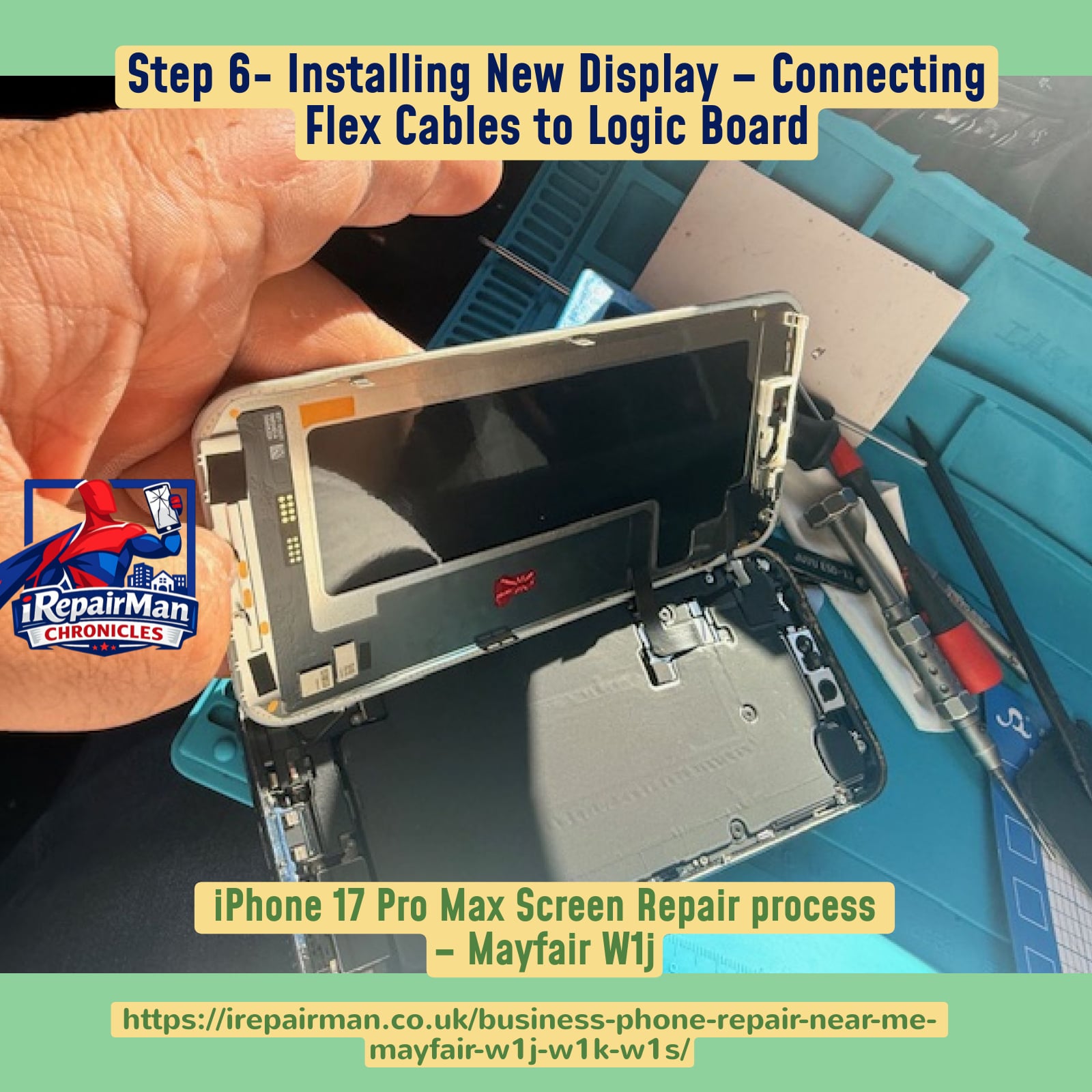
Step 6: connecting the new display into the phone housing.

Step 7: securing the display flex and brackets for stability and long-term performance.
That securing stage often separates rushed repairs from proper ones. The brackets and screws are there for a reason. Correct fastening helps protect the connections and supports the device over time. For a customer in a premium business environment like Mayfair, the expectation is not just that the phone works for five minutes after the repair. The expectation is that the repair feels professional, dependable, and worthy of the device itself.
After installation, the device was powered on for testing. This is the stage customers love to see, because it turns the repair from a technical process into a visible result. The Apple logo appeared, the display came to life, and the phone moved into a proper testing state. Touch performance, clarity, and general display behaviour were checked before considering the job complete. A new display should not merely light up. It should feel clean, stable, and ready to go back into daily use with confidence.
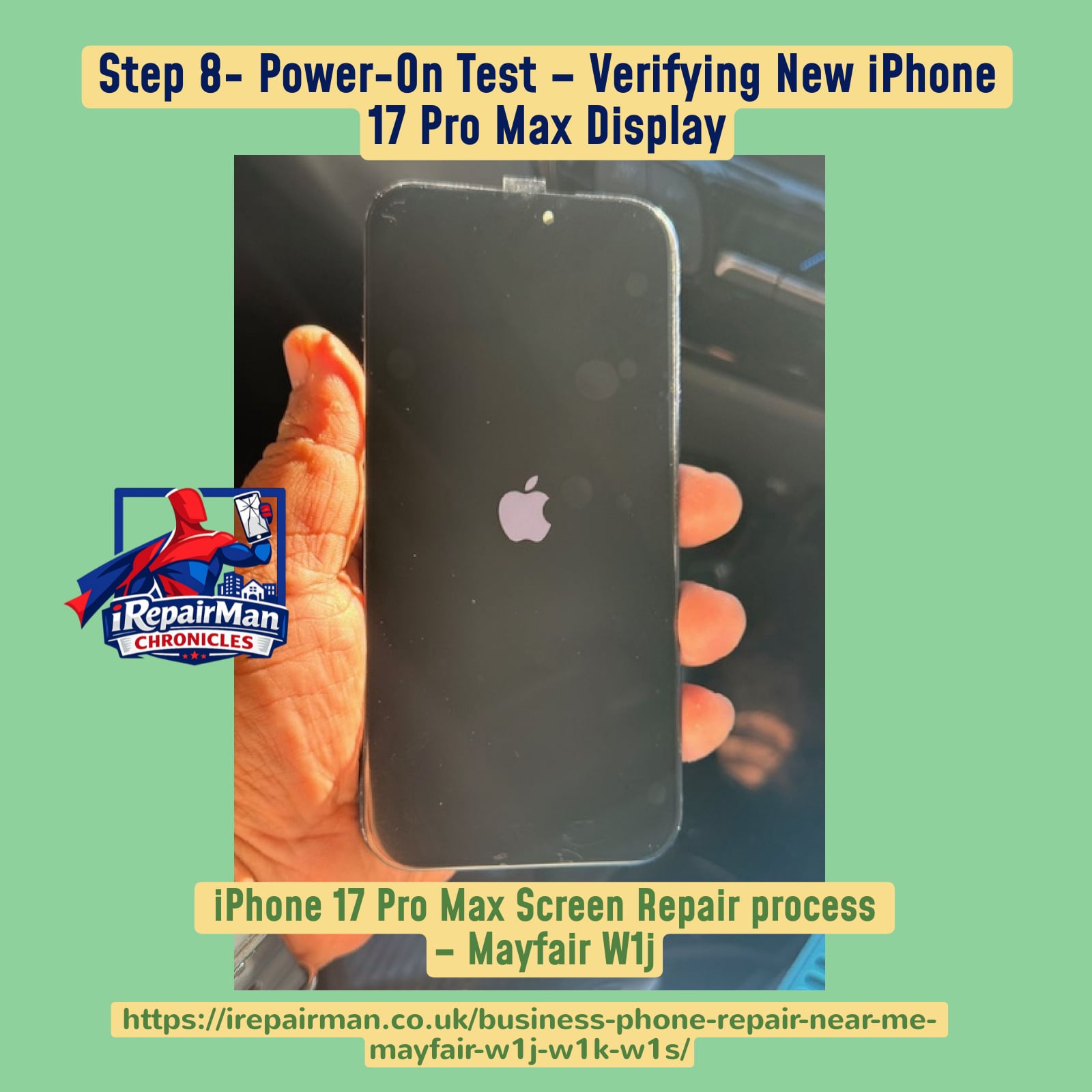
Step 8: power-on testing after the new display was installed.
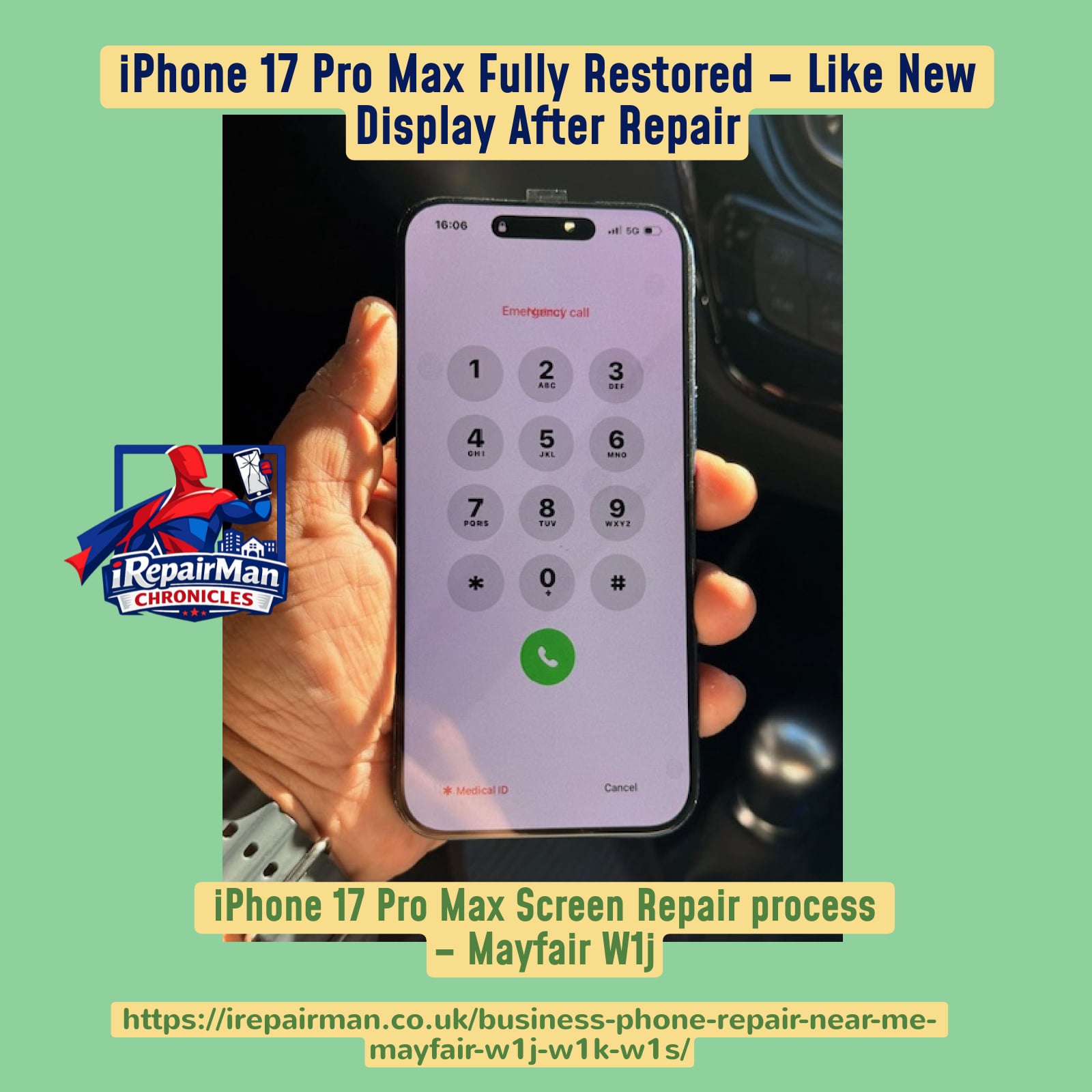
Final result: the iPhone 17 Pro Max was restored to a clean, working condition.
The outcome was exactly what Jennifer needed. Her boss’s iPhone 17 Pro Max was back in service, the screen looked excellent, the phone responded properly, and the disruption to the business day was kept to a minimum. For executive clients and business users, that combination of convenience and technical competence matters. This is why on-site repair service continues to make sense in London. Instead of losing time with travel, waiting rooms, or postal repairs, the problem can be solved where the customer already is.
This repair also says something bigger about the kind of work iRepairMan handles in London. The service is not only for private households. It is increasingly valuable for business users, executive assistants, concierge teams, hotels, offices, care environments, construction professionals, and busy people who need the device fixed around real life rather than the other way round. Jennifer’s booking was not complicated because the process is designed for urgency. Once the issue was clear, the right repair path was set, the replacement display was ready, and the work was carried out efficiently on site.
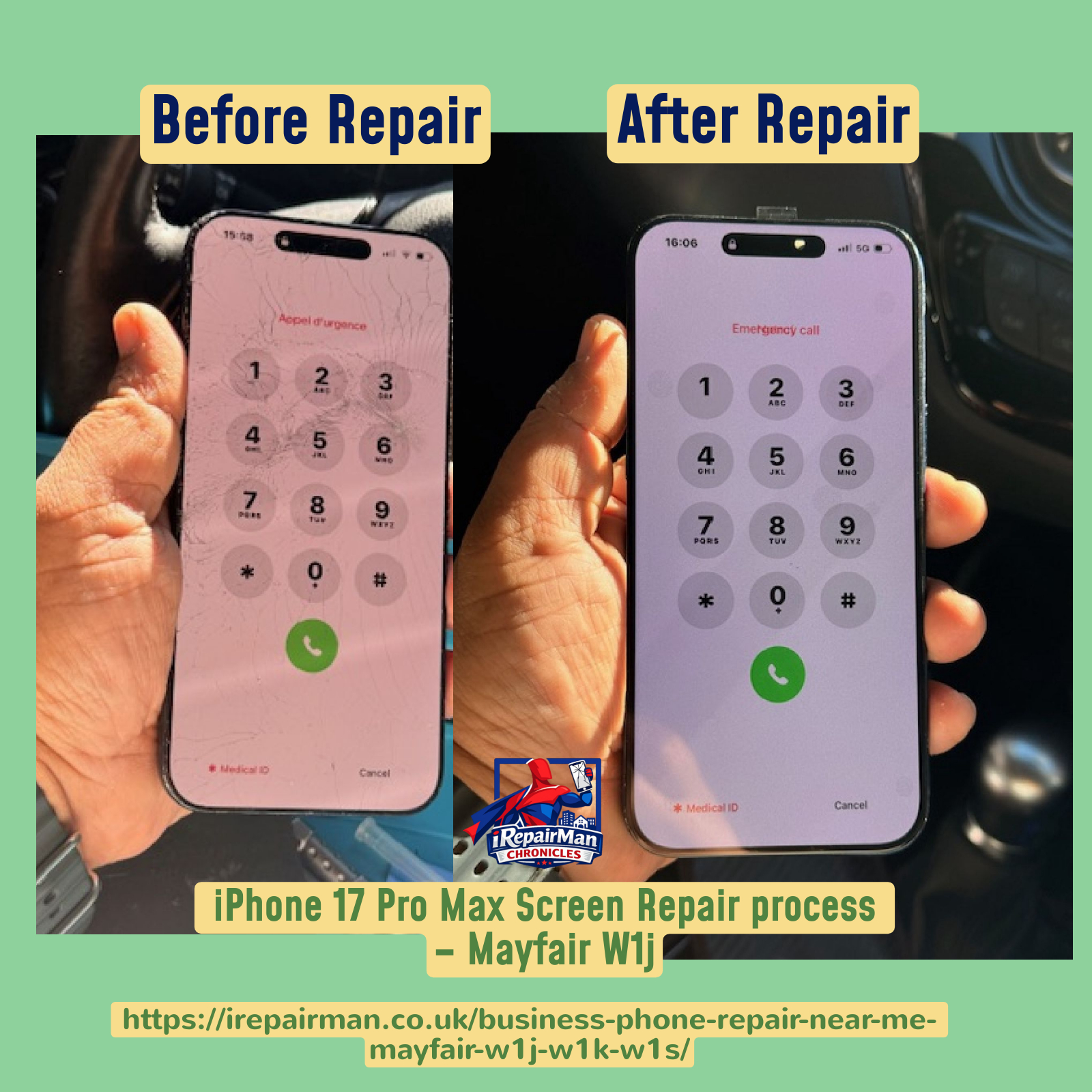
Before and after: from a cracked, unreliable screen to a fully restored iPhone 17 Pro Max ready for business use again.
For customers searching terms like business phone repair near me in Mayfair W1J, same-day iPhone 17 Pro Max screen repair in Central London, or on-site executive phone repair service, this story is the practical answer. It shows how a real booking happened, how the repair was performed, and how the device was restored without unnecessary delay. It also shows what Jennifer likely needed most in that moment: a service that understood both the technical issue and the business pressure behind it.
If your iPhone screen is cracked, blacked out, unresponsive, or simply no longer usable, the best time to act is before the inconvenience grows. A damaged screen affects more than visibility. It interrupts work, communication, security access, and peace of mind. That is why this kind of service exists: to restore your phone quickly, professionally, and at your location in London.
Trusted by Customers Across London
Real repairs, real customers, and a service built around convenience, speed, and transparent workmanship.
Frequently Asked Questions
Can you repair an iPhone 17 Pro Max screen on site in Mayfair?
Yes. This story is a real example of an on-site repair carried out in Mayfair W1J for a business client who needed the phone restored quickly and professionally.
Do you come to offices, hotels, homes, and workplaces?
Yes. iRepairMan provides mobile phone repair service across London at homes, workplaces, hotels, cafés, care settings, and other convenient locations.
What type of replacement screen was used in this repair?
A quality Soft OLED display was used for this iPhone 17 Pro Max screen replacement to provide strong visual performance and responsive touch.
Why is documenting the repair process useful?
It shows customers the repair was real, transparent, and professionally completed step by step rather than simply claiming a result without evidence.
How do I book a same-day repair in London?
Use the booking link on the page and choose the most suitable time and location for your repair request.
Related iRepairMan Stories
Explore more real repair stories and related posts:
Heathrow Terminal 5 iPhone 14 Pro Max repair story
iPhone 16 Pro Max screen and back glass repair in Hendon NW9
iPhone 17 Pro Max screen repair in Battersea SW11
iPhone 15 Pro screen repair in Paddington Green W2
Emergency Samsung screen repair in City Road London
iPhone 16 Pro Max screen repair in Gresham Street EC2
Success story: iPhone 16 Pro screen repair in Fore Street EC2
Canary Wharf iPhone 13 mini repair story
Lewisham Sunday night repair story
Oracle London on-site back glass repair story
Useful Service Pages
Business and workplace iPhone and iPad repairs in London
Concierge phone repair service
On-site phone repair for law firms and solicitors
On-site phone fixing for visitors and touring groups
Weekend repairs in London
iPhone back glass repair service
Repair service for construction professionals
On-site phone repairs for care homes
Book Your Repair
Need help with a cracked, black, broken, or unresponsive phone screen in Mayfair, W1J, W1K, W1S, or elsewhere in London? Book a fast on-site repair now.
Start Booking