
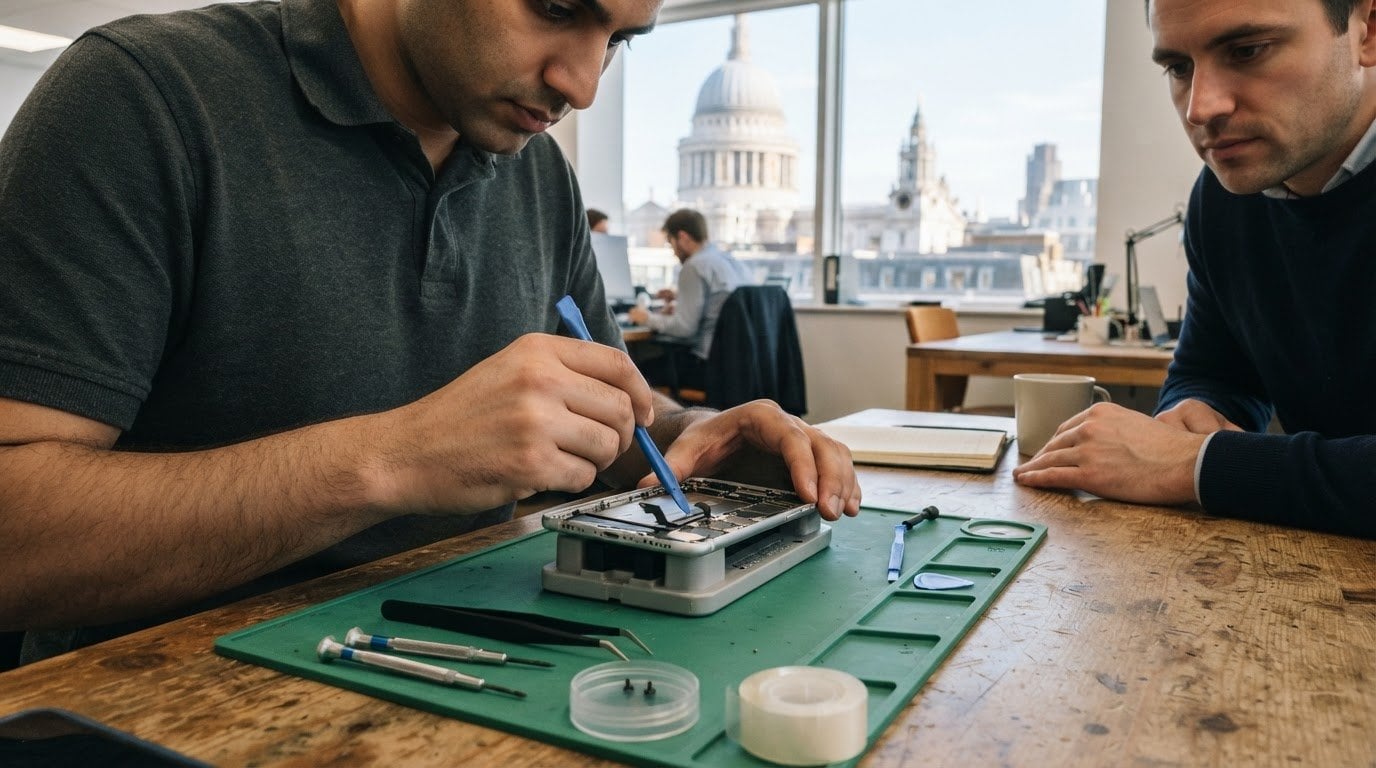
A cracked iPhone 15 screen doesn’t have to mean travelling across London. To arrange iPhone 15 screen repair in London, identify your exact model, describe the damage and choose the booking route that suits you, such as an in-person appointment or a postal repair. The display type and condition of the phone help determine the repair needed and the quote.
It’s reasonable to want clear information before handing over a phone you rely on every day. This guide explains what to include when booking, how model and display type affect repair quotes, and what to consider when comparing in-person and postal options. You’ll also find out how a repair can be arranged around your day, whether you’re at home, at work or elsewhere in Central London.
Key Takeaways
- Have your iPhone model and a clear description of the screen damage ready to make booking more straightforward.
- Compare repair quotes by model and display type, and check what the quoted repair and warranty cover.
- Choose a repair route that fits your day, from arranging a repair at your location to using a postal or collection option.
- Before booking, understand how diagnostics work and what happens if the repair cannot go ahead.
- Use the London repair options section to weigh convenience, location and the service process before choosing your next step.
How do I book an iPhone Repair?
Start by identifying the exact iPhone model and describing what has happened to its screen. For an iPhone 15, note whether the glass is cracked, the display is black, or touch response is unreliable. Then choose an appointment or postal route, provide your preferred contact details, and share where the device is, such as your home, workplace or a Central London street address.
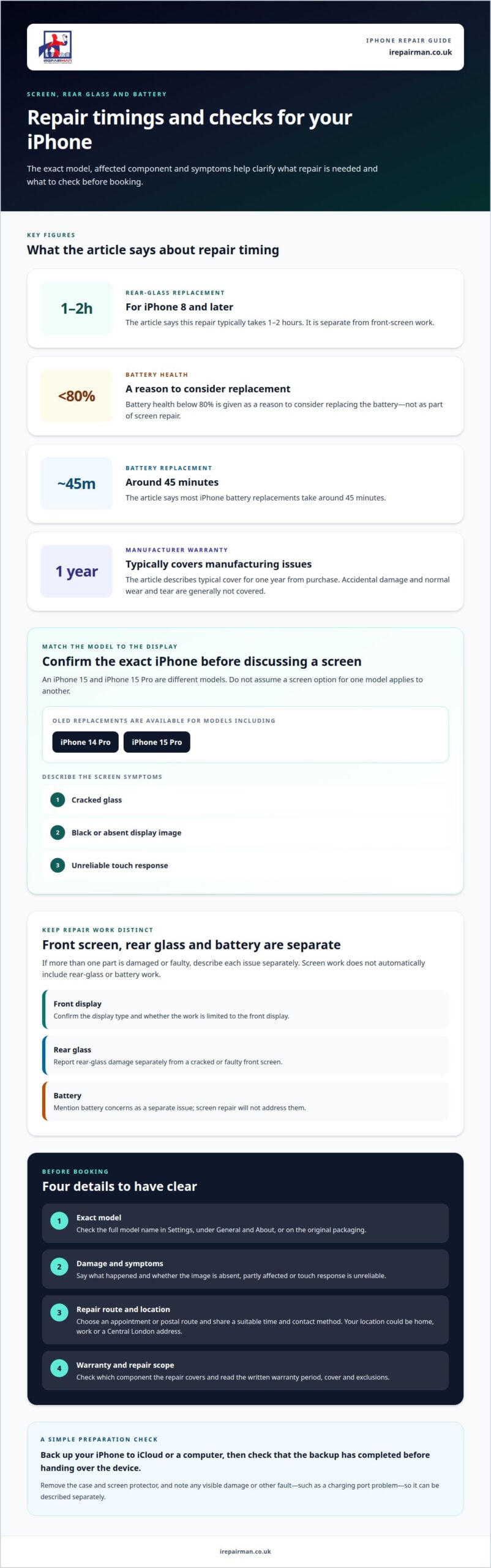
How do I back up and prepare my iPhone 15 before screen repair? Back up the device to iCloud or a computer, then check that the backup has completed before handing it over. Remove a case and any screen protector, and record visible damage, including any charging port issue, so the repair assessment starts with a clear picture.
Use these steps to make your booking easier to organise:
- Confirm the model in Settings, under General and About, or from the device’s original packaging.
- Describe the damage clearly, including whether the image appears completely absent or only part of the screen is affected.
- Choose where the repair should take place or how the phone will be sent, then provide a suitable time and contact method.
- Read the repair terms before proceeding, focusing on the warranty period and what the warranty covers.
Manufacturer warranties typically cover manufacturing issues for one year from the date of purchase, but they generally do not cover accidental damage or normal wear and tear. Standard manufacturer policies sit alongside rights provided by consumer law in the customer’s country or region, so accidental screen damage should not be treated as a manufacturing fault covered by that original warranty.
Keep your repair coverage distinct from standard manufacturer policies. When booking your iPhone 15 screen repair London service with iRepairMan London, you benefit from dedicated protection on the completed work. A lifetime warranty on a screen repair is a different promise, and “lifetime” can refer to the defined lifetime in a provider’s terms rather than the phone’s entire working life. Check the written warranty period, covered repair and exclusions before booking; don’t assume lifetime cover applies.
What are the risks of using a damaged iPhone 15 screen before repair? A crack can spread, sharp glass may make the phone uncomfortable to handle, and touch response or visibility can worsen. Stop using the screen if it prevents safe, reliable operation, and back up important information while the device remains usable.
Save the booking confirmation and warranty terms with your repair records. If the screen damage appeared after a drop, describe that clearly; if the phone also has a fault such as a charging port problem, include it in the booking rather than treating it as part of the screen repair. Clear details help match the appointment to the device and the reported fault.
IPhone screen replacement prices by model and display type
The exact iPhone model and display type guide which screen replacement is appropriate. An iPhone 15 and iPhone 15 Pro are different models, so identify the full name before discussing the repair. Screen condition matters too: visible cracks, a black display and unreliable touch are useful symptoms to describe. Keep the model and symptoms together when arranging the next step.
Display type is another distinction. OLED screen replacements are available for models including iPhone 14 Pro and iPhone 15 Pro. Don’t assume that a screen option for one model applies to another, even when their names look similar. Ask which display type is intended for your exact device, and make sure the repair description uses the same model name you supplied.
Use this checklist to understand what a screen replacement covers:
- Exact model: Confirm whether your device is an iPhone 15, 15 Pro or another version.
- Display type: Ask which type is proposed for that model.
- Repair scope: Establish whether the work is limited to the front display.
- Aftercare: Read the warranty terms for the replacement and fitting.
Back-glass replacement is a separate repair from front-screen work. For iPhone 8 and later, this repair typically takes 1-2 hours. If both the display and rear glass are damaged, describe each separately so the work required for each surface is clear. A cracked back does not mean the front screen is included in the same repair.
Battery replacement is separate from display work too. Battery health below 80% is a reason to consider replacement, and most iPhone battery replacements take around 45 minutes. If you’re also noticing battery problems, mention them as a separate issue rather than assuming screen work will address them.
Before proceeding, match the proposed screen to the exact model and confirm what the repair includes. For example, an iPhone 15 Pro OLED replacement should be described for that model, not simply as a general iPhone screen repair. Clear wording helps you understand which component is being replaced and what aftercare applies.
Keep details of any additional repair separate. The front display, rear glass and battery are distinct components, and each requires different work. Identifying the affected part helps you choose the repair your iPhone needs.
Booking an in-store or postal repair
Choose the booking route around your location and how long you can be without your iPhone 15. An in-store appointment suits someone able to visit the repair address; postal repair can work for customers elsewhere in the UK. In either case, describe the screen fault, give the exact model and explain any other issue, such as charging problems or a camera fault.
For an in-store booking, share your preferred date and time, then confirm the repair location and what to bring. Before setting off, save your booking details and check that the phone is safe to carry. If the glass is loose or the display is difficult to use, avoid pressing on the damaged area. An appointment at a convenient location can reduce travel and disruption.
Pick-and-return repairs need a little preparation. Arrange the repair and follow the packing instructions. Back up your iPhone, switch it off, remove its case and package it securely so it cannot move in transit. Include your contact details and a clear description of the fault, but don’t pack accessories unless the instructions request them.
Before sending the device, check that the service explains how it handles delivery, assessment, repair approval and return. Royal Mail Special Delivery provides tracking and insurance coverage up to £2,500 for posted repairs. Keep the postage receipt and tracking details until the phone is returned, so you can follow the parcel’s progress.
Use this checklist before handing over or sending your phone:
- Record the fault: Note cracks, display issues and any separate charging or camera problem.
- Back up data: Complete a recent backup before packing or attending an appointment.
- Confirm the route: Save the address for an in-store visit or the agreed postal instructions.
- Keep records: Retain the booking confirmation, postage receipt and repair terms.
For UK-wide pick-and-return repairs, the key difference is the handover: your device is collected rather than taken to a repair location. iRepairMan London repairs it in its London workshop and returns it by tracked delivery, with a typical total turnaround of two to three working days. Describe the screen fault clearly and keep your booking details for reference.
Whichever route you choose, report your iPhone’s condition accurately and keep a copy of the booking details. A clear fault description, secure packaging or a confirmed on-site appointment gives the repair team useful information from the start.
Free diagnostics and no-fix-no-fee policy
A diagnostic assessment helps separate the symptom you notice from the fault causing it. On an iPhone 15, a screen that flickers, shows lines or responds unevenly can point to different repair needs. Describe what happens and when it began, such as after a drop or following a software restart. This gives the technician specific behaviour to investigate rather than relying on “the screen is broken”.
A no-fix-no-fee policy depends on its written conditions. Before booking, read how the policy defines “no fix”, which attempted repairs it covers, and what happens if an inspection identifies a separate hardware fault. Check whether you must approve proposed work before it starts. Clear terms help you understand the decision points without assuming every unsuccessful diagnosis is treated alike.
At your appointment, explain the symptoms in the order they appeared. For example, note whether the display first developed a line and then stopped responding to touch. Mention whether the problem is constant or intermittent. Avoid presenting a guess as a diagnosis; the technician can assess the device and explain whether the reported signs match the repair being considered.
When reviewing the findings, ask for a plain-language account of the fault and the proposed work. A useful explanation identifies the affected component, what the repair is intended to change, and any separate symptoms that remain outside its scope. If the proposed damage repair differs from what you expected, pause and clarify the scope before authorising it.
- Describe the symptom: Note what appears on screen and how touch behaves.
- Give the timeline: Explain when the issue started and what changed afterwards.
- Understand the finding: Ask which component is affected and why.
- Review the policy: Read the written conditions before proceeding.
After screen work, ask which functions have been tested and what the results mean. A useful handover can cover whether the display responds across its surface, whether the image is stable and whether the original symptom has changed. These checks help distinguish a completed repair from a fault that needs a separate diagnosis.
Keep the assessment notes with your booking record. If the same symptom returns, the notes provide a clear reference: the original behaviour, the technician’s findings and the agreed repair scope. For example, “touch stopped responding along the right edge” is more useful than “screen issue”. Clear records support a focused follow-up about your device.
London iPhone screen repair options
In London, the practical choice is between a repair arranged at your location, a workshop visit and a postal service. For a cracked iPhone 15, compare the handover, expected downtime and repair process, not just the map location. A mobile appointment can reduce travel across Central London; postal service may suit someone working outside the capital.
On-site repair can fit around a day at home or work. In Central London, locations around Bloomsbury, Russell Square and Euston Road are familiar business areas where arranging a suitable address can be more convenient than crossing town. Before booking, provide the model, screen symptoms and exact location. Explain whether the display still responds, and mention any separate camera or charging fault.
An on-site appointment avoids travelling to a repair location, while pick-and-return service means packaging the phone for collection. Each route has different practical considerations: appointment timing and location, or packaging and delivery. iRepairMan’s pick-and-return service covers the UK, with repairs carried out in its London workshop and returned by tracked delivery, typically within two to three working days.
Use these criteria to compare options:
- Location: Can the repair take place at home, work or another convenient address?
- Downtime: What handover and return arrangements apply to the chosen route?
- Repair scope: Does the assessment address only the cracked display, or other reported faults too?
- Technicians: Are their experience and the repair process explained clearly?
- Aftercare: Are the repair warranty and its terms provided in writing?
For iPhone 15 screen repair in London, a black display after a drop may involve more than damaged glass. The screen assembly and internal hardware need proper assessment; a fault affecting the logic board is different from a display-only repair. Tell the technician what happened and describe any changes since the impact, such as touch failure or unexpected shutdowns. Clear symptoms help distinguish the repair options.
Models also matter. An iPhone 15, iPhone 15 Pro and older iPhone models can require different parts and repair steps. Give the exact model when booking, then compare the stated repair scope and aftercare for that device. Don’t assume a cracked front screen and damaged back glass are included in one repair.
Choose the route that fits your location and schedule, then share the device model and fault details when arranging the repair. For a Central London screen repair appointment, arrange an iPhone screen repair at a place that suits your day.
IRepairMan London: iPhone Screen Repair
iRepairMan London provides iPhone screen repair for Londoners dealing with a cracked, unresponsive or damaged display. On-site service in Central London can bring the repair to your home or workplace, helping reduce disruption to your day. Share the iPhone 15 model and describe the screen fault when arranging your booking.
For customers who need a repair without travelling, same-day on-site appointments are available throughout Central London. The repair team uses a mobile workstation with professional tools and a microscope. If the rear glass is damaged too, iPhone Back Glass Repair addresses that separate fault.
Choose iRepairMan London when you want to arrange an iPhone screen repair around your location and schedule. Contact iRepairMan London to discuss your repair.
Choose the repair route that fits your day
The next step is to turn your screen symptoms into a clear booking request. Note your iPhone 15 model, describe what the display does and choose whether an appointment or postal repair better suits your schedule. For iPhone 15 screen repair in London, having these details ready helps make the conversation focused on your device and the repair you need.
iRepairMan offers iPhone Screen Repair and iPhone Back Glass Repair, so you can describe damage to the front, rear or both. It also repairs iPads. Sharing the affected device and fault helps direct your enquiry to the relevant service, without confusing a screen issue with a separate repair.
Take the next step at a pace that works for you. Contact iRepairMan London to book and discuss the repair route for your device. A clear description is a useful start, and you can move forward with the option that fits your day.
Frequently Asked Questions
Will my data be safe during the repair?
iRepairMan uses an encrypted, no-access data safety protocol. For a screen repair, personal content such as photographs and messages isn’t needed to complete the screen work. Share only the information relevant to the fault, such as whether touch response fails in one area. If a technician proposes work beyond the screen, ask what access that work requires before agreeing to proceed.
Do I need an appointment?
Arrange an appointment for an on-site repair so the technician can plan the visit to your Central London address. iRepairMan operates seven days a week, from 07:00 to 23:00. When booking, include any entry instructions for your building, reception or workplace. That practical detail helps the technician reach the agreed location without disrupting your day.
Do you charge to look at my phone?
Don’t assume an inspection is free or that a no-fix-no-fee policy applies. Read the booking terms for the diagnostic stage before handing over your iPhone. The terms should make clear what happens if the technician identifies a different fault from the one you reported. Keep the assessment and any proposed repair work distinct when deciding whether to proceed.
Do you use original parts?
You can choose between genuine parts and high-quality alternatives. Ask which option is being fitted to your iPhone 15 and whether True Tone function installation applies to that repair. iRepairMan provides free True Tone function installation where applicable. At handover, ask the technician to demonstrate the display settings and functions relevant to your replacement, so you can see how the screen behaves.
How much does iPhone 15 screen repair cost in London?
Request a tailored quote for your iPhone 15 before authorising repair. Give the exact model and explain whether the job concerns the screen alone or includes other damage. Ask for the proposed work to be set out clearly, so you know what the repair covers before deciding. A quote for a screen-only repair won’t describe additional work on a separately damaged component.
Which reputable independent iPhone 15 screen repair shops are in London?
iRepairMan London is an independent repair option serving Central London. Its technicians are DBS-checked, which is relevant when arranging a repair at a home or workplace. You can ask for the proposed repair and aftercare terms in writing, then keep those details with your device records. This gives you a clear record of who handled the phone and what work was agreed.
How long does iPhone 15 screen repair take in London, and is same-day service available?
On-site repairs usually take 20-30 minutes, and same-day appointments are available. That timing is for on-site work, not postal repairs. For UK-wide pick-and-return, the total turnaround is typically 2-3 working days, including collection, workshop repair and return delivery. Choose the option that suits your location and how long you can be without the phone.
Will third-party iPhone 15 screen repair affect the warranty or display features?
Third-party repair work has its own repair warranty, separate from Apple’s Limited Warranty. Apple’s cover applies to manufacturing issues for one year from purchase; accidental damage isn’t covered by it. Display functions can depend on the repair, so ask whether True Tone installation applies. Keep your repair record and check the relevant warranty terms if you later need support for the device.