
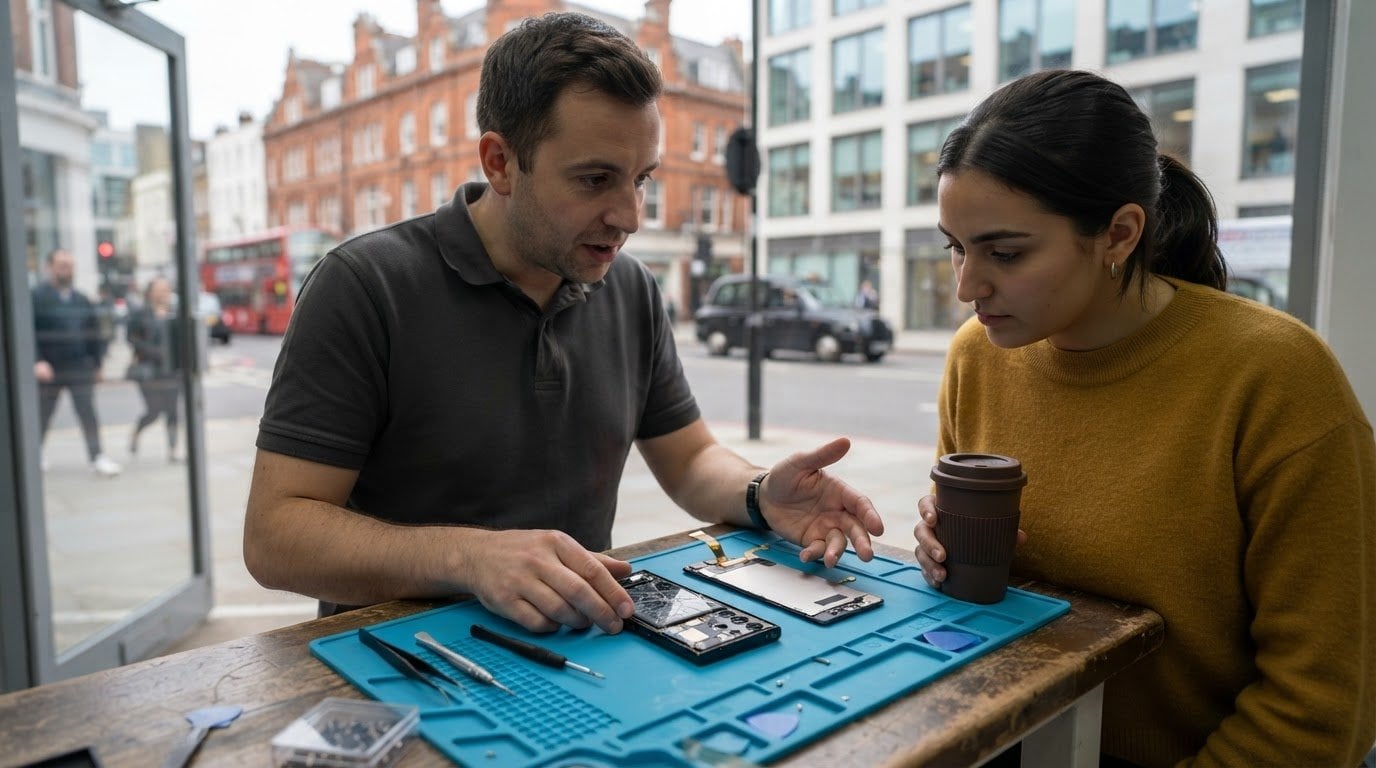
The official route isn’t automatically the right fit for every Samsung repair. Choosing between it and a local service means comparing the repair process, parts, repair terms and how you want your phone handled.
It’s reasonable to want clear information before handing over your device. The right option depends on your Galaxy model, the fault and whether the phone is still covered by its manufacturer warranty.
This guide explains how warranty status, replacement parts and repair arrangements can shape your decision. You’ll also learn what to look for in a local service, including data privacy, testing and written repair terms, with Central London options in mind.
Key Takeaways
- Compare what each repair option includes: the Galaxy model, display type, parts, damage and service arrangements all shape the repair.
- Before choosing an in-warranty or out-of-warranty route, establish how the repair may affect your cover and what happens if no fault is found.
- Ask what replacement display is used and whether its specifications suit your Samsung model, then review the repair warranty and data-handling process.
- A clear diagnosis should account for the fault, the phone’s condition and parts availability, so you understand what the repair involves before it begins.
- For Samsung phone repairs in Central London, iRepairMan London offers an on-site option, with a 12-month warranty on every repair.
In-warranty and out-of-warranty repair
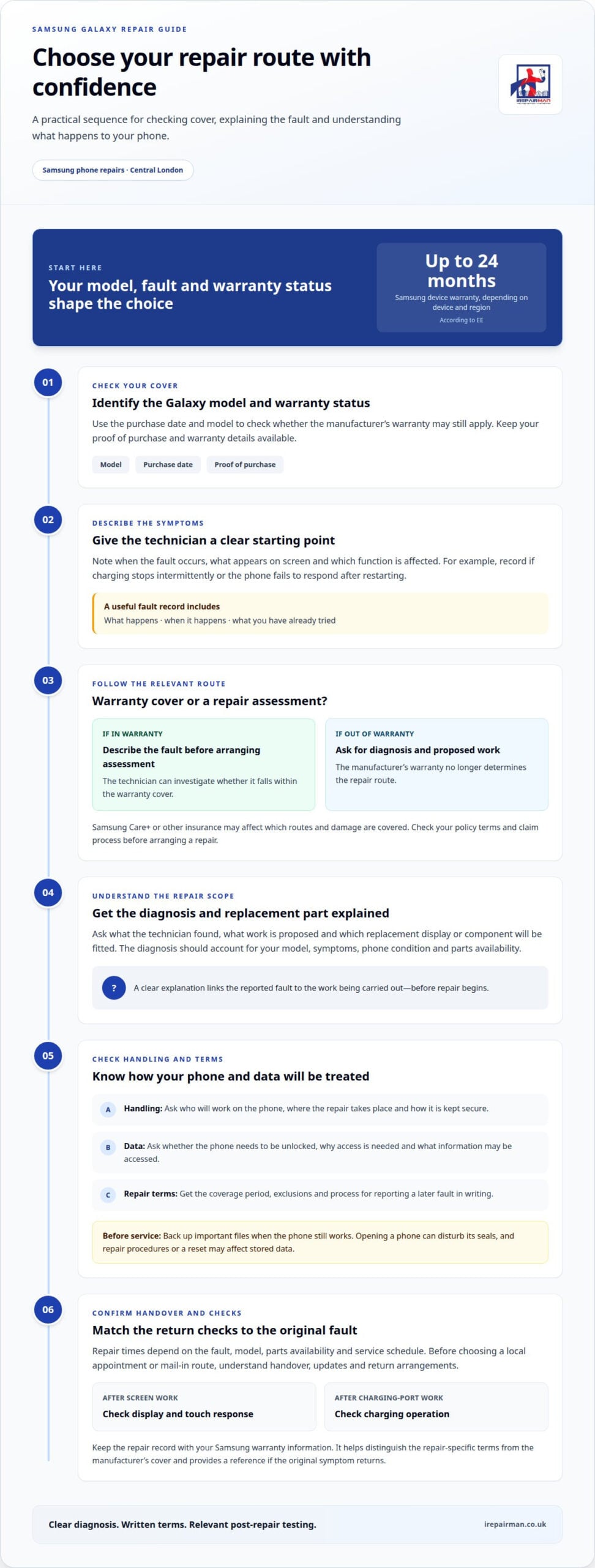
Start by identifying the Galaxy model and checking its warranty status. According to EE, Samsung device warranties can last up to 24 months, depending on the device and region. The purchase date and model help establish whether the manufacturer’s cover still applies. Keep the proof of purchase and warranty details available, as they help distinguish a covered fault from damage outside the warranty terms.
For an in-warranty repair, describe the fault clearly before arranging an assessment. Note when it occurs, what appears on screen and whether it affects a specific function. For example, record whether your Galaxy stops charging intermittently or fails to respond after restarting. These details help the technician investigate the issue and assess whether it falls within the warranty cover.
Once the phone is out of warranty, Samsung’s warranty no longer determines the repair route. The next step is to diagnose the fault and explain the work required. A screen issue, for example, may involve the display, touch response or other damage. The technician should record the findings and explain the proposed repair before work begins, so you can decide whether it suits your device.
Samsung Care+ and other insurance options affect which repair routes and types of damage are covered. Your policy terms determine whether an incident is eligible and how to make a claim. For a cracked Galaxy screen, accidental-damage cover applies only if the policy includes that event. Read the policy documents for the claim process and any conditions before arranging a repair.
Keep repair cover separate from the phone’s original warranty. Repair terms describe the work completed and parts fitted, while Samsung’s warranty has its own scope. Ask for the repair coverage period, exclusions and process for reporting a later fault in writing. For example, the documentation should clarify how a fault with the replacement display is handled, separately from fresh damage to the phone.
Post-repair testing should relate to the fault addressed. After screen work, the technician can check touch response and display function. After charging-port work, the phone should be tested for charging operation. A record of these checks gives you a reference if the original symptom returns. Keep the paperwork with your Samsung warranty information to distinguish the manufacturer’s cover from the repair-specific terms.
Before handing over your Galaxy, note its model, fault and warranty status. If the screen works, find the model under Settings, then About phone. Back up important data beforehand when possible. These records help keep the assessment focused on the reported issue and give you useful information to refer to during the repair.
What to look for when choosing a local repair service
Choose a repair service that explains how it handles your Samsung Galaxy from diagnosis to handover. The technician should identify the model, record the symptoms and describe the proposed work in plain English. For example, if the screen flickers but still responds to touch, note both symptoms. A clear record helps keep the repair focused and gives you a reference when the phone is returned.
Ask about experience with your particular Galaxy model and fault. Screen, battery and software problems can produce similar symptoms, so diagnosis should distinguish them before work begins. If the phone won’t charge, for example, the technician should establish whether the fault relates to the charging port or another component. A useful explanation connects the reported behaviour to the work being carried out.
Find out how the service handles your device during the repair. Ask who will work on it, where the work takes place and how the phone is kept secure between diagnosis and collection. The service should explain its data-handling process and whether it needs the device unlocked. If access is required for testing, make sure you understand why and what information the technician can access.
Repair times vary between official and local services. The fault, Galaxy model, parts availability and appointment or workshop schedule all affect how long your phone is away. Some repair services offer mail-in and collection-and-return options. Before choosing a route, understand how the device is handed over, how you’ll receive updates and how it will be returned.
Third-party repair work can affect a phone’s original water resistance if opening it disturbs the seals. Ask how the repair addresses sealing and what checks follow. Data loss is another consideration: a repair procedure or reset may affect information stored on the phone. Back up important files before service when the device still works, and ask how personal data is handled during testing.
Check that the repair service documents the work and explains its repair warranty. The terms should say what is covered if the same repair-related fault returns and distinguish it from new damage. For example, a later screen fault should be assessed against the documented repair and the phone’s condition. Keep the paperwork with your Samsung documents for easy reference.
Finally, consider how the repair fits your day. A local appointment may suit someone who needs to remain at home or work, while a mail-in route can help when travelling to a repair location is inconvenient. Make sure the service explains the handover and return arrangements, testing and support clearly. These practical details help you choose a repair process that suits your phone and schedule.
Genuine manufacturer-approved parts
Part descriptions can sound similar without meaning the same thing. A genuine Samsung component, a manufacturer-approved part and a compatible replacement are distinct descriptions. The label alone doesn’t establish how a part was made or supplied. For a cracked Galaxy screen, the repair paperwork should identify the replacement type, rather than relying on a broad phrase such as “quality screen”.
Samsung repairs in the UK are carried out by third-party service partners. The repair route and component description are separate details: a service partner’s role alone doesn’t identify the part fitted. When comparing local repairs, focus on the named component and the work covered. A clear record helps distinguish the repair channel from the part itself.
Matching the exact model matters. Galaxy smartphones use different screen assemblies, and a part intended for another model may not fit or function as required. If the screen works, find the model name in Settings under About phone. If it doesn’t, the model code on the device or in its paperwork can help identify it. This detail helps avoid discussing a part intended for the wrong phone.
Screen quality affects everyday use. After a replacement, the display should show images clearly and respond to touch across its working area. The repair record should state what was fitted and note relevant checks, such as touch response and display operation. This gives you a useful account of the completed work, rather than a general claim that the screen was replaced.
The same principle applies to batteries and other components. A battery replacement should be recorded as a specific repair, not just described as a general device service. For example, the paperwork can identify the affected component and tests completed after fitting. Clear information matters if a fault returns, as it helps distinguish a repair issue from later damage or another fault.
- Part identity: The repair record names the component and the Galaxy model it suits.
- Repair scope: The paperwork describes the work completed, not just the symptom.
- Testing: Checks relate to the replacement, such as screen response after display work.
- Coverage: Written repair terms explain what is covered if the fitted part develops a fault.
These details make comparisons clearer without assuming that a nearby repair service uses a particular component. As a Samsung Galaxy owner, you can weigh the repair route, part description, testing and written cover separately. Together, they show what the repair involves and what record you’ll have afterwards. For a phone used for work or daily tasks, that clarity can be as practical as the appointment location.
In the UK, repairing a cracked screen on a recent flagship Samsung Galaxy S series base model costs approximately £240 on average, with prices ranging from approximately £195-£300.
Diagnosis and repair scope
A Samsung repair assessment considers the Galaxy model, fault and work required. Matching these details helps ensure the repair description relates to the right device and issue.
Diagnosis by phone model and repair type
Samsung Galaxy repair requirements vary by model and component. A screen repair depends on display technology, parts availability and the extent of the damage. A cracked outer surface may come with a damaged display or touch function, changing the work required. Battery, camera and charging faults each need a separate diagnosis. Identify the model and reported fault so the repair description refers to the right device.
For example, damage near a Galaxy camera may affect more than the glass around the lens. An assessment should distinguish a camera fault from screen damage and describe each affected component. The same applies when a phone has several symptoms. A screen that no longer responds may also have damage elsewhere. The repair scope should reflect the diagnosis, rather than assume one visible fault explains every problem.
Parts and repair scope
The repair description should clarify which replacement parts and work are required. Read the stated scope rather than assuming every repair includes the same items. For example, check whether the work covers a screen assembly and fitting it. The description should make clear which components are included.
Parts affect the work because Galaxy models use different displays and components. The technician needs to diagnose the fault, remove the relevant part and fit its replacement. The repair description should identify the component and work involved, so it is clear what the repair covers.
The extent of the damage matters. A screen-only fault differs from a phone with a cracked display, damaged frame and camera symptoms. The technician should identify which components need attention before defining the work. This helps prevent unrelated faults from being included in a screen repair without explanation.
Parts availability can affect the repair route and timing. A specific Galaxy display may need to be sourced before replacement. The repair description should identify the intended component and explain any change in scope after inspection. This keeps the approved work tied to the diagnosed fault.
When reviewing a Samsung repair, match the model, fault and repair scope. Check which components and work are included, and note whether related damage is covered. A screen replacement and a screen-and-frame repair are different jobs, even when both phones look cracked. Clear descriptions make those differences easier to assess.
IRepairMan London: Samsung Phone Repair
iRepairMan London provides Samsung phone repairs in Central London, with on-site appointments that can fit around home or work. If your Galaxy screen is cracked or the phone has stopped charging, you can arrange a repair at a suitable location instead of travelling to a shop.
Share the Samsung model, fault and preferred location when arranging a repair. If the screen still works, find the model under Settings, then About phone. If it doesn’t, the device’s paperwork may help identify it. These details give the technician a useful starting point for assessing the fault and preparing for the appointment.
Customer feedback describes same-day service. For a Samsung repair, timing depends on the fault, appointment schedule and whether the required part is available. A screen replacement may need a model-specific display, while a charging fault requires a different assessment. The repair plan should reflect the device and work involved, rather than promise a result before inspection.
At your home, office or another suitable Central London location, a mobile workstation brings repair tools to the appointment. This can reduce disruption if you rely on your phone for work, travel or staying in touch. The technician assesses the device, explains the proposed work and carries out the repair on site when the repair allows.
After the repair, the device receives post-repair safety testing. For a screen fault, checks can include display and touch functions; for a battery issue, they focus on the repaired device’s operation. Repair terms explain the work and its coverage. Clear information at handover helps you understand what was completed and what support applies if a repair-related issue arises.
Personal information matters during a phone repair. iRepairMan uses an encrypted, no-access data safety protocol designed to protect customer data without giving technicians access to personal content. Backing up important information before service remains a sensible step when the phone is usable. If the device can’t be backed up, the repair process is still handled with data privacy in mind.
This option suits Central London residents and professionals who need Samsung phone repair without building a shop visit into their day. It also gives you a direct way to discuss the fault, location and appointment needs. Parts availability and the repair assessment shape the practical plan, so you’ll receive clear information before work begins.
To discuss a Samsung repair, contact iRepairMan London.
Frequently Asked Questions
What affects the repair needed for a mobile phone?
The phone model, fault, parts required and extent of damage determine the work involved. For example, a Galaxy with a damaged frame as well as a cracked screen may need different repairs from one with screen damage alone. Ask for a clear diagnosis and repair scope before booking.
Why can Samsung screen replacements involve more than the outer glass?
Samsung screen replacements can involve a complete display assembly, rather than just the outer glass. The Galaxy model, display technology, parts availability and damage beyond the screen all affect the repair. For example, a damaged frame may change which components need replacing. A clear diagnosis should separate screen damage from camera or other faults, so the repair description matches the phone’s condition.
What should I consider when arranging a phone screen replacement?
The model, screen type, parts availability and extent of damage determine the repair scope. A cracked screen with touch or display faults may need different work from surface damage alone. Check that the repair description matches your phone model and the damage found during assessment.
Will my repair affect my manufacturer warranty?
A repair doesn’t automatically determine whether a later fault will be covered by the manufacturer’s warranty. The warranty terms and cause of the problem are relevant to a claim. Keep the repair paperwork, including the diagnosis and parts fitted, with the phone’s original documents. For example, this can help distinguish a fault with the repair from a separate device issue.
What should I check when arranging Samsung screen or battery repairs?
A screen replacement and a battery replacement are different jobs, so their repair scopes aren’t interchangeable. Ask for the part and work to be described clearly, and check that the diagnosis matches your Samsung model and fault. This gives you a clear record of the repair being carried out.
What should I consider when choosing a Samsung repair service?
Check that the repair description matches your device, fault and the work included. A Samsung repair may be handled through a third-party service partner, while independent shops can vary in their parts and repair terms. Consider the written scope, parts, labour and repair cover together. This helps show whether the two options describe the same repair.
Do Samsung UK official repairs use genuine parts, and what parts do local shops use?
The repair route alone doesn’t identify the component fitted to a particular phone. Local repair shops may use different replacement parts, so the part type can vary. For a Samsung Galaxy screen repair, the paperwork should identify the component and the model it suits. Keep that record with the repair documents, especially if you need to discuss the work later.
Does using a local repair shop affect Samsung warranty or statutory consumer rights in the UK?
Using a local repair shop doesn’t by itself determine how a Samsung warranty claim or consumer-rights issue will be resolved. The fault, repair work and relevant terms matter. Keep the shop’s repair record and Samsung warranty documents. If a problem arises later, these records help show what was repaired and when, and distinguish that work from a separate fault or new damage.