
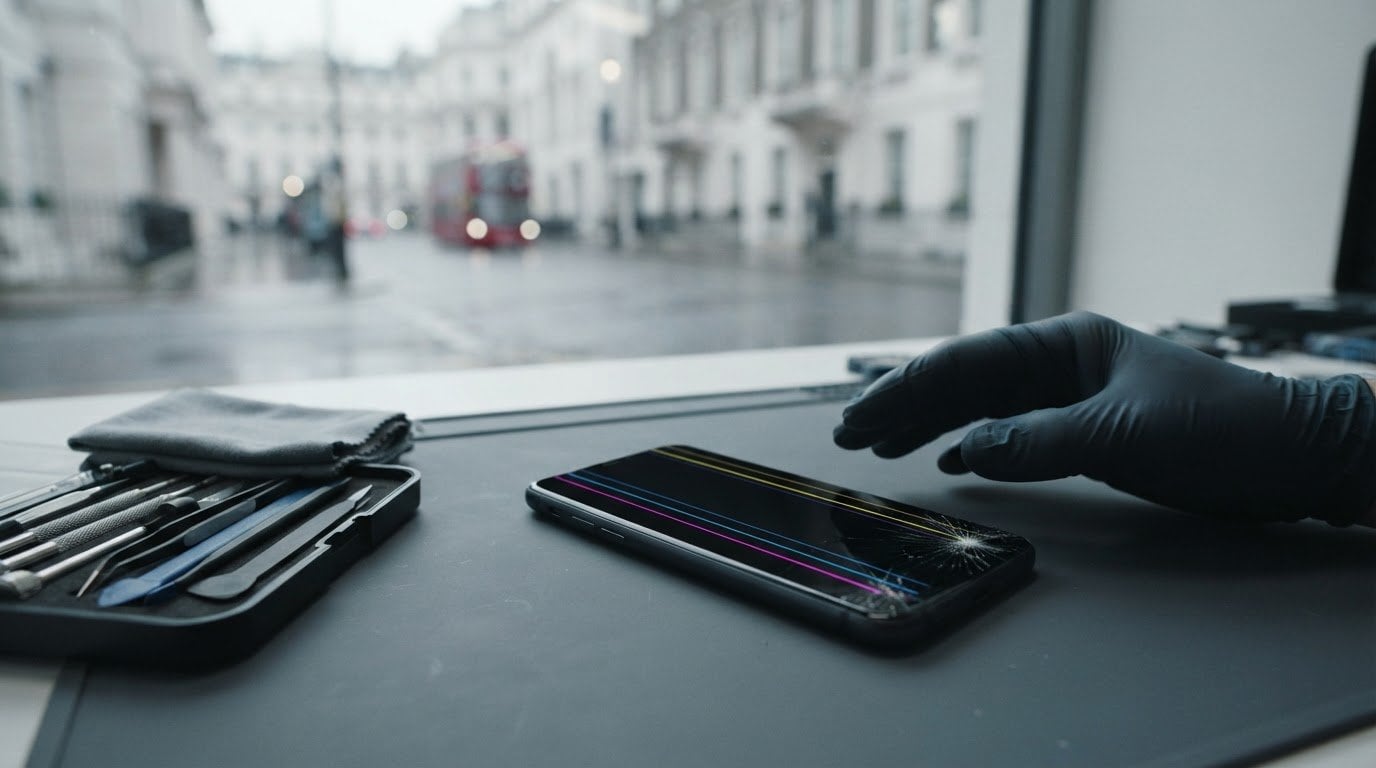
A drop can leave your phone working one moment and marked by vertical lines the next. If your phone has vertical lines on screen after drop, it’s natural to wonder whether the fault is temporary or the display is damaged. The timing makes impact damage a real possibility, but the lines alone can’t identify the exact fault or show how it may develop. A professional assessment can.
This guide explains what the symptom may indicate, what it can’t tell you without an assessment, and how to protect your phone and personal data while arranging help. Avoid pressing on the screen or attempting a physical repair, as this could make the damage worse. A restart may help rule out a coincidental software glitch, but it won’t repair impact damage.
In Central London, iRepairMan London provides on-site phone repairs at your home, workplace, school or another convenient location, helping reduce disruption. If you’re elsewhere in the UK, the pick-and-return service offers another practical option. Repairs include an encrypted, no-access data safety protocol, post-repair safety testing and a 12-month warranty. Here’s how to take the next sensible step.
Key Takeaways
- If your phone has vertical lines on screen after drop, treat them as a warning sign, not a definitive diagnosis of one failed part.
- A restart may help rule out a coincidental software glitch, but it can’t establish whether the impact damaged the screen or an internal connector.
- Avoid pressing or repeatedly testing a worsening screen. Note what you see and back up your data if the phone allows it.
- A professional assessment can help identify the fault before a repair is recommended, rather than relying on the lines alone.
- Choose on-site repair in Central London to reduce disruption, or UK-wide pick and return if you’re elsewhere. Repairs include a 12-month warranty.
Phone has vertical lines on screen after a drop: what could it mean?
Seeing lines appear straight after a drop is alarming, especially if the glass looks mostly intact. If your phone has vertical lines on screen after drop, impact damage is one possible cause. The lines are a symptom, though, not proof that a particular part has failed. A knock may affect the display panel or the internal connectors that carry the picture to the screen. A technician can assess the phone, identify the likely cause and advise whether a repair is appropriate.
Lines don’t necessarily mean the whole phone has stopped working. It may still power on or respond to touch, but that doesn’t establish that it’s safe to keep using indefinitely. If the display becomes harder to read or operate, arrange an assessment rather than relying on the phone as normal.
Vertical lines after a drop are a warning sign, not a diagnosis: the symptom alone cannot confirm the exact fault.
What the colour, position, and behaviour of the lines can tell you
Make a note of what you can see without pressing on the screen: the lines’ colour and position, whether they stay constant or change, and whether there is any flickering. Also note changes in touch response, cracks or other visible damage. These details can help explain what happened and how the display is behaving, but they can’t identify the damaged part without an assessment.
Screen designs vary. Some phones use LCD technology, which includes layers with liquid crystals. You can read more about the basics of a liquid crystal display (LCD). Other phones use different display technology, so don’t assume every screen has the same construction or that one line pinpoints a particular component.
When to stop using the phone and arrange an assessment
Avoid pressing on the affected area, bending the phone or trying to push it back into shape. These actions can put extra strain on the screen and internal connections. If the lines spread or change, the display flickers, touch response becomes unreliable, or normal use is difficult, arrange a professional assessment promptly. Don’t keep testing the screen to see whether the lines disappear, especially if its behaviour is getting worse.
Not every line means the entire screen must be replaced. The right next step depends on the assessment. Share what you’ve noticed, including when the lines first appeared and whether touch still responds. That gives the technician useful context without requiring you to diagnose the fault yourself.
Why a dropped phone can develop vertical lines on its screen
A drop can send force through the phone, even if the outer glass looks unbroken. The display beneath it contains delicate parts that work together to show the picture and register touch. An impact can disturb or damage one of those parts, so a clear-looking surface doesn’t rule out a display fault. If your phone has vertical lines on screen after drop, impact damage is a possibility, but the symptom doesn’t identify the cause on its own.
Lines can look similar even when the underlying faults differ. Their pattern is useful information for an assessment, not a shortcut to naming a failed component.
Display panel damage versus a possible internal connection fault
The screen assembly contains the panel that produces the image, along with components that allow the phone to respond to touch. A hard knock may affect the panel itself or disturb an internal connector that carries information between the display and the rest of the phone. Damage can occur beneath glass that appears largely intact.
Symptom patterns can guide an assessment, but they cannot confirm a failed component. Don’t open the phone or try to adjust internal connectors yourself. A technician can inspect the device and determine whether the fault calls for a screen repair or another response.
Could the lines be caused by software instead?
Software can sometimes affect how a display behaves, so a restart is a reasonable, limited check if the phone is responsive and you can use it safely. If the lines disappear, that may suggest a temporary glitch, but it doesn’t prove the hardware is undamaged. If they remain, restarting won’t repair physical damage from an impact.
Because the lines appeared after a drop, physical damage is a relevant possibility, even if the phone still turns on or responds to touch. Don’t keep restarting it or experimenting with settings to force a result. Software and hardware causes can’t be reliably separated from the appearance of the lines alone. An assessment is needed to understand what has happened.
If the display is worsening or difficult to use, iRepairMan can assess your phone through on-site phone repair in Central London, so you can arrange support without travelling to a repair shop.
Restart, DIY checks, or repair assessment: which option makes sense?
A quick check can help you decide what to do next, but it can’t identify a damaged component. If your phone has vertical lines on screen after drop, compare the options below and avoid tests that could add pressure or heat.
| Option | When it makes sense | What it can’t establish |
|---|---|---|
| Restart | Try once if the phone responds normally and there are no other warning signs. | It can’t repair impact damage or confirm that the screen is undamaged. |
| Basic observation | Note the lines’ colour, position and whether they change. Back up important data if the display works. | Appearance and behaviour alone can’t identify which part is affected. |
| Professional assessment | Choose this if lines persist after impact, worsen, or affect touch response or visibility. | An assessment guides a suitable repair recommendation. The symptom itself isn’t a diagnosis. |
Safe checks to try before arranging a repair
If the phone is responsive and otherwise behaving normally, a single restart is a sensible, limited check. If the lines remain, don’t keep restarting or changing settings in the hope of fixing physical damage. Record what the screen looks like and back up important data if you can do so without struggling with the display.
A screenshot that looks normal when viewed on another device doesn’t prove the phone’s screen is undamaged. The image file may be captured correctly even if the physical display showing it has a fault. Don’t press the screen, apply heat or open the phone to test it.
Why home screen replacement is a different risk
A phone screen is a delicate assembly, and repair steps vary by model. Trying to replace one at home can risk further damage, particularly when the fault hasn’t been identified. Avoid opening the device or handling internal connectors. For iPhone owners, read about professional iPhone screen repair as a route to an expert assessment.
Persistent lines after a drop deserve attention, especially if touch response is unreliable or you can’t read the display comfortably. A technician can inspect the phone before recommending what to do, rather than relying on guesswork or an at-home test.
Next steps to protect your phone, screen, and data
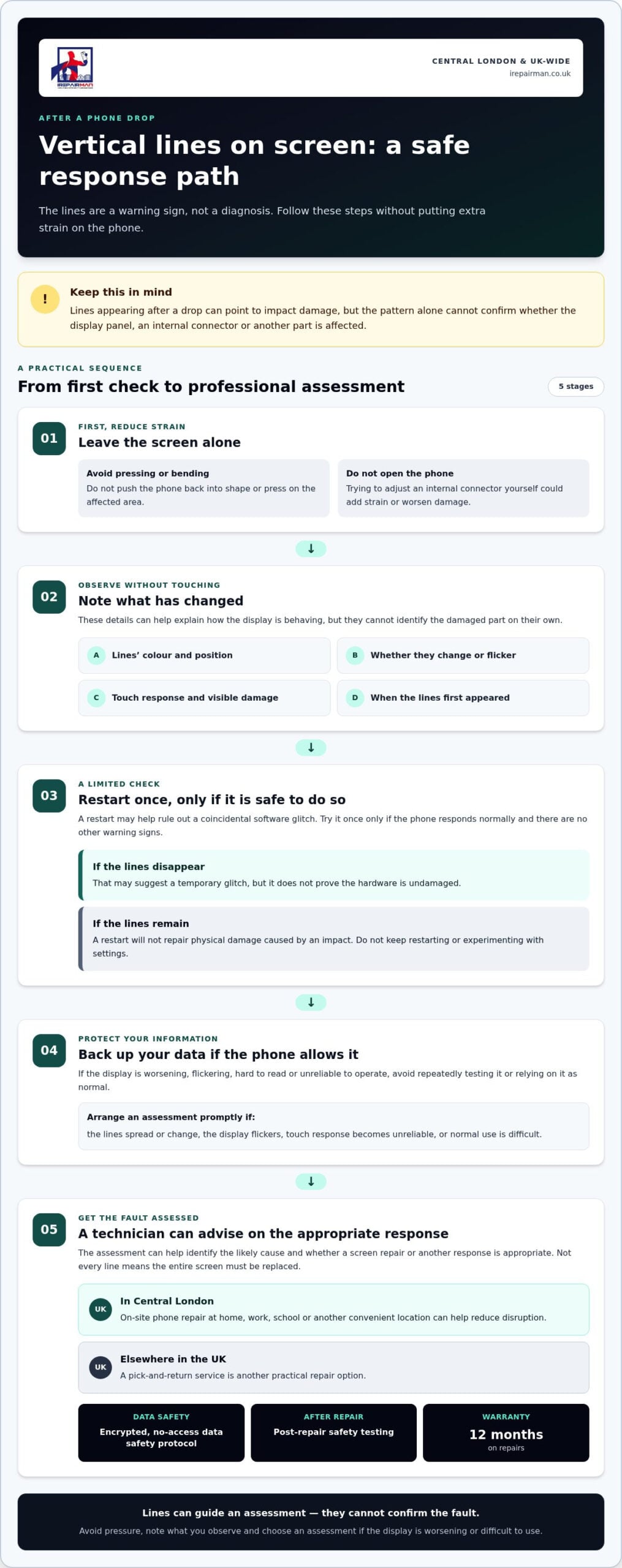
If your phone has vertical lines on screen after drop, focus on protecting the device rather than trying to make the lines disappear. Take these steps in order:
- Avoid pressure. Handle the phone gently. Don’t press on the affected area, bend the device or keep testing a screen that’s getting worse.
- Note what’s happening. Record when the lines appeared, their colour and position, whether they change, and whether touch still responds.
- Back up important data if practical. Only try this if the phone remains usable and you can do it without struggling with the display.
- Arrange an assessment. Persistent or worsening lines, especially alongside poor touch response or visibility, are a good reason to have the phone inspected.
Back up and describe the fault clearly
Your notes can help a technician understand the change in the screen’s behaviour. Include any flickering or new visible damage, and mention whether the phone was still responsive after the drop. Don’t share your passcode or sensitive personal information in an article comment or general enquiry.
If the phone needs to be handed over, iRepairMan uses an encrypted, no-access data safety protocol. This is designed to protect your privacy during the repair process, but it isn’t a promise of data recovery. Back up first where you can, and don’t delay an assessment simply to keep trying a failing screen.
Choose a repair location that fits your day
In Central London, iRepairMan provides on-site mobile phone repairs at a suitable location, such as your home or workplace. You can arrange help without travelling to a repair shop. If you’re elsewhere in the UK, the UK-wide pick-and-return service offers another practical route. iPhone owners outside London can use the UK-wide iPhone pick-and-return service.
There’s no need to keep checking whether the lines will vanish. If the display is worsening or making normal use difficult, arrange an on-site phone repair at a convenient Central London location. A technician can assess the fault before recommending the next step.
Professional phone screen repair in Central London and across the UK
If your phone’s screen is showing lines after a drop, a professional assessment can help establish what’s affected before a repair is recommended. Similar symptoms can have different causes, so the next step shouldn’t be based on the appearance of the lines alone. A technician will assess the device and explain the practical repair route based on its condition.
What a professional repair assessment should establish
The technician checks the phone before deciding whether screen repair or replacement is appropriate. iRepairMan’s on-site technicians use a mobile workstation with professional tools and a microscope to support their assessment. The repair recommendation depends on what they find.
After a repair, the phone receives post-repair safety testing. Every repair includes a 12-month warranty, giving you clear support after the work is complete. The assessment helps determine the appropriate repair for the phone’s condition.
On-site repair or UK-wide pick and return
In Central London, on-site phone repair can take place at a suitable location, such as your home or workplace, so you don’t need to travel to a repair shop. Same-day, on-site iPhone repairs can help reduce disruption to a busy day. The repair recommendation depends on the fault and the phone’s condition.
If you’re elsewhere in the UK, pick and return offers a way to arrange a repair without travelling to London. For a Samsung device, Samsung phone repair in London is another relevant service.
Arrange a suitable repair option through iRepairMan. Share what happened, when the lines appeared and whether touch still responds. This gives the technician useful context and helps you plan the next step, whether on-site service in Central London or UK-wide pick and return is the better fit.
Take the next step with confidence
If your phone has vertical lines on screen after drop, treat them as a symptom that needs assessment, not a definite diagnosis. A restart may help rule out a temporary glitch, but it can’t repair impact damage. Avoid pressing or repeatedly testing the screen, and back up your data if the phone remains usable.
iRepairMan offers on-site phone repair in Central London and UK-wide pick and return, so you can choose an option that fits your location and routine. Every repair includes an encrypted, no-access data safety protocol, post-repair safety testing and a 12-month warranty. The phone is assessed before a repair is recommended, so the next step is based on its condition.
Arrange a convenient phone repair with iRepairMan and explain what happened to your screen. A clear assessment and a practical repair route can help you move forward with greater peace of mind.
Frequently Asked Questions
Can vertical lines on a phone screen fix themselves after a drop?
Vertical lines usually don’t disappear simply with time. After a drop, they may indicate physical damage, although an assessment is needed to identify the cause. If they fade after a restart, that still doesn’t prove the screen is undamaged. Avoid pressing or repeatedly testing the display. If the lines persist, spread, or affect touch or visibility, arrange a professional assessment rather than waiting for them to clear.
Does a vertical line mean my phone screen needs replacing?
No, a vertical line doesn’t automatically mean the screen needs replacing. Impact may affect the display panel or an internal connection, and similar-looking lines can have different causes. A technician needs to assess the phone before recommending screen repair, replacement or another response. Don’t try to diagnose the part by the line’s colour or position alone. These clues describe the symptom but can’t confirm the fault.
Is it safe to keep using a phone with lines on the screen?
It may still turn on and respond to touch, but that doesn’t mean you should keep using it as normal indefinitely. If the lines worsen, the display flickers, touch becomes unreliable, or reading the screen is difficult, stop testing it and arrange an assessment. Handle the phone gently, avoid pressure on the affected area, and back up important data if the display remains usable.
Can restarting a phone remove vertical lines after impact?
A single restart may help rule out a temporary software glitch if the phone is responsive and has no other warning signs. It can’t repair physical damage caused by a drop. If the lines remain, change or return, don’t keep restarting the phone in the hope of fixing the screen. Persistent lines after impact warrant an assessment, especially if touch response or visibility is affected.
Can a phone have vertical lines after a drop without cracked glass?
Yes. The outer glass can look intact while an impact has affected the display panel or an internal connector beneath it. A lack of visible cracks doesn’t rule out damage to the screen assembly. Note when the lines appeared and whether they change or affect touch, but treat those details as observations rather than a diagnosis. An assessment is needed to identify the cause and suitable next step.
Should I back up my phone before screen repair?
Back up important data if the phone is still usable and you can do so without struggling with the screen. Don’t keep testing a worsening display just to complete a backup. iRepairMan uses an encrypted, no-access data safety protocol during repairs, but this isn’t a promise of data recovery. You don’t need to share your passcode or sensitive personal information in a general enquiry.
Can I arrange phone screen repair at home or work in Central London?
Yes. iRepairMan provides on-site phone repairs in Central London, so you can arrange service at a suitable location such as home or work without travelling to a repair shop. A technician assesses the phone before recommending a repair. Every repair includes a 12-month warranty and post-repair safety testing.



