
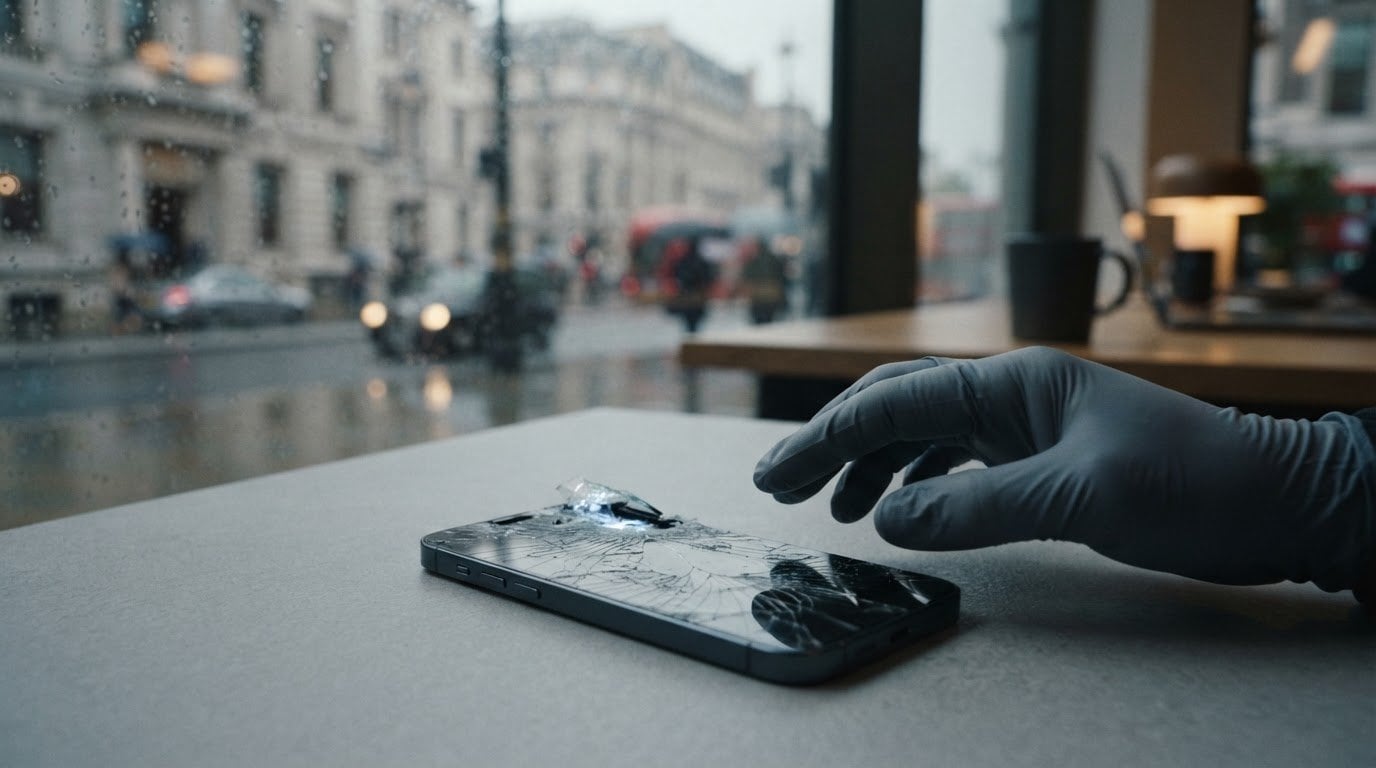
A phone can still light up and respond to touch without being safe to keep using. So, is it safe to use a phone with a cracked screen? It depends on the damage. A working display doesn’t rule out sharp glass or problems that could worsen with everyday use.
It’s understandable to want to carry on, especially when you rely on your phone for work, travel or staying in touch. But loose shards can cut your fingers, while cracks may affect touch response and leave the display more exposed to dust and moisture. Flickering, distorted colours, lines or unresponsive areas are signs to take seriously.
This guide explains which warning signs mean you should stop using the phone, what you can do to handle it more safely in the short term, and when to arrange a professional screen assessment. You’ll also find practical points to consider if the damage is disrupting your day, so you can make an informed decision rather than judging the phone by whether it still works.
Key Takeaways
- Is it safe to use a phone with a cracked screen? A working display alone can’t confirm it’s safe. Consider the crack, loose glass and any changes in touch or display behaviour.
- Compare what you can see with how the phone responds. Stop handling it if the glass is sharp or loose, or if its functions become unreliable.
- Reduce the chance of further damage, and back up important data only if the phone responds and can be handled safely.
- A technician can inspect the screen and advise on the appropriate repair.
- In Central London, ask whether on-site repair is available for your device and location. UK-wide pick-and-return repair is available for customers elsewhere in the UK.
Is it safe to use a phone with a cracked screen?
Some phones with cracked screens still function, but that doesn’t confirm they’re safe to use. The level of concern depends on where the crack is, whether glass is loose or sharp, and whether the touch screen and display behave normally. A small mark may look cosmetic, but even a limited crack can affect how comfortably you hold and use the phone.
Screen glass can break after an impact. For background on one type of glass used in some phone screens, see Gorilla Glass. The appearance of a crack alone can’t show whether anything beneath the glass has been affected. Check for changes such as dead touch areas, flickering, lines or distorted colours. Don’t assume the device is fine just because it still turns on.
When might a cracked screen be lower concern?
A small, stable crack with no sharp or loose fragments may be lower concern than shattered glass or a screen that is changing quickly. It isn’t risk-free, though. Normal touch response doesn’t prove the screen is undamaged internally, and another knock could make the crack spread. Keep an eye on both its appearance and behaviour, and arrange an assessment if either changes.
When should you stop using the phone?
Stop handling the phone if glass is loose or sharp, the display changes suddenly, or touch becomes unreliable. These problems can make ordinary tasks, such as answering a call or entering a passcode, uncomfortable or difficult. Don’t press cracked areas to test whether the glass is secure. Pressure may worsen the damage or expose your fingers to fragments.
- Put the phone down if you notice loose shards or sharp edges.
- Stop using it if the display flickers, develops lines or becomes difficult to read.
- Seek professional assessment if touch response fails or you can’t handle the phone safely.
If an essential function is unreliable, avoid relying on the phone for it until the damage has been assessed. A clear, stable-looking screen can still have unseen damage. Use the visible signs and how the phone responds to guide your next step, rather than appearance alone.
What can a cracked phone screen affect?
A cracked screen can affect more than appearance. Glass may loosen, or a crack may spread after another knock. Touch or display faults can make calls, navigation and everyday information harder to access. A damaged screen may also offer less protection from dust or moisture, although a crack alone doesn’t confirm that internal parts have been affected.
The impact depends on the damage and how the phone behaves. A hairline mark may not interfere with use, while a crack across the keyboard, a button area or part of the display could make routine actions awkward. If the screen is difficult to read or respond to, don’t rely on it for tasks that need accurate input.
Glass, touch response and visibility
Cracked glass can leave sharp edges or small fragments that irritate or cut skin during handling. A further impact may make the damage looser or wider, but there’s no reliable way to predict when that might happen. Avoid pressing, bending or repeatedly tapping damaged areas to check them. This can make the phone harder to handle and may aggravate existing damage.
Pay attention to changes on screen. Missed touches can make it difficult to answer a call, type a message or enter details. Unresponsive areas, flickering, lines, patches or distorted colours can also interfere with reading directions or checking information. These signs don’t identify exactly what has been damaged, but they are good reasons to have the phone assessed.
Moisture and further device damage
The screen helps shield the phone’s interior from everyday dust and moisture. A crack may compromise that barrier, so don’t assume the phone’s usual water resistance still applies. Keep it away from liquids and damp conditions until it has been assessed. Avoid using it near a sink, in the rain or with wet hands.
A cracked screen alone doesn’t prove that dust, moisture or an impact has reached internal components. The phone may continue to work, or it may develop problems later. A technician can inspect the damage and advise on the next step instead of judging by the crack’s appearance alone.
If the damage is affecting everyday use, explore phone repair options in Central London. Ask whether on-site repair is available for your device and location.
How serious is your cracked screen? Signs to compare
A phone that switches on isn’t necessarily safe to keep using. Compare the visible damage with how the phone behaves, and use the signs below as general guidance, not a diagnosis or guarantee of safety. If you’re asking, “Is it safe to use a phone with a cracked screen?”, the answer depends on more than whether the display still lights up.
| Visible damage | Phone behaviour | Recommended next action |
|---|---|---|
| A small, stable hairline crack with no loose edges | Touch and display appear to work normally | Handle gently, watch for changes and arrange advice. This is a lower-concern example, not a safety clearance. |
| A crack that appears to be spreading | The screen may still respond as usual | Avoid knocks and rough handling, and seek professional guidance about assessment. |
| Loose or sharp fragments | Using or holding the phone may bring fingers into contact with broken glass | Stop using it if you can’t handle it without touching the damaged area. Arrange professional assessment. |
| Cracks alongside display damage | Lines, flickering, distorted images or unreliable touch | Stop relying on affected functions and seek prompt professional guidance. |
| Damage after a fresh impact | The phone behaves unexpectedly, even if it still turns on | Limit handling and ask for an assessment rather than assuming it’s safe. |
Signs you may monitor briefly while arranging advice
A limited crack that stays the same, with no sharp edges and no obvious change in touch or display, may be less concerning than loose glass or a malfunction. It still doesn’t confirm safe use. Check whether the crack changes and whether the screen responds consistently. Avoid rough handling, pressure and further impacts while you arrange professional advice.
Signs that call for prompt professional assessment
Loose or sharp fragments, a spreading crack, display abnormalities or failed touch response all warrant prompt attention. If you can’t pick up or use the phone without contacting broken glass, stop handling it. Unexpected behaviour after an impact is another reason to seek professional guidance. A technician can inspect the device and advise on the appropriate next step.
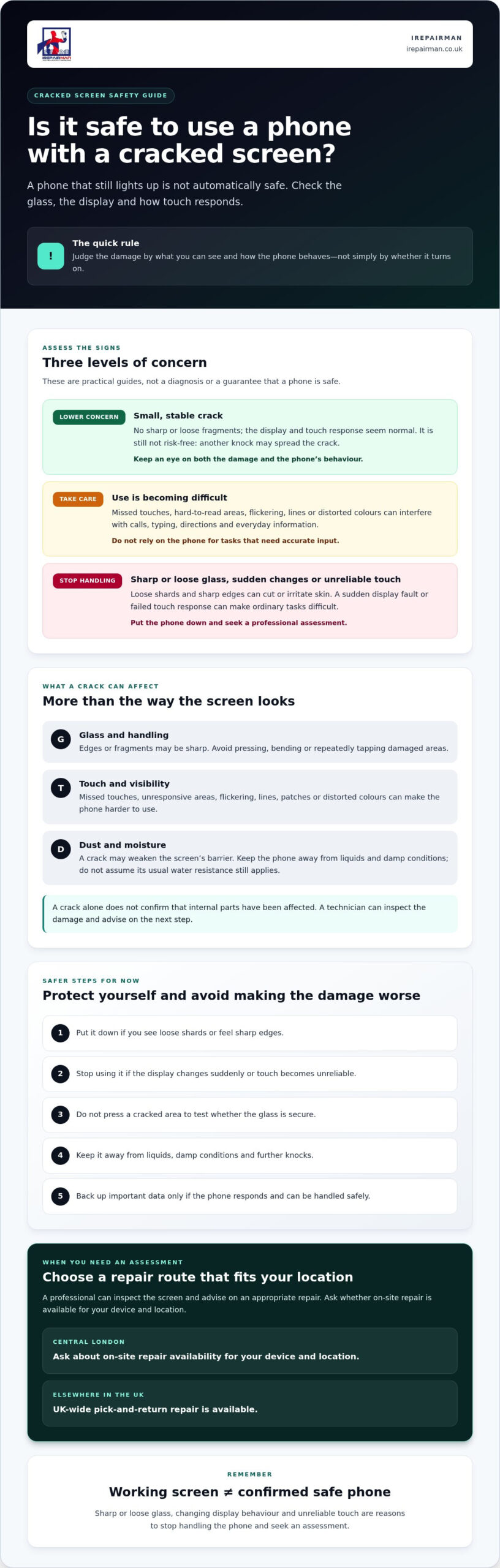
What to do now: safer steps for a cracked mobile
Take a cautious, practical approach. If you’re unsure whether you can handle the phone safely, don’t keep testing it. Work through these steps instead:
- Keep your fingers away from broken glass. Don’t touch, wipe or press sharp or loose areas.
- Check how the phone behaves without probing the damage. Look for display changes or unreliable touch, but don’t tap cracked glass repeatedly to test it.
- Reduce the chance of further damage. Set the phone down somewhere secure, away from liquids, dirt, loose items and places where it could be knocked.
- Back up important information if safe. If the phone responds normally and you can use it without contacting damaged glass, back up essential information while access is available.
- Arrange advice. If safe handling or normal use is in doubt, stop using the device and seek a professional assessment.
These steps can help limit contact with damaged glass and avoid unnecessary handling while you decide what to do next. They don’t repair the screen or confirm that the phone is safe.
How to handle the phone until it is assessed
Avoid putting the phone in a pocket or bag with keys, coins or other loose items that could catch on the broken screen. Don’t bend the device or wipe across damaged areas. If you need to move it, handle it gently by the edges only if you can do so without touching sharp or loose glass. Otherwise, leave it in a safe place and ask for professional guidance.
When a temporary screen protector may not be suitable
A tempered glass protector is not a repair and can’t secure every damaged screen or restore its protection. Don’t apply one over glass that is raised, loose or sharp. Positioning it could mean pressing on the damaged surface. Tape or a protector shouldn’t be treated as proof that broken glass is safe to handle. If you’re uncertain, leave the screen alone and get advice.
If you’re considering professional help, read about cracked iPhone screen repair in London. The appropriate repair depends on an inspection and device availability. In Central London, you can also ask about phone repair options and whether on-site service is available for your device and location.
Arrange a cracked phone screen assessment without unnecessary disruption
You don’t have to decide on a repair based on the crack’s appearance alone. A technician can inspect the screen, consider symptoms such as loose glass or unreliable touch, and advise on the appropriate repair. The repair plan depends on the device and the assessment, so it can’t be confirmed just from a description or photograph.
If you’re still asking, “Is it safe to use a phone with a cracked screen?”, share the symptoms when arranging advice. Clear details help explain what you’re experiencing, but they don’t replace an assessment of the device.
What to share when arranging a repair
Have the phone’s make and model ready, and describe where the screen is cracked and what has changed since the impact. Mention any loose or sharp glass, display problems, missed touches or areas that no longer respond. Include any unexpected behaviour too. These details can help establish whether the device is suitable for the service, but the repair plan depends on inspection.
Choose an appointment that fits your location
In Central London, contact iRepairMan London to ask about repair options for your phone and location. On-site support is available for schools and nurseries, and airport emergency repairs are also offered. Confirm that the service is suitable for your device before arranging a repair. If you’re elsewhere in the UK, a UK-wide pick-and-return repair service may be an option; check that it covers your device.
For a clear next step, ask about a cracked-screen assessment and confirm your device and location. If the glass is loose or handling the phone feels unsafe, leave it somewhere secure rather than carrying on using it.
Take the safer next step with your cracked phone
A screen that still works doesn’t automatically mean the phone is safe to keep using. Is it safe to use a phone with a cracked screen depends on the damage and symptoms. Loose glass, spreading cracks or unreliable touch are reasons to stop handling it and seek professional advice. If the phone responds normally and can be handled safely, back up important information before arranging an assessment.
iRepairMan repairs phones and tablets, including iPhone screen repairs, iPhone back glass repairs, iPad repairs and Samsung phone repairs. For Central London, contact the team to check which repair options suit your device and location. UK-wide pick-and-return repair is also available. A technician can inspect the damage and advise on the appropriate repair.
Ready to find out what your phone needs? Contact iRepairMan about a professional phone screen assessment, and share your device and location. If the glass is loose or handling the phone feels unsafe, leave it somewhere secure while you arrange advice.
Frequently Asked Questions
Is it safe to use a phone with a small crack in the corner?
A small corner crack with no loose or sharp glass may be lower concern, but it doesn’t confirm that the phone is safe. Check whether the crack changes and whether touch response or the display behaves differently. Avoid knocks and rough handling while you arrange advice. If the damage spreads, glass becomes loose or the screen develops faults, stop using the phone and seek professional assessment.
Can a cracked phone screen cut your finger?
Yes, sharp edges or loose glass can irritate or cut your finger during ordinary handling. Don’t run your fingers across the crack, wipe over it or press the glass to see whether it’s secure. If you can’t pick up or use the phone without touching a broken area, leave it somewhere safe and arrange professional advice. Avoid carrying it loose in a pocket or bag.
Can I use my phone if the screen still responds to touch?
A responsive touch screen doesn’t prove that the phone is safe or that the screen is undamaged internally. Consider whether there’s loose glass, spreading damage, flickering, lines or distorted images as well. If touch is inconsistent, answering calls or entering information may become difficult. Stop using the device if handling it feels unsafe, and arrange an assessment if screen behaviour changes or essential functions are unreliable.
Can water get into a phone through a cracked screen?
A crack could compromise the screen’s barrier, but the crack alone doesn’t confirm that water has entered the phone or show whether its usual water resistance remains. Take the cautious option: keep the damaged device away from liquids, rain and damp conditions until it has been assessed. If it has been exposed to liquid, seek professional guidance rather than assuming the screen damage is the only issue.
Should I turn off a phone with a cracked screen?
Not every cracked phone needs to be turned off straight away. If the glass is loose or sharp, touch is unreliable, or the display is behaving unexpectedly, stop using it. Power it down only if you can do so safely without pressing damaged glass or risking a cut. If switching it off would mean handling a hazardous screen, leave it in a secure place and ask for professional advice.
Can a cracked screen get worse if I keep using my phone?
It can. A further knock or pressure during everyday handling may loosen glass or spread a crack, though it’s not possible to predict when that might happen. Avoid bending the phone, pressing the damaged area or carrying it with loose items such as keys. Watch for changes in the crack, touch response and display. If damage spreads or the phone starts behaving unexpectedly, stop using it and seek advice.
How soon should I arrange a cracked phone screen repair?
Arrange professional advice promptly if glass is loose or sharp, the crack is spreading, the display is abnormal or touch response has failed. If damage is limited and stable, handle the phone carefully and monitor it while arranging an assessment. Don’t treat that as confirmation it’s safe. In Central London, contact iRepairMan to ask about repair options for your device and location. If you’re elsewhere in the UK, ask whether the UK-wide pick-and-return service is suitable for your device.



