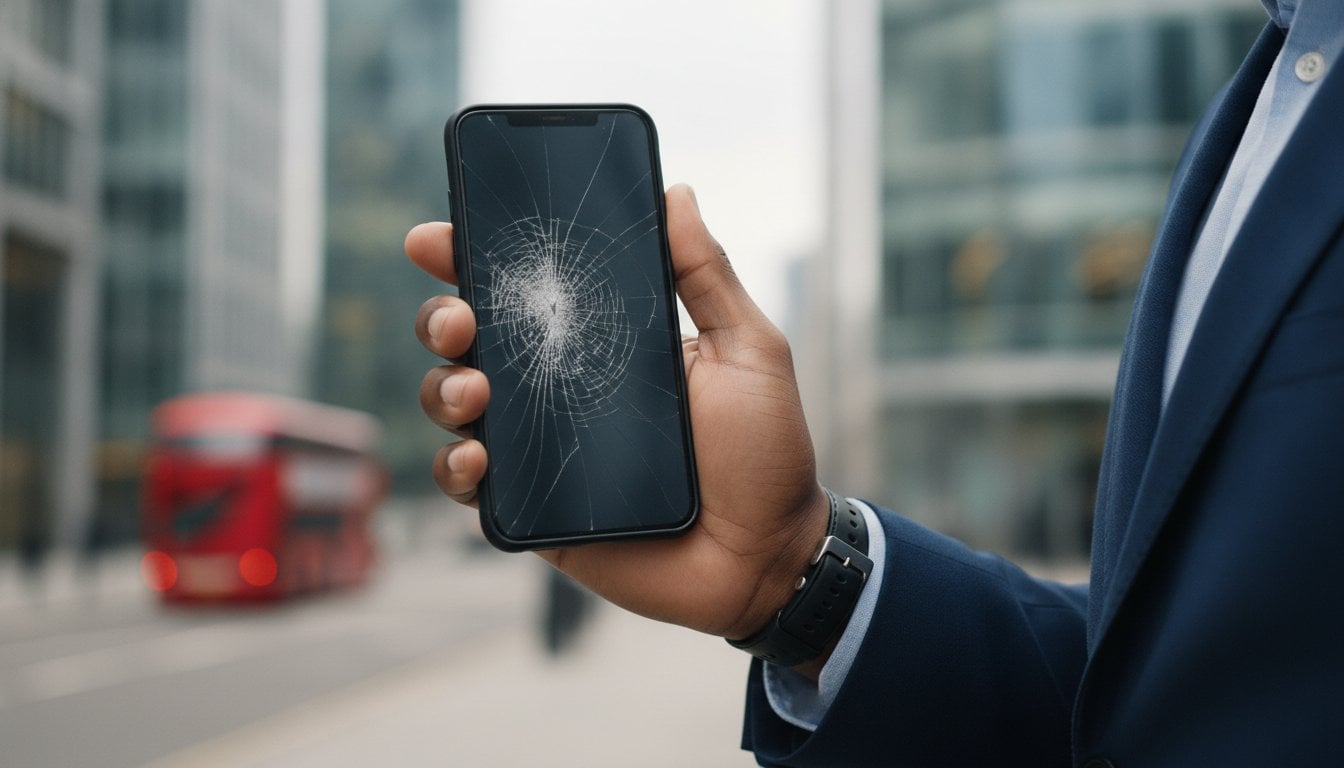
You’re halfway through a packed London morning when your iPhone hits the pavement, and suddenly your entire schedule is trapped behind a spiderweb of shattered glass. It’s not just a cracked display; it’s a high-stakes logistical crisis. You need a broken iPhone screen repair that doesn’t compromise your data or your day.
We understand the immediate anxiety that follows. Between the fear of glass splinters and the deep concern over who might access your private files, the stress of technical failure is real. You have work to finish and no time for a disruption. This 2026 recovery guide is designed to be your professional ally. We’ll show you exactly how to handle the initial damage, protect your sensitive information, and select a high-end repair model that restores your device to its original brilliance. From immediate first aid to choosing a reliable specialist in the heart of the city, here is your path to a seamless recovery.
Key Takeaways
- Identify the specific nature of your display damage to determine if you need a simple glass replacement or a full panel assembly.
- Protect yourself from glass splinters with immediate first aid steps before booking your broken iPhone screen repair.
- Secure your private information using professional data standards to ensure your privacy remains intact throughout the process.
- Evaluate the logistical trade-offs between on-site, mail-in, and high street models to find the fastest route back to work.
- Ensure long-term device health by prioritising premium components and comprehensive warranties that protect your investment.
Immediate First Aid: What to Do the Moment Your iPhone Screen Breaks
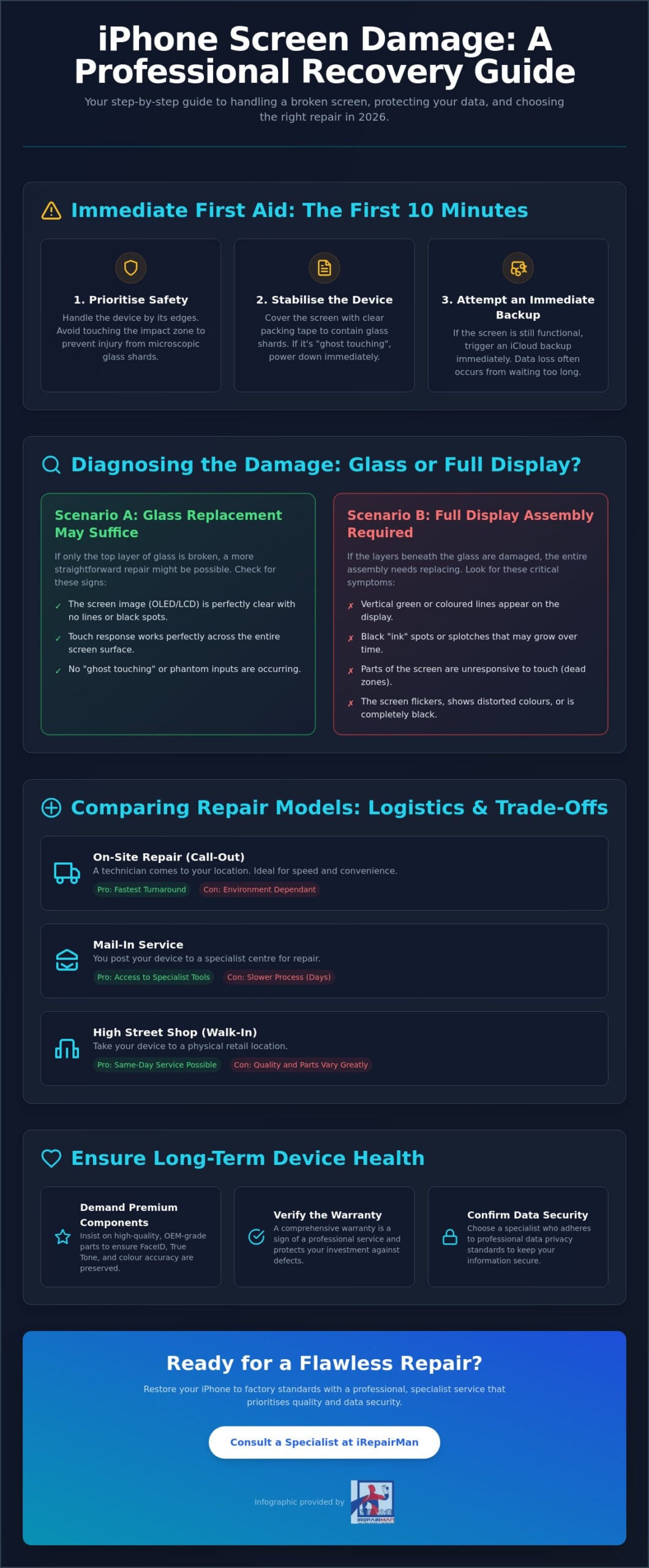
The sickening sound of glass hitting concrete is usually followed by a moment of frozen panic. Before you rush to book a broken iPhone screen repair, you must stabilise the situation. Not all cracks are created equal. A single hairline fracture might seem like a minor aesthetic nuisance, but it compromises the structural integrity of the display. Conversely, a spider-web pattern indicates severe impact. These shattered clusters often shed microscopic glass shards that can embed themselves in your skin or, worse, your ear during a phone call. Your first priority is safety. Handle the device by its edges and avoid running your fingers over the impact zone to check the depth of the damage.
The growing Right to Repair movement has highlighted how vital it is for users to have professional options when these accidents happen. It’s no longer just about the manufacturer; it’s about having a clear strategy to prevent a bad situation from getting worse. Once you’ve assessed the physical state, check the digitiser. If the screen is cracked but still responds to your touch, you have a window of opportunity to secure your data. If you see vertical green lines or black “ink” spots, the OLED panel is dying. In these cases, every minute counts before the display fails completely.
Stabilising the Device for Travel or Storage
Never use liquids or cleaning sprays on a cracked screen. Moisture will seep through the fractures and cause a short circuit on the logic board, turning a simple broken iPhone screen repair into a total device loss. Instead, use a piece of clear packing tape to cover the entire front assembly. This seals the glass shards in place and prevents moisture ingress from your fingers. If the screen flickers or shows signs of “ghost touching,” power the device down immediately. This prevents the phone from accidentally entering the wrong passcode multiple times and wiping your data.
The “First 10 Minutes” Checklist
Time is a factor when the hardware is compromised. Follow these steps to prepare for a professional fix:
- Check responsiveness: Can you still use FaceID or enter your passcode? If touch is failing, don’t restart the phone, as you’ll need the passcode to re-enable biometrics.
- Assess the chassis: Look at the frame. If it’s bent or the back glass is also shattered, the repair will require a more comprehensive structural approach.
- Immediate backup: If the screen still works, trigger an iCloud backup or plug it into a Mac whilst you still have visibility. Data loss is often the result of waiting too long to act.
Diagnosing the Damage: Glass Replacement vs. Full Display Assembly
Diagnosing a broken iPhone screen repair requires looking beneath the surface. Your device display isn’t a single piece of glass; it’s a bonded assembly of three distinct layers. The outer glass provides protection. The digitiser is the layer that translates touch into data. Finally, the OLED or LCD panel produces the image. When you drop your phone, the damage might be limited to the outer layer, but often the shockwaves compromise the deeper components. Understanding this hierarchy is essential before you commit to a fix.
Symptoms of a failing OLED are unmistakable. If you see vertical green lines or purple “ink bleeds” that slowly expand across the screen, the panel is physically leaking. This is a terminal condition for that specific part. Even more dangerous is “ghost touching,” where the digitiser begins firing phantom signals. This can lead to your iPhone attempting to unlock itself with the wrong passcode whilst in your pocket. This isn’t just a nuisance; it’s a security risk that can trigger a permanent data lockout if the device attempts too many failed logins.
Choosing between parts is where professional accountability becomes vital. Cheap aftermarket screens often lack the refresh rate and colour accuracy of the original. There are complex global discussions regarding intellectual property and the right to repair that influence how genuine parts are distributed and verified. High-quality, OEM-grade components ensure your FaceID and True Tone sensors continue to function perfectly after the swap. If you’re unsure about the extent of your hardware failure, you can consult a specialist for a precise, professional diagnosis.
Is it Just the Glass or the LCD/OLED?
You can perform a simple touch-point test by dragging an app icon across every centimetre of the screen. If the icon “drops” in a specific area, you have identified a digitiser dead zone. A functional screen with a crack is a ticking time bomb. Every time you press on the glass, you’re transferring pressure directly to the fragile OLED panel underneath. This eventually leads to total display failure, usually at the most inconvenient moment possible.
Evaluating Repair Feasibility
Determining whether to invest in a repair depends on the device’s age and the presence of secondary damage. A swollen battery or a bent logic board can make a screen replacement futile. If the repair cost exceeds 60% of the phone’s current market value, replacement might be the wiser financial move. However, for modern models, a professional repair is almost always the more sustainable and cost-effective choice to restore your device to factory standards. If you’re weighing up your options on price without compromising on quality, our guide to affordable iPhone screen repair London professionals trust breaks down exactly what to look for.
Preparing Your Device: Data Security and Privacy Standards
Handing over your device for a broken iPhone screen repair involves more than just a hardware transaction. It is a moment of extreme digital vulnerability. Your iPhone contains your banking details, private correspondence, and corporate credentials. This is why professional accountability is the single most important factor when choosing a service. A reputable technician doesn’t just fix a screen; they act as a temporary custodian of your digital life. Whilst some manufacturers have introduced “Repair Mode” to limit access, it is often a half-measure that doesn’t fully protect your files if the technician needs to test the digitiser or camera functions.
Before the repair begins, you must take active steps to secure your hardware. Remove your SIM card and any physical storage. Disable “Find My iPhone” in your iCloud settings; most professional repair protocols require this to ensure the device isn’t flagged as stolen during the testing phase. For corporate entities and high-net-worth individuals, on-site repairs offer the highest level of security. Watching the repair happen in your own office or home eliminates the “black box” risk of your device disappearing into a back room or being shipped across the country. This transparency is a cornerstone of a modern, security-first approach.
The Essential Pre-Repair Backup
Never assume your data is safe during a hardware swap. A slip of a pry tool or a static discharge can occasionally lead to a logic board failure. Follow these steps to ensure you’re protected:
- Encrypted Local Backup: Connect your iPhone to a Mac or PC. Choose “Encrypt local backup” in Finder or iTunes. This ensures that your Health data and saved passwords are included in the file.
- iCloud Verification: If your screen is partially obscured, use a secondary device to check your “Last Backup” timestamp at iCloud.com.
- Account Access: Ensure you have access to your Two-Factor Authentication (2FA) recovery codes. If your iPhone is your only 2FA device and it fails during repair, you could be locked out of your Apple ID entirely.
Privacy Best Practices for London Professionals
The question of whether to share your passcode is a common dilemma. Whilst a technician needs access to test the touch response and sensor array, you should never feel pressured to reveal it if you have sensitive data visible. Instead, consider using “Lock Screen” features or temporary guest profiles. As noted in the FTC report on repair restrictions, consumer choice in how devices are handled is a fundamental right. At iRepairMan, we prioritise data safe phone repair London for all our clients, ensuring that your privacy is respected whilst delivering a functional, factory-standard device.
Comparing Repair Models: On-Site, Mail-In, and High Street
When you’re facing a broken iPhone screen repair, the logistics of the fix are just as important as the technical quality. Traditional High Street models often require you to navigate crowded shopping centres, wait in long queues, and potentially leave your device overnight. For a busy London professional, this downtime is unacceptable. Even the manufacturer’s own service centres can have waiting lists that stretch for days, leaving you disconnected during critical work hours. It’s a model built on the shop’s schedule, not yours.
The Mail-in model is often marketed as a cost-effective alternative. Whilst it’s useful for those in remote locations, it introduces significant risks. Your device is subject to the rigours of the postal system, and the turnaround time usually spans three to five working days. If your iPhone is your primary tool for business, being without it for a week isn’t an option. There is also the persistent anxiety of shipping a device that contains your entire digital life. If you need an immediate solution, you can schedule a professional repair today and avoid the post altogether.
For those who value their time and privacy, the on-site mobile model is the premium solution. A specialist meets you at your office, home, or even your favourite coffee shop. This approach eliminates travel time and puts you in control of the process. If you’re a traveller catching a flight, specialised airport emergency repairs at Heathrow or Stansted can resolve your crisis before you board. This ensures that a shattered screen doesn’t become a shattered itinerary.
Why On-Site Repair Wins for Busy Professionals
On-site service isn’t just about convenience; it’s about maintaining your professional momentum. You don’t have to pause your day or rearrange your meeting schedule. Because the repair happens in front of you, there is total visual transparency. You can be certain that no original parts are swapped and your data remains untouched. Once the screen is replaced, you can immediately test the device on your own secure Wi-Fi network and verify the fix before the technician departs.
Logistics and Reliability in London
The efficiency gap between models is stark. A professional on-site repair typically takes just 30 minutes, whereas mail-in services average several days of downtime. For clients located outside Central London, a “Pick and Return” service provides a middle ground, offering professional handling without the need for you to commute. Our team at iRepairMan expertly organises on-site phone repair London to fit around your specific calendar, ensuring that your device recovery is a footnote in your day rather than a disruption.
Restoring Your iPhone to Factory Standards with iRepairMan
A shattered display is more than a cosmetic flaw; it is a breach in your primary tool for communication and productivity. Resolving this crisis requires more than a quick fix. It demands a return to original specifications. At iRepairMan, our commitment to excellence is reflected in our use of premium, tested components for every broken iPhone screen repair. We don’t just replace glass. We restore the seamless interaction you expect from your device. Every component we install undergoes rigorous quality control to ensure that colour accuracy, touch sensitivity, and brightness levels meet factory standards.
Trust is built on accountability. We provide a comprehensive warranty on both parts and labour, giving you lasting peace of mind long after the technician has departed. This commitment to quality extends across our entire service range, including tailored solutions for B2B partners, schools, and nurseries. We understand that educational and corporate environments have unique logistical needs; we act as a dedicated repair hub that minimises downtime across entire fleets of devices. Whether it’s a single emergency or a bulk requirement, our response is always immediate and professional.
The iRepairMan Professional Standard
Specialisation is the key to technical mastery. By focusing exclusively on mobile devices, our technicians maintain a level of expertise that generalist shops cannot match. Every broken iPhone screen repair is conducted in an ESD-safe (Electrostatic Discharge) environment to protect your phone’s sensitive internal circuitry. We also address the structural integrity of your device beyond the display. If your drop caused more than front-facing damage, we provide a precision iPhone back glass repair London service to ensure the entire chassis is restored to its sleek, original condition.
Booking Your Local London Expert
Your recovery should be effortless. Our online portal allows you to select your specific model and location in under two minutes. Once booked, you can expect a punctual, professional specialist who arrives equipped to handle the repair on-site. There are no hidden fees or vague timelines; we provide clear communication from the moment of booking to the final testing of your device. Expert precision. Premium parts. Guaranteed results. Book your on-site iPhone screen repair now and return to your schedule without further disruption.
Secure Your Device Recovery Today
A shattered screen is an urgent logistical hurdle, but it doesn’t have to derail your week. By stabilising the damage early and prioritising data security, you’ve already taken the most important steps towards a successful recovery. Choosing a professional broken iPhone screen repair is about more than just aesthetics; it’s about restoring the reliability you need to stay productive and connected in a fast-paced city.
Since 2015, iRepairMan has provided a decade of specialist expertise to London’s busy professionals, corporate firms, and schools. Whether you’re at your desk in the City or need an emergency fix at Heathrow, Stansted, or Luton, our mobile specialists meet you exactly where you are. We bring the repair lab to your location, ensuring your privacy is protected whilst your device is restored to factory standards. You don’t have to wait in queues or risk the post. Take control of your schedule and get your iPhone back to its original brilliance with a partner you can trust. Book Your Professional On-Site iPhone Screen Repair Today and move forward with total peace of mind.
Frequently Asked Questions
Is it worth repairing a cracked iPhone screen or should I buy a new one?
It depends on the age of your device and the cost of the fix. If the repair cost is less than 60% of the phone’s current value, a professional fix is the smarter financial choice. Modern iPhones are built to last several years; therefore, replacing a display is a sustainable way to extend your device’s life without the high cost of a new model.
How long does a professional iPhone screen replacement take on-site?
Most on-site screen replacements are completed in approximately 30 minutes. The technician arrives at your London office or home with a mobile workstation, ensuring a swift turnaround. This efficiency allows you to stay productive whilst the hardware is restored to factory standards, eliminating the need for long queues or overnight stays at a traditional high street shop.
Will I lose my data during an iPhone screen repair?
You won’t typically lose any data during a screen swap. The process focuses on the external hardware and doesn’t require a software reset or storage access. Despite this, we always advise performing an encrypted backup via iCloud or a Mac before your appointment. It’s a simple safety measure that ensures your files remain secure regardless of the hardware intervention.
What is the difference between a glass repair and a full screen replacement?
Glass repair only addresses the top protective layer, whilst a full replacement involves the entire display assembly. Because modern iPhone screens are bonded units, a broken iPhone screen repair usually requires replacing the glass, digitiser, and OLED panel together. This method ensures that touch responsiveness and colour accuracy remain consistent with the original factory specifications.
Can I still use my iPhone if the screen is cracked but the touch works?
You can use it temporarily, but you shouldn’t delay the repair. Cracks compromise the structural integrity of the phone and allow moisture to seep into the internal components. Over time, even a small fracture can lead to “ghost touching” or total display failure. Using a cracked screen also risks physical injury from microscopic glass splinters during calls.
Do you offer a warranty on iPhone screen repairs in London?
We provide a 12-month warranty on parts and labour for every broken iPhone screen repair we perform in London. This guarantee reflects our commitment to using premium components and our confidence in our technical team’s work. If the replacement screen develops a fault due to a manufacturing defect within that year, we’ll resolve the issue promptly at no additional cost.
How do I protect my iPhone from breaking again in the future?
Invest in a high-quality case with a raised bezel and a tempered glass screen protector. These accessories are designed to absorb the kinetic energy of an impact before it reaches the phone’s display. Additionally, using a phone grip or wrist strap can significantly reduce the likelihood of accidental drops whilst you’re commuting or working on the move.
What happens if my iPhone has water damage as well as a broken screen?
Liquid damage requires a thorough internal diagnostic before a new screen is fitted. Water can cause hidden corrosion on the logic board that might lead to failure even after a screen replacement. If your device has been submerged, it’s vital to inform the technician so they can assess the internal health of the device and determine if a repair is still viable. For those balancing urgency with budget, exploring an affordable iPhone screen repair London service that doesn’t cut corners on diagnostics is the safest route forward.